That’s a staggering amount of competition for web traffic.
Driving web traffic is hard enough. But when you consider returning website visitors converted more than 73% more than first time visitors, it can feel even more overwhelming.
How on earth can you convince people to visit your website twice?
The secret is with web push notifications.
Want to make web push notifications a part of your marketing strategy? Read on to learn how to create push notifications that make it easy to drive traffic back to your website and make more sales.
Moreover, combining email marketing with web push notifications creates a powerful, multi-channel campaign that boosts engagement and revenue.
What are web push notifications?
Imagine having a tool that sends friendly nudges directly to your visitors’ desktops or laptops. These are web push notifications—short, clickable messages that pop up when your visitors have their browser open, even if they’re not currently on your website.
Once someone opts in, they don’t need to be on your site to get these notifications. You’ve probably seen these notifications yourself; they’re those small notices asking if you want to stay updated with new content or offers from a site you visited.
They typically show up in the corner of the screen and act as alerts for exclusive deals, offers, promotions, or freebies. The goal is simple: to bring your audience back to your website or landing page and encourage them to take action.
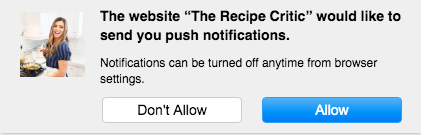
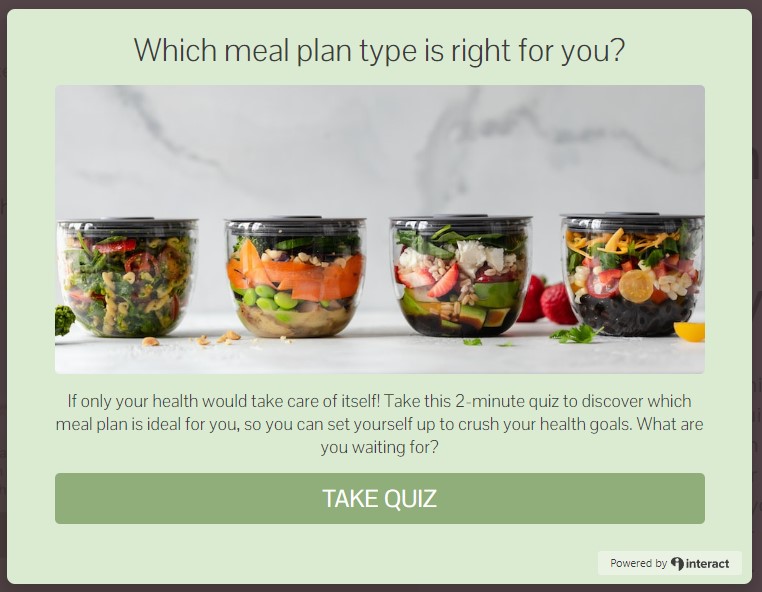
Here’s an example of an opt-in message:
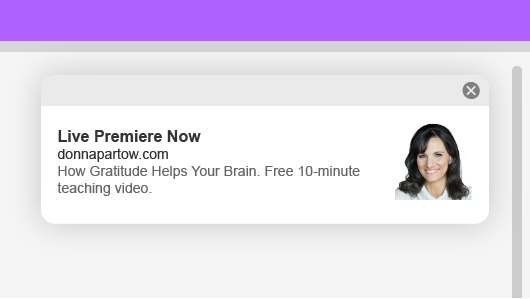
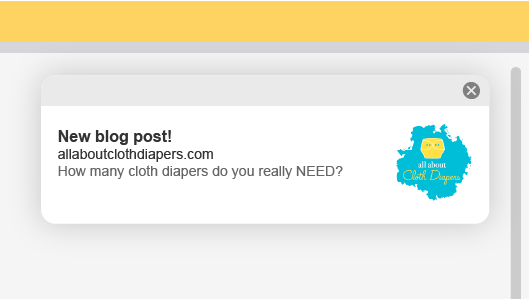
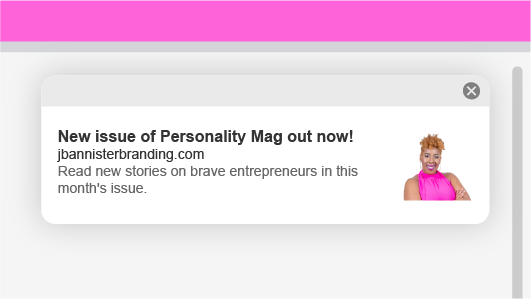
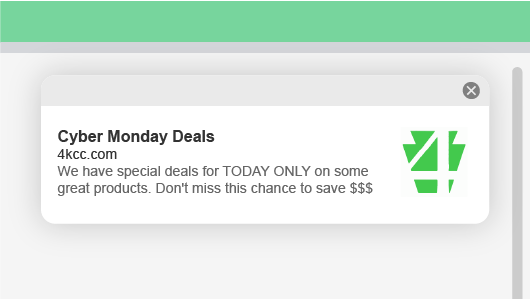
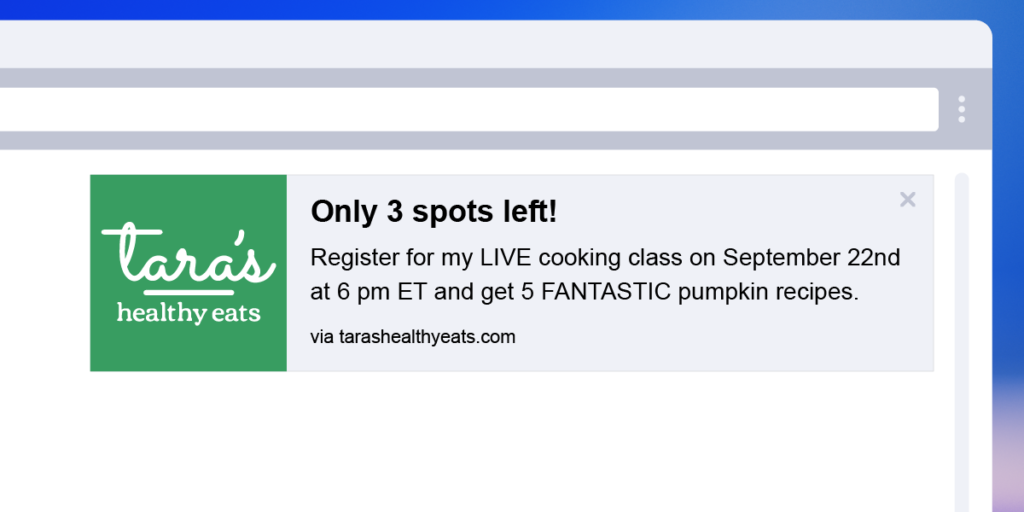
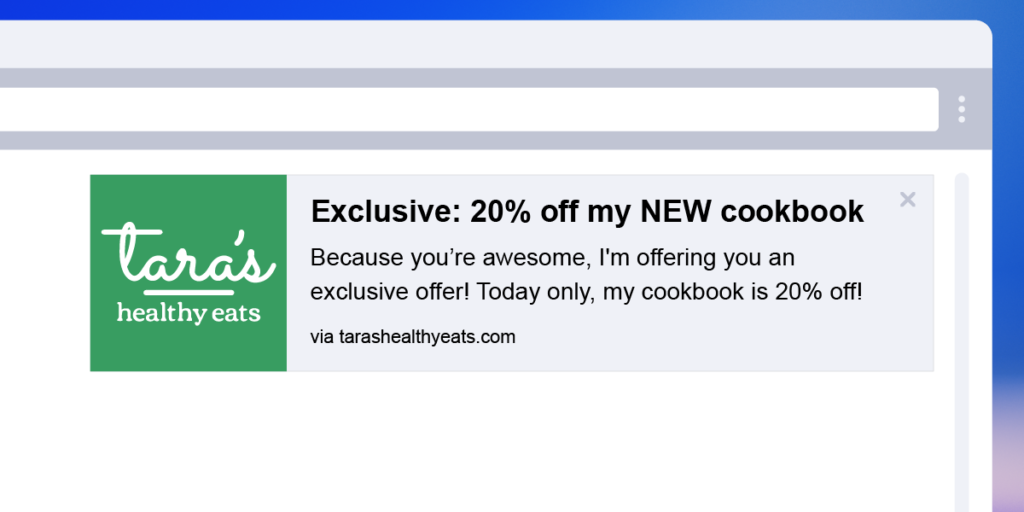
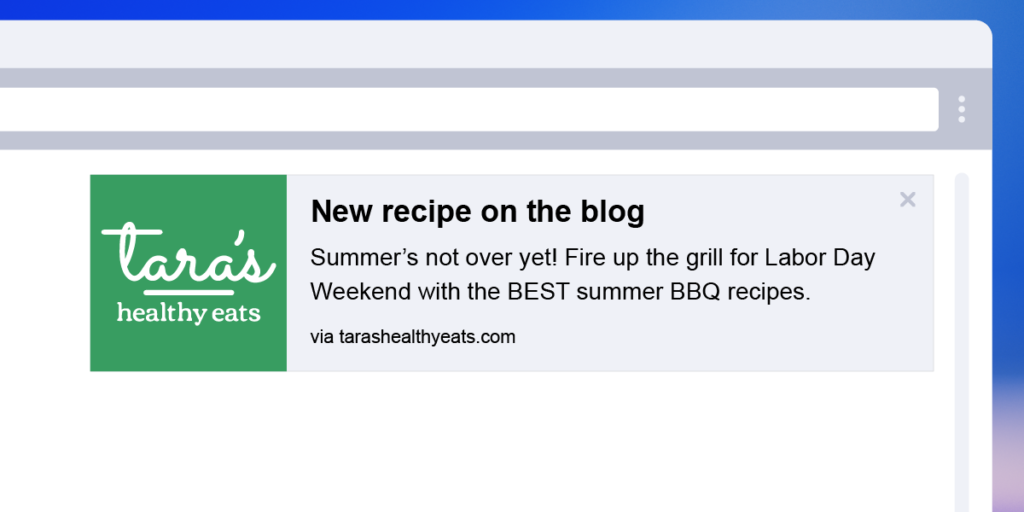
Once they opt-in, they’ll begin receiving web push notifications. Here’s what they’ll look like when someone is online.
Benefits of web push notifications
1. Easy to opt-in
Opting in is super simple—just the click of a button. When visitors click “allow,” they’ll start getting your notifications right away.
2. Instant communication
We all know promoting content can be tough with so many platforms and competitors out there. Web push notifications cut through the noise, instantly showing up directly on your subscribers’ browsers.
3. Owned communication channel
Unlike social media, where algorithms decide who sees your posts, you own your web push notifications audience. You reach 100% of your opted-in subscribers directly. It’s your audience, your rules.
4. Drive traffic without advertising costs
Want to drive traffic back to your site without spending money on ads? Web push notifications are the answer. You can let your subscribers know about limited-time sales or exclusive offers for much less than paid ads.
5. Build deeper connections
Web push notifications empower you to treat your subscribers like VIPs by sending them exclusive content and updates. Building these deeper connections can turn casual website visitors into loyal brand advocates.
6. Grow your email list
You can use your existing email subscribers to grow your web push notification list and vice versa. By driving traffic to your sign-up pages, you can increase both your email and notification subscribers, creating a multi-channel communication network.
7. Complement your email marketing
Web push notifications are a great complement to any email marketing campaign. They don’t replace emails but, instead, complement them. With this multi-channel approach, you get more touchpoints to connect with your audience, making your strategy even stronger.
8. Save time
Creating web push notifications is quick and easy. These tight little messages take less time to make than other marketing techniques, which allows you to effectively communicate more quickly.
9. Communicate limited-time offers instantly
Keep your subscribers in the loop about limited-time offers as soon as they launch. This instant communication ensures they don’t miss out on great opportunities, keeping them engaged and, moreover, happy and appreciative of the deal you gave them.
Real-world examples of web push notifications
Motivate customers with daily tips
Donna Partow, a content creator and motivational speaker, uses web push notifications to deliver daily reminders and content for her challenges.
“I’m really excited about using web push notifications for limited-time challenges. Each day, I send a reminder with a link to keep them moving forward on their goal. My audience appreciates receiving these notifications because they are beneficial.”
– Donna Partow
Notify followers instantly when you create new content
Jennifer Reinhard, a cloth diaper educator, uses web push notifications to share new and evergreen content with her audience. This method ensures her educational material reaches readers exactly when they need it.
“Web push notifications are another method to reach my readers. They may not read the email or see Facebook posts, but they will see the web push notification because it pops up on their desktop when they’re online — exactly when they need it.”
– Jennifer Reinhard
Drive traffic to specific articles
Jamila Bannister, a personal branding strategist, uses web push notifications to drive traffic to her online magazine and specific articles. This helps maintain a steady flow of readers to her content.
“I use web push notifications to drive traffic back to my online magazine and specific articles. This keeps my audience engaged with my most up-to-date content.”
– Jamila Bannister
Increase sales with limited-time offers
John Grubb, owner of Keystone Computer Concepts, uses web push notifications to send time-sensitive security alerts and special offers. This strategy helps him maintain customer engagement without overwhelming them with emails.
“Web push notifications are really important because I can send out time-sensitive offers without additional emails. This keeps my customers informed and engaged.”
– John Grubb
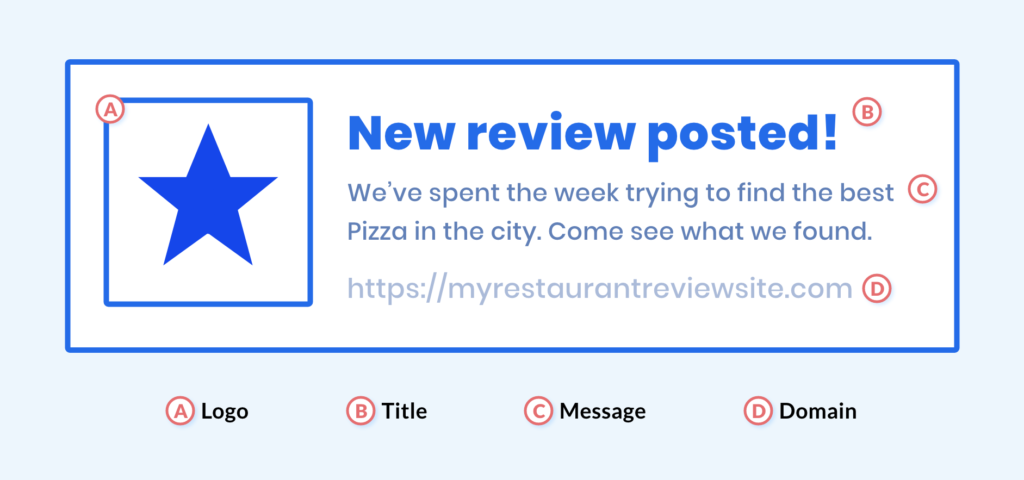
Components of a web push notification
A: Logo
Including a brand logo or image on a web push notification provides instant recognition from a user. It’s a highly visual way for a subscriber to recognize that the message is coming from your brand and can drive them to read the notification and take action.
B: Title
The title of the web push notification is also called the header text. This is the piece of text that will catch the attention of a subscriber and encourage them to read on.
C: Message
This vital section is where you can elaborate on your message. This is your opportunity to concisely explain the value a subscriber receives from clicking on your push notification and visiting your site. Answer questions like: what will your subscribers receive by visiting your site? How long will the offer last?
Keep in mind, however, that web push notifications are meant to be short and sweet. Avoid jargon and use simple and direct language.
D: Domain
This is the URL that the user subscribed to. Including the source link in your message can’t be changed. It not only serves to remind the subscriber of your website, but aids in recognition and awareness of your online presence.
Best practices for web push notifications
Follow the best practices below to create web push notifications your audience will no doubt appreciate.
1 – Copy is king
The content of your web push notifications should be compelling and concise. Every word counts when you’re dealing with restrictive character limits, so make sure your message is clear and impactful.
2 – One topic per push
It’s best to stick to just one message per notification. Clear and focused messages end up with higher click-through rates, so don’t dilute your messages by pushing two things at once.
3 – Create urgency
Being specific about time sensitivity and urgency is a great way to drive action. Instead of saying “Flash Sale Today,” try “Only a few hours left to save 25%.” This very specific urgency encourages clicks right now.
4 – Include social proof
You should include testimonials, reviews, and social proof to gain the trust of your audience. Pointing things out like “500 people have already registered today” or “This post has over 10,000 shares” reassures subscribers of your legitimacy and encourages them to act.
5 – Value first
Always provide value before asking for anything in return. Wouldn’t you want that when you’re buying from a brand? By offering value first, your audience is more likely to engage with and trust you.
6 – Use power words
Power words like “now,” “you,” “new,” and “free” can evoke emotion and drive action. These types of words make your notifications more compelling, urgent, and clickable. We put together 8 power words for you to use in your emails, but they also have an impact on any marketing copy you write.
7 – Create a sense of FOMO
Fear of Missing Out (FOMO) is a powerful motivator. Use it to create urgency and drive clicks. Limited-time offers or exclusive deals make subscribers more likely to act quickly.
8 – Exclusivity
Make your subscribers feel special with exclusive deals and promotions. Try highlighting the benefits of being part of a members-only program to boost their sense of belonging and value.
9 – Keep it short & sweet
Web push notifications have strict character limits. Aim for around 120 characters for the message, 50 for the title, 15 for the call to action, and one image. Communicate your message effectively within these constraints.
10 – Use emotion
Incorporate emotion into your notifications through humor, empathy, and references to trends or pop culture. Ensure your references are understandable and align with your brand voice. Genuine emotion resonates best when it serves your audience.
Get web push notifications
If you’re finding it challenging to reach more people and keep them engaged, web push notifications might be the solution you’ve been looking for. This powerful tool allows you to send direct messages straight to your visitors’ browsers, helping you expand your online reach and connect with your audience in real-time.
With just a simple click, your visitors can opt-in to receive notifications, ensuring they stay updated with your latest content, offers, and announcements.
And the best part? AWeber’s web push notifications are included at no additional cost with AWeber Free, AWeber Lite, and Plus plans. This means you can start with this powerful tool without any extra cost, making it easier than ever to boost your marketing strategy and achieve your business goals.Start using web push notifications today and experience the difference they can make.
Sign up for AWeber and explore how web push notifications can transform your approach to connecting with your audience.
Gain a competitive advantage and kick-start your affiliate marketing strategy with the latest, most advanced tools to improve your efficiency and save you (loads of) time.
If you sell affiliate products or services, you probably know the “overwhelm” feeling that happens when you realize there’s a lot of work (and sometimes money) involved in marketing.
The right affiliate tools can save time and money by helping you manage campaigns, write content, track ads, and find the perfect brand partners.
No more overwhelm.
In this guide, we review 17 of the best high-performing tools for affiliate marketers.
The majority (57.55%) earn less than $10k per year.
How much should you expect to earn from affiliate marketing?
The same survey indicates that experienced marketers earn more:
Beginner marketers: $0 – $1,000 per month
Intermediate marketers: $1000 to $10,000 per month
Advanced marketers: $10k – $100K per month
Elite affiliates: $100k and up per month
At first, you may earn very little with affiliate marketing. But as you learn more about digital marketing (and your audience), your income begins to rise.
How does affiliate marketing work?
Earning income through affiliate sales is a 5-step process.
Choose your affiliate program(s) and products from networks or direct partnerships.
Receive your coded affiliate product links, which track your referrals and sales.
Promote your affiliate products or services on one or more of the following: website, blogs, social media, email marketing, and paid ads.
Visitors click on your links and are directed to the merchant’s website. Every time one of your visitors makes a purchase (within the defined cookie 🍪 period), you earn a commission.
You get paid. Merchants or affiliate networks handle all the calculations and pay you according to the terms of your agreement.
Sometimes there is a minimum account balance or waiting period required before your payment is issued.
In time, commissions can turn into lucrative income streams that require very little effort to maintain.
What are affiliate marketing tools?
Affiliate marketing tools are apps, software programs, and platforms that help you become more successful, more quickly, with affiliate marketing.
17 best affiliate marketing tools for all levels of experience
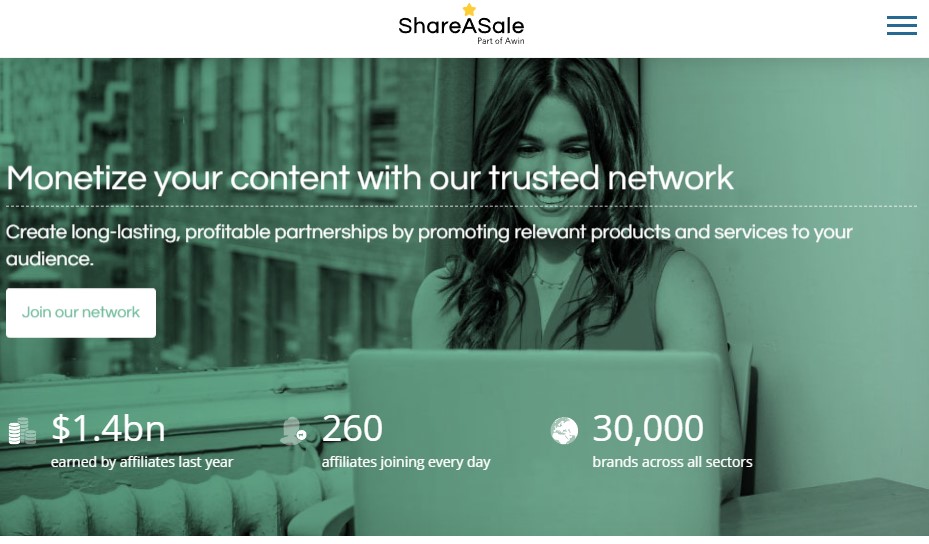
ShareASale affiliate marketing platform connects you with more than 30,000 brands across all sectors and countless niches.
It’s a marketplace where affiliates go to find products and services to sell. The network also tracks sales and helps you manage commissions.
ShareASale supports large and small publishers, including:
Content creators
Influencers
Loyalty and incentive sites
Media Partners
Technology solutions
The service has a good reputation and offers excellent support resources that make it easy for you to partner with established brands.
Its user-friendly interface and reliable payment tracking make it a good choice for beginner and advanced marketers.
ShareASale Pricing: Free to join as an affiliate
#2 – Amazon Associates: Affiliate marketing program
Amazon Associates is Amazon’s affiliate marketing program. It gives you access to millions of products with recognizable brand names and is an easy, accessible program, even for beginners.
The affiliate program provides unique links, banners, and widgets that make it simple to promote Amazon products.
Amazon associates also gain access to basic reporting tools that track clicks and commissions.
Affiliates can earn up to 10% commission and in some cases, also collect earnings from customer actions such as free trials.
The Amazon Associates affiliate program is open to bloggers, content creators, and publishers who have a qualifying website.
Amazon Associates pricing: Free to join as an affiliate
Keyword research tools for affiliate marketers
Keyword research tools help you create blog and social media content that drives more traffic from search engine results pages (SERPS).
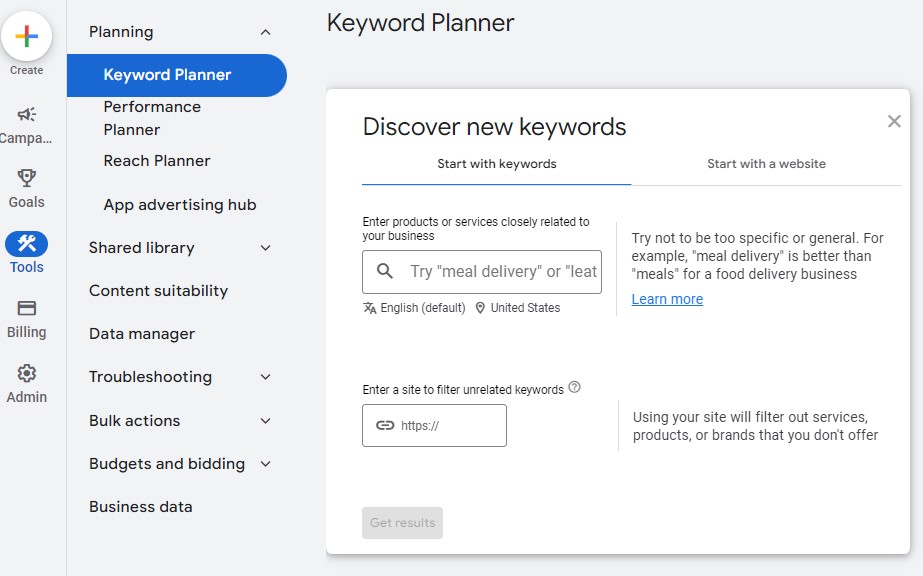
#3 – Google Keyword Planner: Keyword research tool
However, it’s also a valuable resource for affiliate marketers looking for basic insights on keyword search volume, trends, and related keywords.
The tool’s easy accessibility and direct connection to Google search data make it attractive to people wanting to do keyword research without paying large fees.
Some of Google Keyword Planner’s best features include:
Keyword discovery
Search volume data and trends
Historical data and forecasting
Google Keyword Planner is a good option if you’re searching for a free keyword research tool that provides basic insights for choosing the best keywords for your content and audience.
Google Keyword Planner Pricing: Free
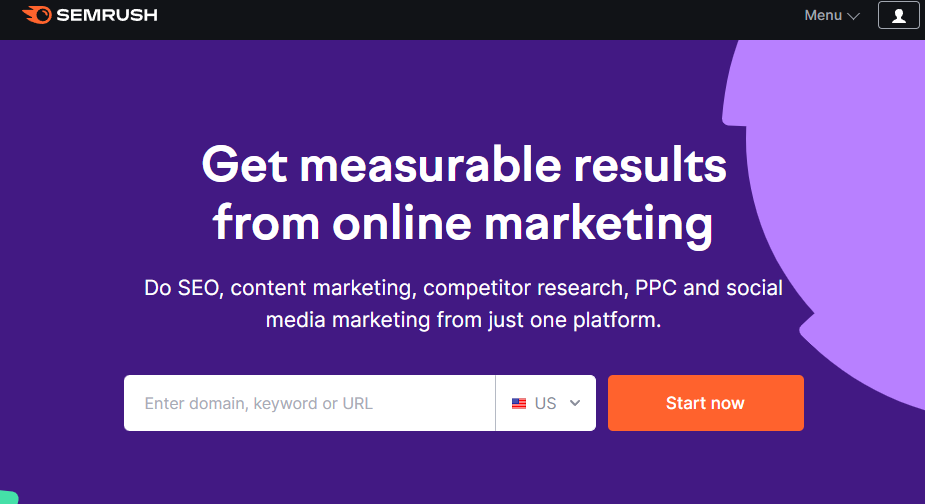
#4 – Semrush: Keyword research tool
Semrush is an all-in-one digital marketing tool that helps you optimize your online presence for search engines, social media platforms, and paid advertising channels.
The comprehensive (and sometimes complex) program includes a sophisticated, yet easy-to-use, keyword research tool.
Semrush provides all the information you need for successful SEO keyword research, including:
Search volume
Keyword difficulty by score
Search intent match
Competitive research
Keyword gaps
Keyword ideas
Beyond keyword research, Semrush offers a wide selection of optimization tools, including competitive analysis, local SEO, and rank tracking.
If you’re looking for a powerful tool that supports both content creation and paid search campaigns, SEMrush may be a good choice.
Semrush pricing: Free one-month trial; paid plans from $129/month
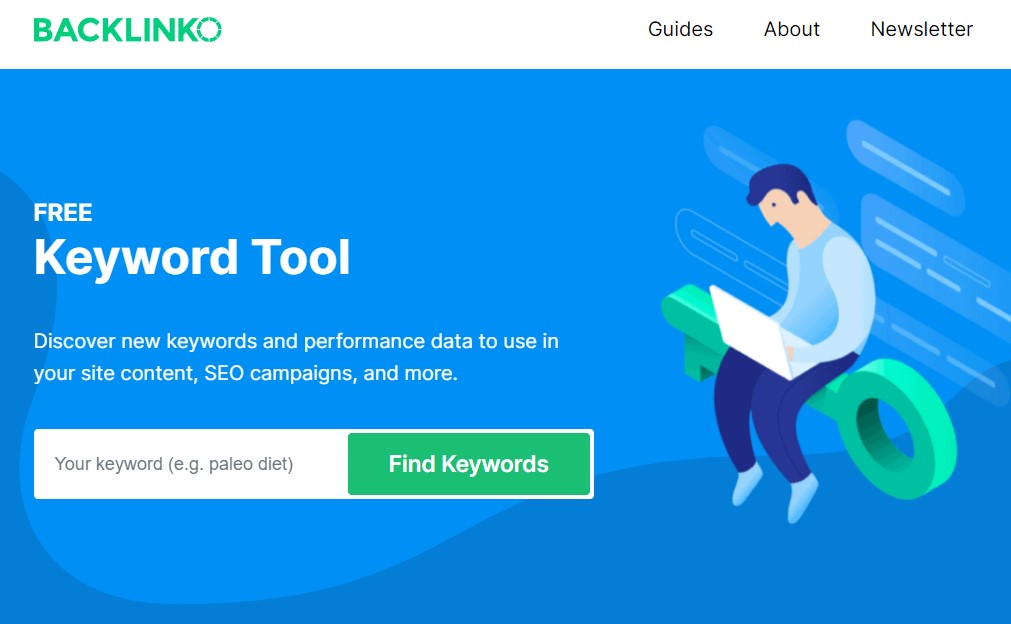
It’s a perfect keyword research tool for affiliate marketers wanting a streamlined experience that doesn’t overwhelm you with complex metrics or complicated navigation.
Backlinko’s keyword research tool includes metrics such as:
Search volume
Keyword difficulty
Cost per click
Number of results
Search trend graph
If you visit Backlinko, don’t miss the chance to browse its blog. It’s packed with well-written, easy-to-understand optimization tips from SEO powerhouse Brian Dean.
While it might lack some advanced features, Backlinko’s streamlined approach is ideal for beginners or those who value speed and actionable insights.
Backlinko keyword research tool pricing: Free
Content creation tools for affiliate marketers
Content creation tools help you create and publish blog, social media, and email marketing content.
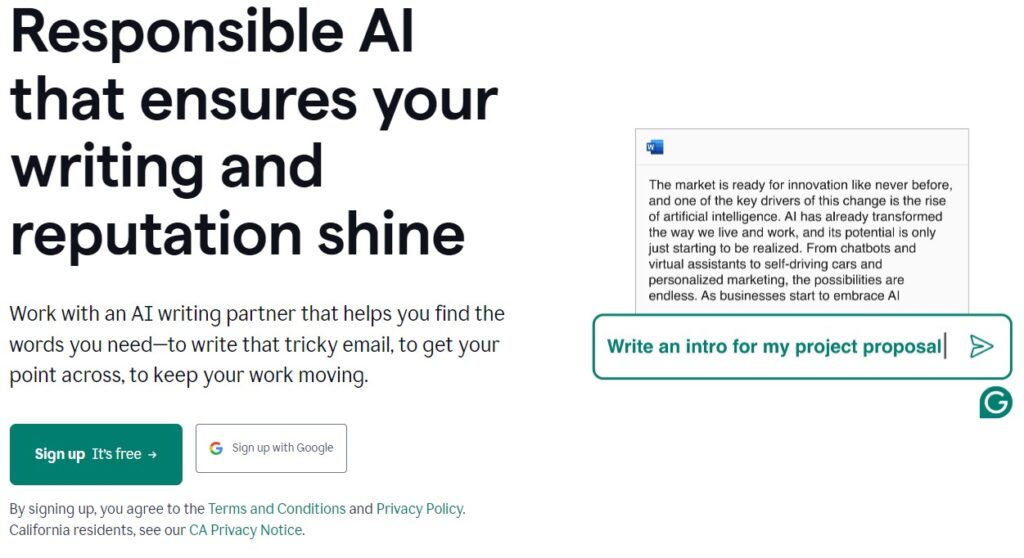
#6 – Grammarly: Content creation tool
Grammarly is an AI-powered writing tool that helps improve the quality of your writing.
The free version of Grammarly is a popular grammar-checker tool that catches spelling and grammar mistakes. It highlights any errors in your content and suggests how to fix them.
If you write a lot of blog and email content, the paid version of Grammarly is gold.
Grammarly’s paid version includes an in-depth plagiarism checker, which is far more thorough than similar tools such as Copyscape.
The premium version also provides feedback and recommendations on:
Clarity
Engagement
Delivery
Style
Tone detection
You can use Grammarly on the web, within its app, or by integrating it into your web browsers and writing programs.
Grammarly pricing: Free plan available. Paid plans from $12/month
#7 – Hemingway: Content Creation Tool
Hemingway helps make your content more “readable” for online publishing.
College textbooks are written with perfect spelling and grammar. But your online audience doesn’t want to read college textbooks. They’re drawn to writing that’s clear, skimmable, and easy to read.
That’s where Hemingways readability tool comes in.
Hemingway guides you toward more effective writing without replacing your creative voice.
Affiliate marketers can use Hemingway to ensure that their content is reader-friendly in ways that both audiences and Google search engines appreciate.
Hemingway pricing: Free
Landing page builder tool for affiliate marketers
A landing page builder tool helps affiliate marketers create high-converting campaigns and lead generation content.
# 8 – AWeber: Landing page builder tool
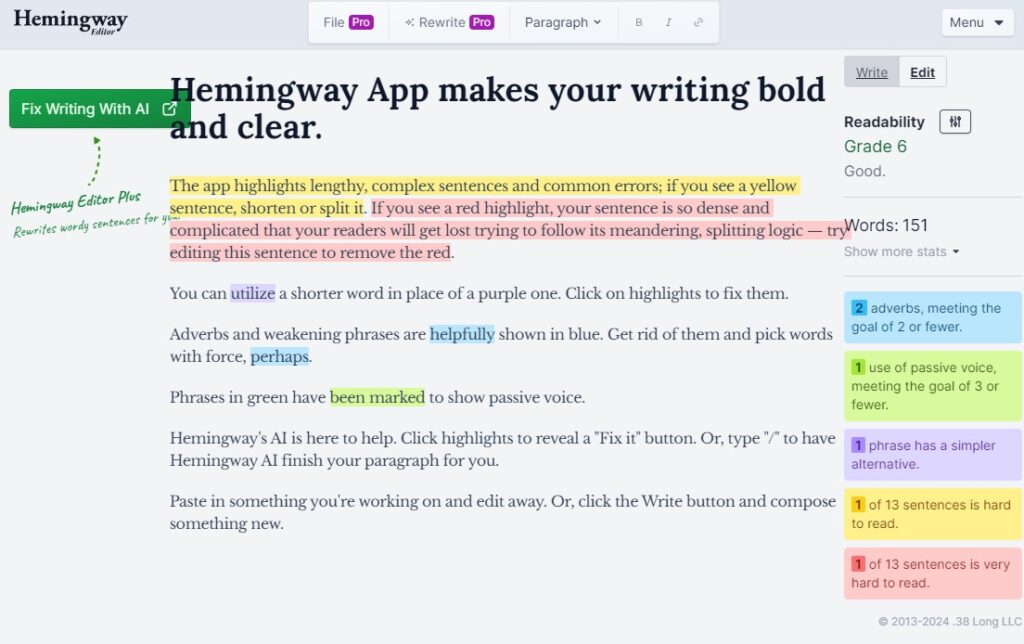
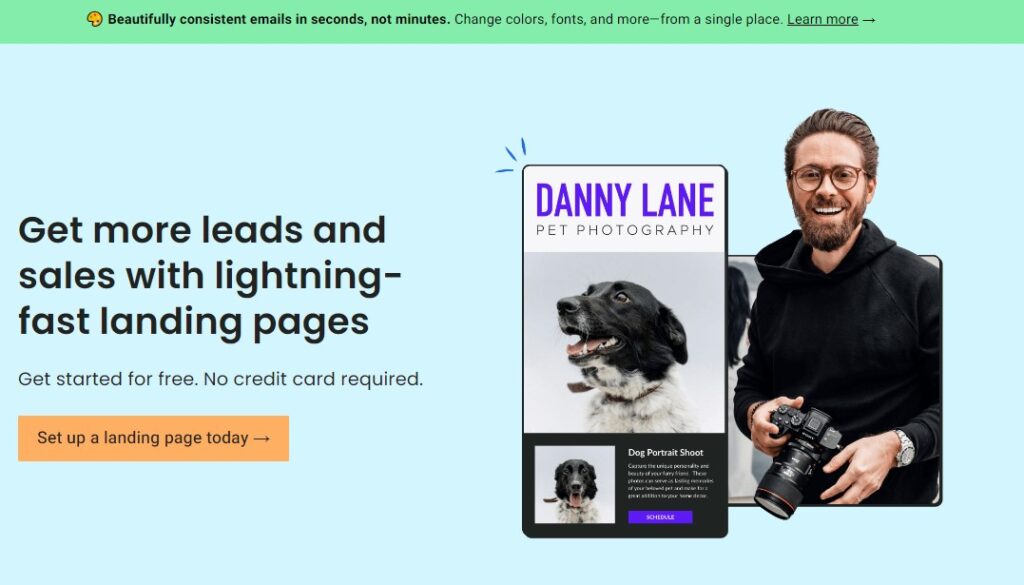
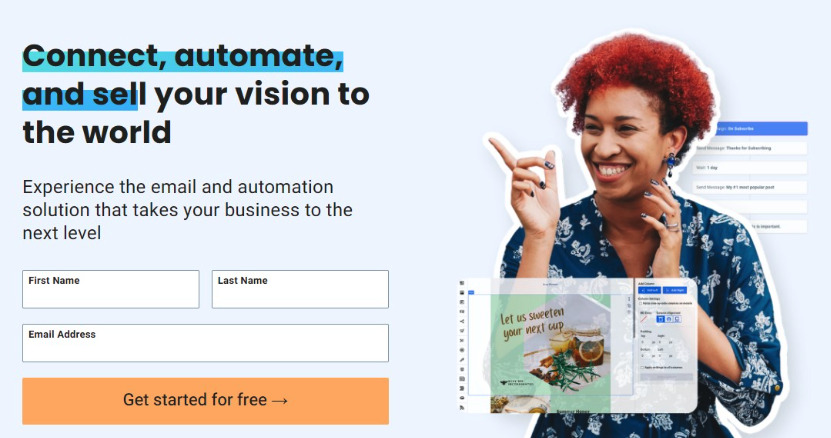
AWeber is a great tool for busy affiliate marketers because it provides a simple, user-friendly way to create professional landing pages in minutes. Its drag-and-drop interface and wide selection of prebuilt landing page templatesensure that even beginners can market their affiliate products with style.
AWeber landing pages integrate seamlessly with your email marketing campaigns.
AWeber’s landing page features include:
Over 100 landing page templates
Drag-and-drop interface
Already integrated with AWeber’s email marketing tool
Advanced marketing automation features
Built-in Canva designer (lets you create eye-catching designs!).
Landing page and email analytics
AWeber landing page builder is a great choice for affiliate marketers seeking a simple path to professional results.
AWeber pricing: Free plan available. Paid plans from $12.50/month
Social media management tools for affiliate marketers
Social media management tools help you create, preview, publish, and track the performance of your social media content.
#9 – Buffer: social media management platform
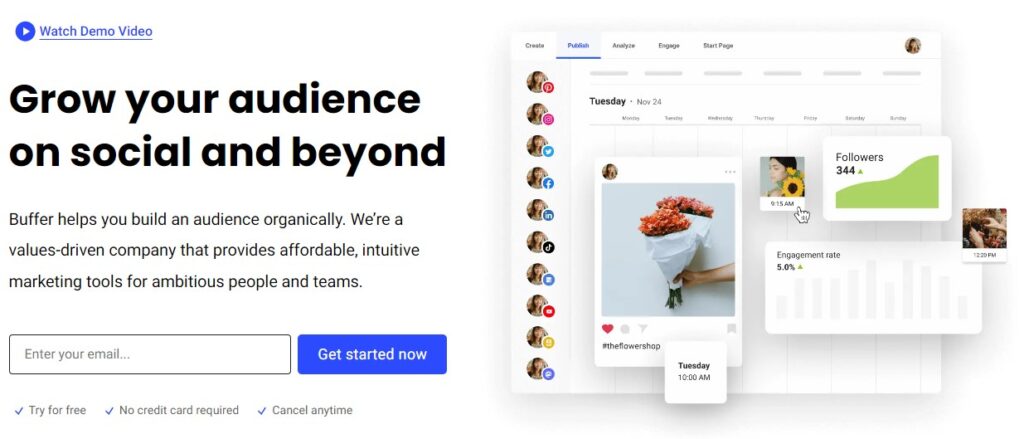
Buffer is a user-friendly social media management platform that helps affiliate marketers streamline social media content scheduling across multiple platforms.
It’s a great option if you’re wanting to maintain a consistent social media presence without spending hours of every day on social media.
Here’s how Buffer can simplify your social media efforts:
Customize posts for different social platforms.
Automatically publish pre-scheduled posts.
Track engagement metrics and identify top-performing content.
Buffer also includes a visual content calendar tool to help keep your content organized and on schedule.
Buffer pricing: Free plan available. Paid plans from $6/month
Email marketing and automation tools for affiliate marketers
Email marketing and automation tools let you build and execute personalized email marketing campaigns.
AWeber is a great tool for affiliate marketers who want a user-friendly email marketing platform that:
Allows you to include affiliate links in your marketing emails.
Easily highlight the product you’re recommending by simply pasting a link in your email.
Includes a built-in AI writing assistant.
Lets you easily create personalized campaigns with behavioral segmentation.
Allows you to create custom signup forms.
Provides advanced automation features (put it all on autopilot!).
Offers pre-written email campaign templates.
AWeber’s automated behavioral segmentation makes personalization simple. It can automatically track clicks and engagement in your emails, on your landing pages, and on your website — then use that data to send personalized messages and campaigns to your subscribers.
If you’re looking for an email marketing platform that provides you with the latest automation features, AI writing tools, and marketing personalization features, AWeber is a great choice.
AWeber pricing: Free plan available. Paid plans from $12.50/month
Campaign builder tools for affiliate marketers
Campaign builder tools for affiliate marketers help you design, execute, and track the performance of your promotional campaigns across various channels.
ClickFunnels is a sales funnel platform that focuses on high-converting landing pages.
While a powerful tool for creating sales funnels, it’s geared toward advanced marketers who don’t mind the higher pricing and semi-steep learning curve.
ClickFunnels makes a good option for marketers looking for a high degree of control over the entire customer journey and are comfortable with its comprehensive feature set.
Here’s what ClickFunnels offers:
Funnel builder: Allows you to design multi-step funnels.
Pre-designed templates: Includes landing pages, sales pages, and webinar funnels.
A/B testing: Allows you to compare page variations and optimize conversions.
Email marketing integrations: Lets you easily connect with email providers for lead nurturing.
Membership sites: Provides the option to create restricted content areas.
Its wide range of features makes the learning curve steeper. But if you’re looking for a program that can help you build membership areas and complex affiliate campaigns, it’s a great option.
ClickFunnels pricing: From $127/month. 14-day free trial available.
#12- AdRoll: Campaign builder tool
AdRoll is an advertising platform that provides affiliate marketers with helpful tools to manage their ad campaigns.
It’s a good fit for experienced affiliate marketers looking for advanced audience segmentation, cross-platform retargeting, and in-depth reporting.
AdRoll’s affiliate marketing features include:
Cross-platform campaigns
Dynamic ads
A/B testing
The ad campaign tool integrates with major e-commerce platforms and other marketing tools. If you have an established affiliate website or online store, the integrations are an important feature.
If you’re wanting to take your affiliate campaigns to the next level, AdRoll is worth considering. However, while it’s a powerful campaign management tool, AdRoll also has a steeper learning curve than many of its competitors.
AdRoll pricing: Pay-as-you-go pricing for ads. More plans available.
If you’re looking for a more streamlined and beginner-friendly approach to campaign building, AWeber email marketing and landing page tools make an excellent all-in-one campaign management tool.
Ad tracking tools for affiliate marketers
Ad tracking tools provide in-depth monitoring of your ad performance across many different channels
#13 – Google Analytics: Ad tracking tool
Google Analytics is a comprehensive website analytics platform that provides in-depth metrics and insights for affiliate marketers.
If you’re an affiliate marketer looking for a tool that provides an in-depth understanding of your traffic sources and campaign performances, check out Google Analytics. It’s a great tool for helping you make more data-driven optimization decisions.
Google Analytics pricing: Free version available. Contact for paid pricing plans.
#14 – Voluum Affiliate Tracker: Ad tracking tool
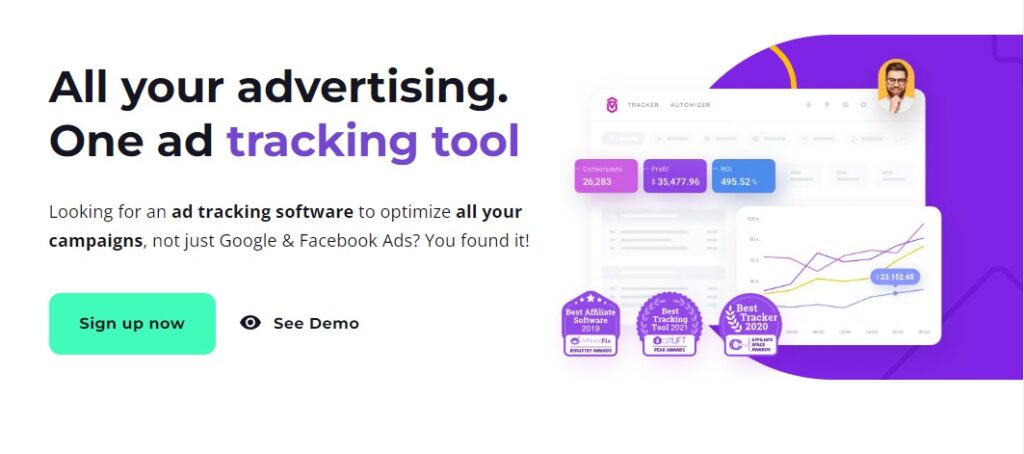
Voluum affiliate ad tracker is a comprehensive ad tracking platform for experienced affiliate marketers and people who manage large-scale paid campaigns.
It offers in-depth analytics, granular tracking across various platforms, and advanced features for optimizing ad performance.
Voluum ad tracking features include:
Detailed reporting: Provides extensive data on clicks, conversions, costs, and ROI.
Traffic distribution: Allows you to split-test landing pages and direct traffic for optimization.
Anti-fraud tools: Helps identify and block bot traffic.
Integrations: Connects with major ad networks and traffic sources.
API access: Offers flexibility for custom integrations.
If you’re looking for a tool that provides sophisticated tracking, robust reporting, and a high degree of control over your campaigns, Voluum is an excellent option.
Voluum pricing: From $199/month
Bitly: Ad Tracking Tool
Bitly offers a beginner-level ad tracking tool for people who aren’t ready to take on comprehensive analytics tracking.
The company is mostly known for its link-shortening tool, but it also provides simple ad tracking features.
Bitly is a great beginner alternative to comprehensive ad-tracking tools that come with a steep learning curve.
Its simple approach doesn’t provide in-depth analytics. But the tool is very user-friendly and easy to learn.
Here’s what Bitly offers:
Link shortening: Creates short, branded links for easy sharing.
Click tracking: Provides basic data on clicks and traffic sources.
Simple dashboard: Includes an easy-to-understand overview of link performance.
Integrations: Connects with some popular social media platforms.
Bitly pricing: Free
6 Best affiliate marketing tools for beginners
Looking for affiliate marketing tools that allow you to learn as you go?
Here’s a list of beginner-friendly affiliate marketing tools that don’t have a steep learning curve.
Best affiliate network for beginners: Amazon Associates
Best keyword research tool for beginners: Backlinko keyword research tool
Best content creation tool for beginners: Grammarly
Best email marketing and landing page tool for beginners: AWeber
Best social media management tool for beginners: Buffer
Best ad tracking tool for beginners: Bitly
Scroll up to the review section of this guide for more information on any of the beginner-friendly affiliate marketing tools above.
6 Best free affiliate marketing tools
Not up for shelling out $$$ on yet another paid subscription service? We’ve got you covered.
Below is a list of FREE affiliate marketing tools to help you get started building a successful affiliate business.
Best FREE affiliate marketing tools for beginners
Free ad tracking tool: Bitly
Free affiliate network: ShareASale
Free landing page tool: AWeber
Free content creation tool: Grammarly free version
Free email marketing tools: AWeber free version
Free keyword research tool: Backlinko keyword research tool
Free social media management tools: Buffer free version
Scroll up to the review section of this guide for more information on any of the free affiliate marketing tools above.
7 marketing courses & classes for affiliate marketers
Want to make more informed decisions, develop stronger campaigns, and grow your affiliate business more quickly?
Fill in your knowledge gaps with one or more of the following courses related to affiliate marketing.
You don’t need to drop hundreds or thousands of dollars to get high-quality training. Some of the best courses are free or very affordable.
FreeGoogle Marketing Platform course: by Google on Google Skillshop. 100% free. Skillshop also offers a variety of training modules on Google ads, analytics, marketing, and more.
Free Meta Blueprint: Beginner-level training to help you improve your marketing campaigns on Facebook, Instagram, WhatsApp, and Messenger.
Everything you need for affiliate marketing success
We’ve covered quite a bit of ground in this guide, including the best tools, free tools, beginner tools, and reputable courses for affiliate marketers.
When you’re ready to start selling affiliate products drop by AWeber. We’ll help you get up and running in minutes, not days,
Have you noticed a significant number of your email list subscribers are no longer interacting with your content or following your calls to action? Then it may be time to start a re-engagement email campaign!
After all, one study indicates that the average email list decay rate, which is the percentage of subscribers who become inactive, is between 22% and 30% per year.
This means that, unless you’re cleaning your email list regularly, you’re likely sending a lot of messages into the void, never to be seen again.
However, with re-engagement emails, you can start winning back some of those inactive subscribers. To be successful, though, you’ll need to keep some best practices in mind.
So, in this article, we’ll explore how to write win-back emails. We’ll also provide examples of some effective re-engagement email campaign strategies, from one-off surveys and free resources to entire email sequences.
What is a re-engagement email?
A re-engagement email, also called a “win-back email”, is a message you send to subscribers who have become inactive.
These emails aim to rekindle the interest of people who have not made a purchase or interacted with your brand for a while.
Re-engagement email campaigns are a great strategy for sparking the interest of inactive subscribers before removing them from your mailing list. After all, emailing unresponsive subscribers with messages isn’t helping them or your business.
Before saying goodbye, however, a win-back email offers one final opportunity to reconnect and rebuild your customer relationship.
Ultimately, your goal is to re-establish a connection with those who seem to have lost interest in your products, services, or content.
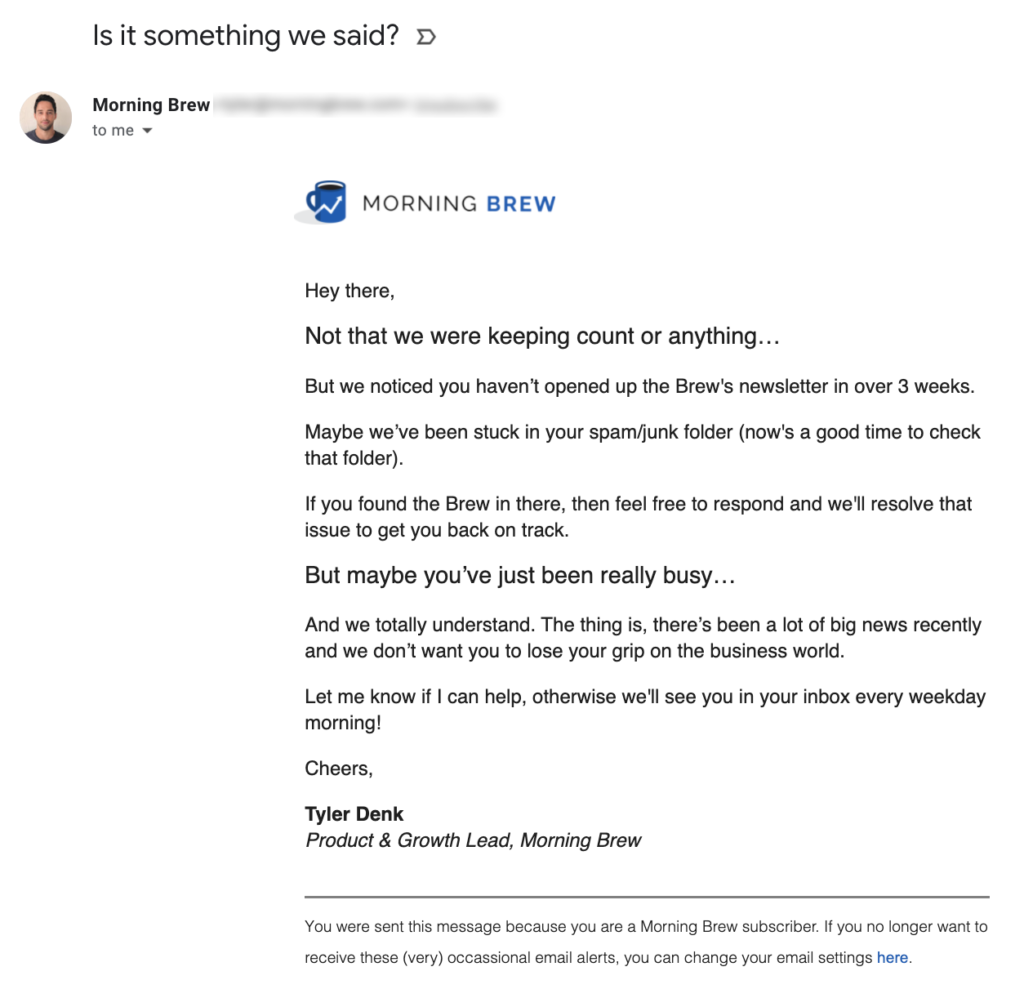
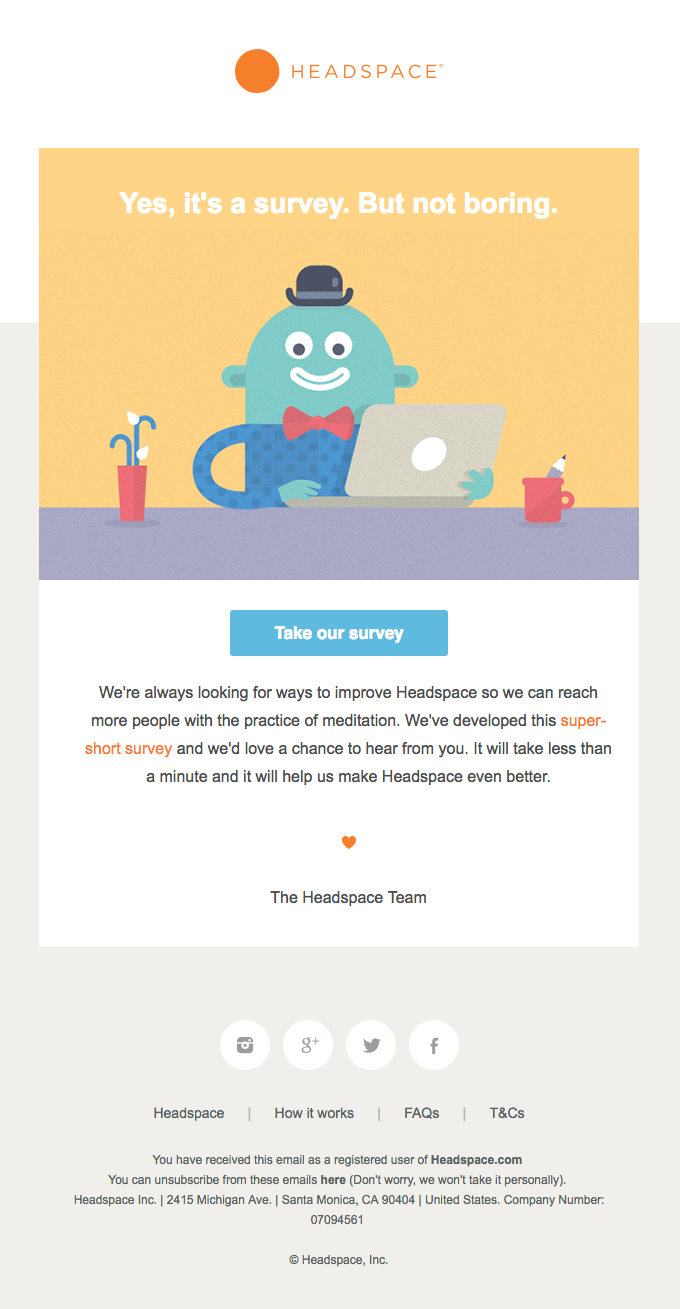
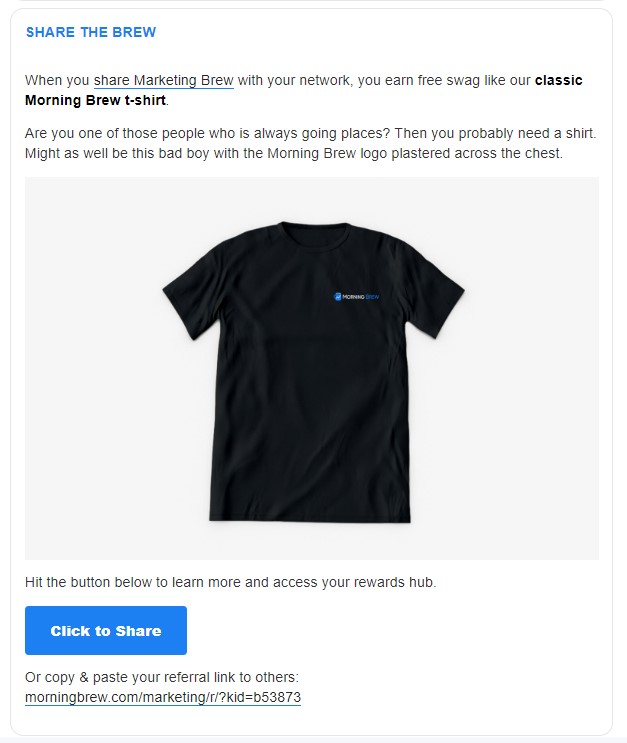
Here is an example re-engagement email from the newsletter pros at Marketing Brew. While the three-week inactivity timeline is pretty tight by most industry standards, they do a great job of ensuring their list is truly engaged with their content.
This way, they keep their email list clean, and ensure most of their messages aren’t getting lost in recipients’ spam folders.
How effective are re-engagement emails?
While re-engagement email campaigns are a great way to win back subscribers, you can’t expect every inactive subscriber to become active again.
Most email win-back campaigns have a success rate of 14% up to 29% in the best-case scenario.
Several email marketing studies have found that sending a series of emails may be more effective than sending just a single email. A re-engagement sequence of three emails appears to be the sweet spot.
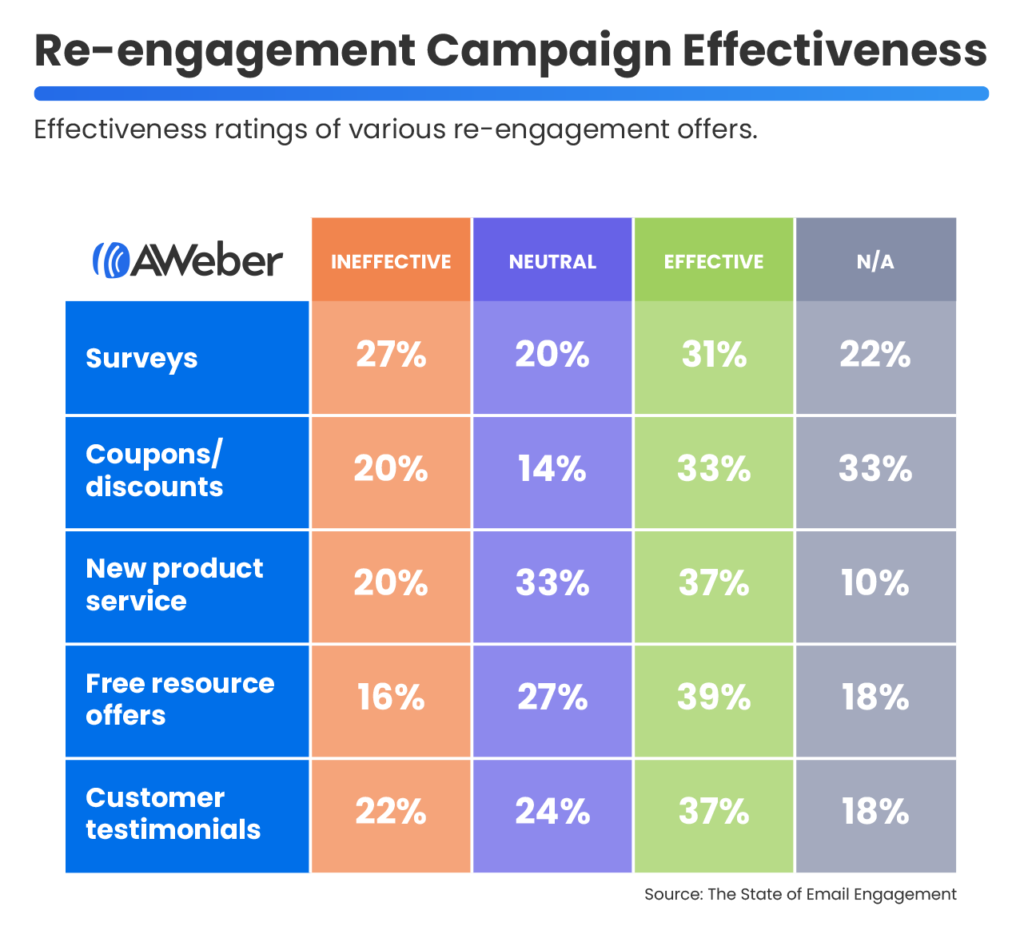
One recent study found that several different tactics will work, but no one tactic significantly outperformed the others.
Later on, we’ll discuss how each of the methods below work, as well as provide a few additional examples. We’ll also tell you how to set up an effective re-engagement email sequence.
Remember though, the method that works best for your business depends on the needs and interests of your unique audience.
How create a re-engagement email
The goal of your re-engagement email campaign is to get people interested in your emails again.
So, every element of your email – the subject line, the content, and the call-to-action – needs to support that goal.
Re-Engagement email subject lines
For re-engagement email subject lines, the best ones specifically reference your goal: to win back your subscribers!
Here is an example of an email from Tomasz Borys at Kissmetrics:
You can also take a more personal approach, like this email from Threadless:
Both subject lines work well. However, they each grab the reader’s attention in different ways.
A simple “We miss you!” lets the subscriber know that you appreciate their readership. It also feels more conversational.
On the flip side, “Do you still want updates from us?” is direct and inquisitive. It tells the subscriber that you care about their time and want to make sure they get something out of the relationship.
For more inspiration, consider reviewing your past emails to see what’s working for your specific audience. Look for common themes like subject line length and tone to see what tends to work best for your target audience.
You can also try using personalization, like including your subscribers’ first names in the subject line. It’s no secret that personalization helps you connect with your subscribers and stand out a little more in the inbox.
For example, the email from Threadless could have gone one step further by saying, “We miss you, Sam!”
Since these details depend on what your audience responds to, try testing different variations and find that sweet spot.
Re-engagement email content
Most re-engagement emails’ content is short – generally just two or three paragraphs. All you need to do is to make the purpose of your email clear: “Do you still want to get emails from us?”
Then, you might consider explaining the value your emails provide.
Remember, these are people who signed up to receive messages from you but at some point stopped reading.
They wanted to hear from you before, so how can you get them re-interested in what you have to say?
Ask yourself a few questions:
What did my subscribers sign up to receive originally?
Am I continuing to send them content based on their original expectations?
Did I change anything in my email strategy that might have caused them to stop engaging with my content?
What can I offer to pique their interest again?
Once you have those answers in mind, it’s time to start writing your email.
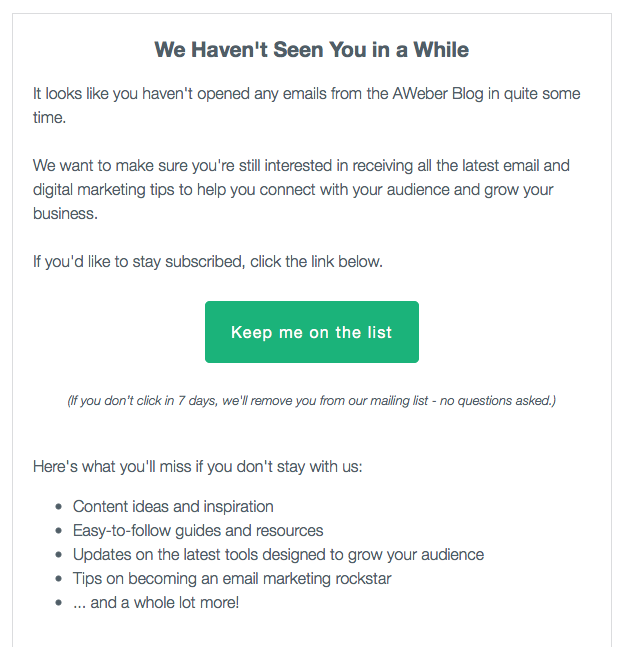
Here’s an example of a re-engagement email we sent to our inactive blog newsletter subscribers:
The format is simple, and it makes a good template for any re-engagement email:
You haven’t opened any emails from us in a while
We want to make sure you’re still interested
Click this button to stay on the list
Here’s what you can expect if you remain on the list
That’s all you have to say in a re-engagement email–just one sentence and a few bullet points. After all, the shorter your email is, the more likely people are to read it and click the button.
Getting inactive subscribers up to speed might also help get them re-interested in your content. So, consider adding a short bulleted list of your recent “greatest hits,” such as:
Products
Content
Promotions
Re-engagement email incentives
Speaking of promotions, offering an incentive, like a white paper or coupon code, might also help you re-engage subscribers.
If you hooked them onto your list with a piece of content in the past, consider how you might be able to repeat that success during your re-engagement email campaign.
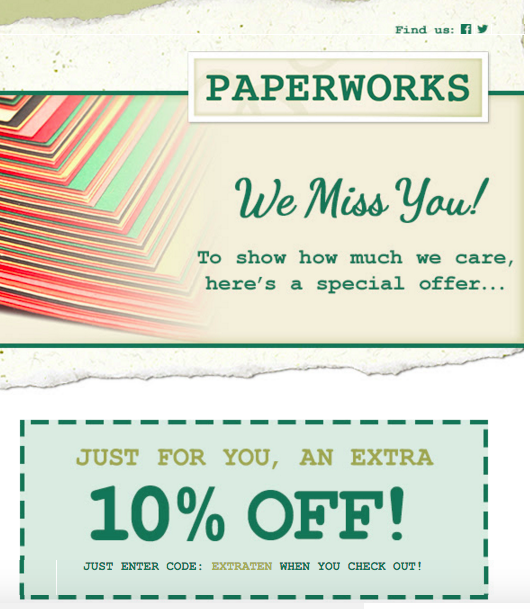
Check out this example from Paperworks, a stationary and premium paper provider:
Offering a special discount is a great way to get subscribers interested in your emails again.
Not only are you giving your subscribers something in exchange for their time and attention, but you might even get another sale out of it as well.
Re-engagement email feedback
To help you learn more about why subscribers grew disinterested in your content, asking them for specific feedback could help fill in the gaps. For example:
Was there something you could have done better for these subscribers?
What made them stop engaging in the first place?
Asking these questions directly can help you figure out exactly where you can improve your email marketing strategy.
Additionally, if you make a subscriber feel like their opinion is truly valued, they may want to stick around. Plus, this will give you valuable insight into their needs that you wouldn’t get anywhere else.
As you get feedback and notice common themes, you can implement their suggestions in the future.
Re-engagement email call to action
The whole point of your email is to prompt subscribers to take an action, so make sure your emails have a call to action that is bold and clear.
Generally, you’ll want to limit yourself to one call to action in order to increase your click-through rate. However, there are exceptions to this rule.
Ultimately, your CTA should make it easy for recipients to:
Stay on or opt out of your list
Learn more about a product or service
Download an incentive
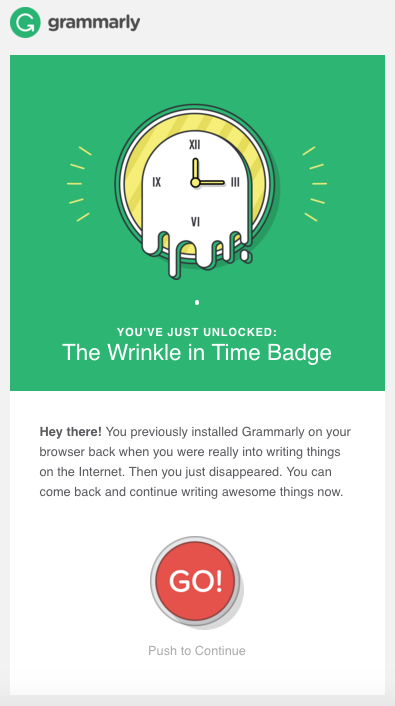
For example, check out this email and CTA from Grammarly:
While having one call to action is the classic approach, some re-engagement emails examples also include an unsubscribe link.
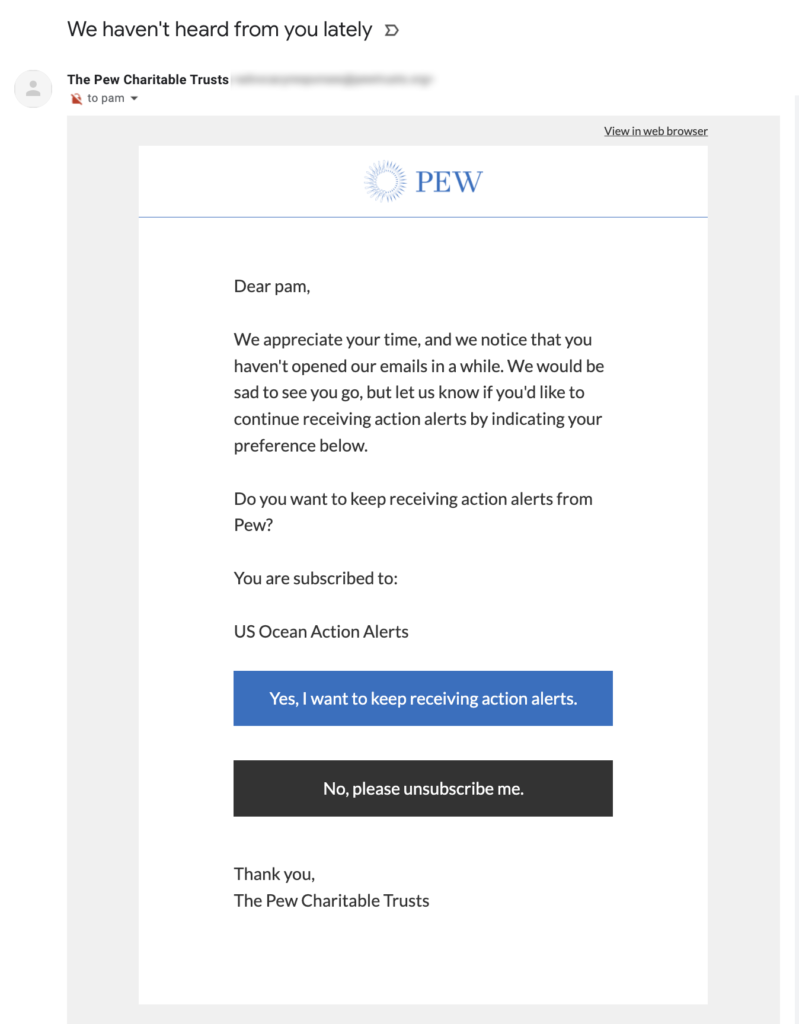
For instance, take a look at this email from a PEW, a non-profit organization:
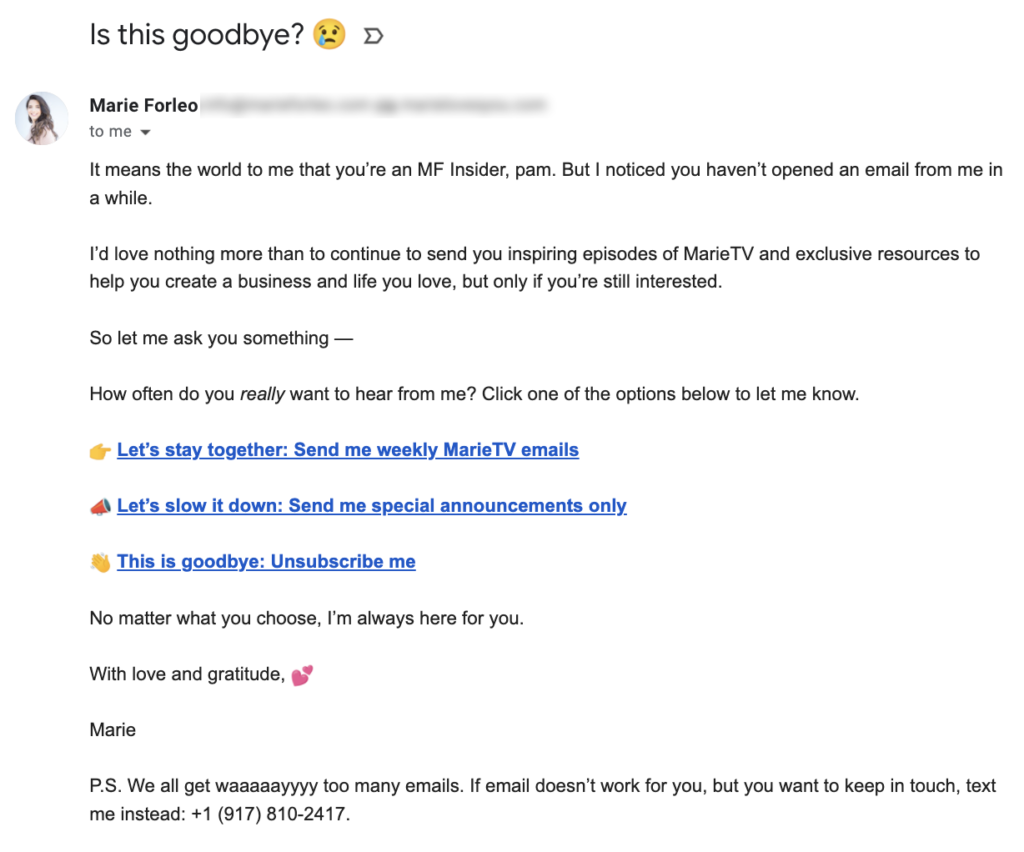
Finally, some re-engagement emails even let subscribers choose to get emails less often, like the example below.
7 Re-engagement email examples
Now that you’ve got a good idea of what goes into an effective win-back email, let’s look at some re-engagement email examples.
The following ideas are great ways to get customers interested in your brand again.
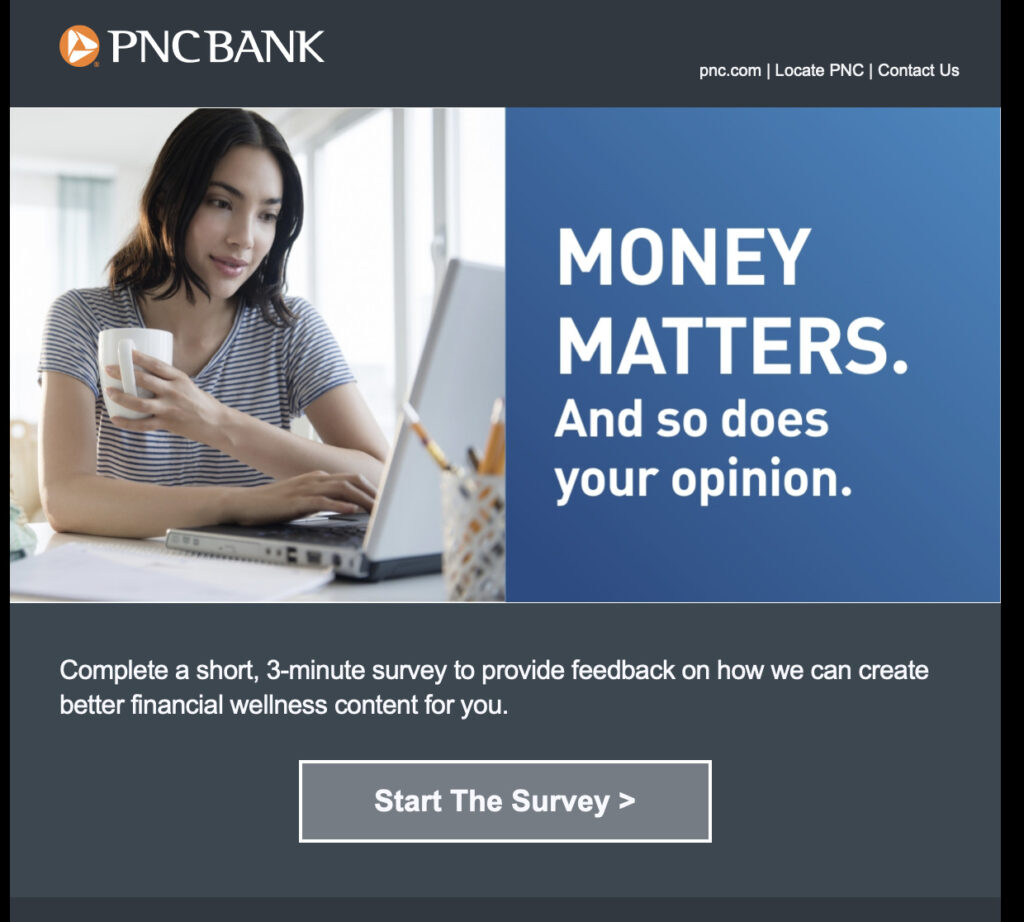
1. Surveys
If your subscribers aren’t responding to what you’ve been sending, try asking them what they would like to get from you. After all, this can help you better understand your audience’s interests and preferences.
For example, you might send a re-engagement email with the subject line “We miss you! Tell us how we can improve.” Then, for your call to action, include a link to a brief survey. Consider asking questions about:
Their favorite types of content
Products they’re interested in
How often they’d like to hear from you
Ultimately, this feedback can help guide your future email marketing campaigns, as well as show subscribers you value their opinions.
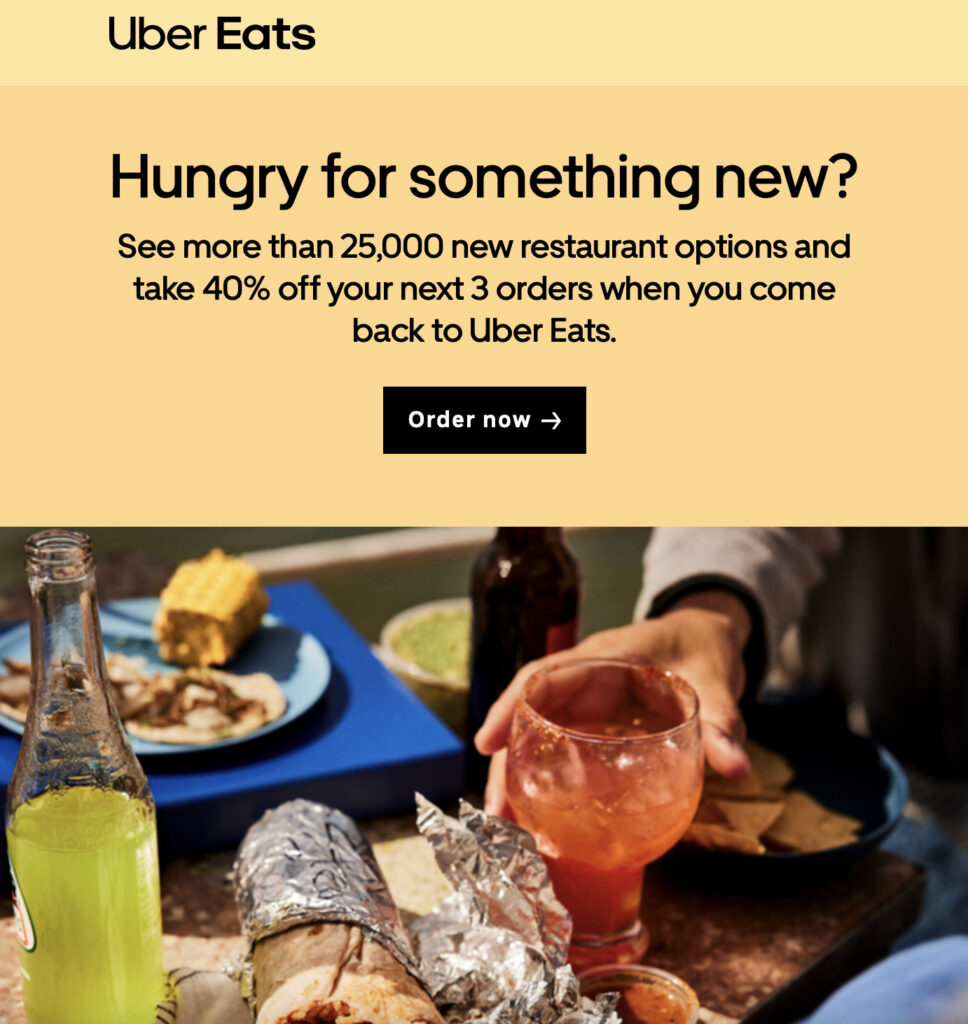
2. Coupons and discounts
If you’re in ecommerce, the classic way to win back inactive customers is to send them a juicy discount coupon.
Consider making this a dollar off discount rather than a percent off discount. One study of win-back campaigns found that dollar off discounts activated more subscribers.
For instance, you could send an email with the subject line “We miss you! Here’s $10 off your next purchase.”
Then, in the content of your email, be sure to include your discount code and a call to action directing subscribers to your store.
You might also think about highlighting new or popular products to entice them even more.
3. New products and services announcements
Announcements are ideal emails to send out if you haven’t mailed to your list in a few months. They’re a great opportunity to let recipients know about new products or services you’re offering.
For example, consider sending a re-engagement email with the subject line “Check out our new arrivals!”
Then, in your email content, be sure to showcase your latest and greatest products with high-quality images, and include a CTA to your online store.
By showing off your most recent arrivals, you can recapture the interest of customers who’ve grown tired of your old line of products.
4. Free resources
Free resources are also excellent to send if you haven’t emailed your list in awhile.
A high-value digital resource, like an ebook or a course, can be a great way to demonstrate that it’s worth their time to be on your list.
For instance, consider using the re-engagement email subject line “Exclusive free ebook just for you!” and provide a link to the download.
You should also be sure to highlight the value recipients will gain from the resource, reinforcing the value they’ll get if they remain active subscribers.
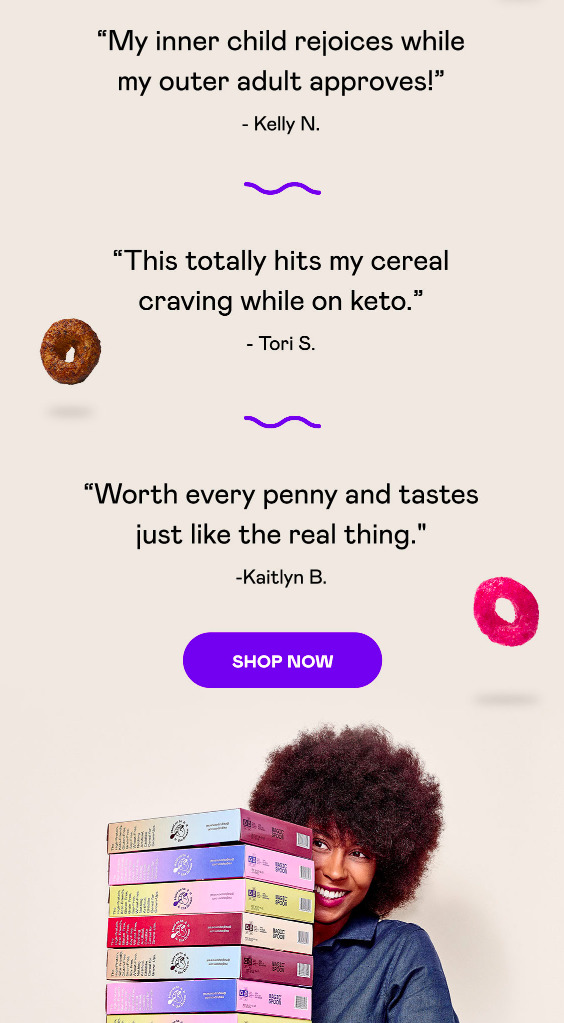
5. Customer testimonials
You can use customer testimonials with other types of content mentioned above. For instance, share a few testimonials about a new service you have.
Think about using a subject line like “See what others are saying about our new service!” and include direct quotes from customers.
This strategy can be especially effective in combination with some of the others listed above.
For example, including testimonials with a new service announcement or special discount can build trust and credibility while encouraging inactive subscribers to re-engage.
6. Limited time offers
Another great way to win back subscribers is by inducing a sense of urgency in your emails.
For instance, you might offer a limited-time discount or promotion to encourage recipients to take action quickly.
Consider using a subject line like “Limited time offer! $10 off just for you,” and include a countdown timer or specific end-date.
By inducing a sense of urgency, you can get customers to take action quickly.
7. Resubscription Offers
Re-subscription offers can be a great incentive to get subscribers interested in your product or service again.
For instance, you might use the re-engagement email subject line, “We want you back! Enjoy 30 days of free premium access.”
Then, include a CTA to your sign-up page where customers can try out your platform again for a limited time for free.
If your product or service is delivering the value the customer desires, there’s a good chance they’ll stick around after the free trial is over.
Re-engagement email campaign sequences
All email lists are different, so what works best in one situation may not work so well in another. One message might do the trick, but you could be more effective by sending two or three emails to warm people up and get them re-activated.
Since these subscribers are already less engaged, aim to keep your campaign short. Send an email, wait a few days, and see who’s interacted with your content.
If they’ve clicked through to your content or stated they want to remain on your email list, then great! They can stay on your list and continue to get your awesome emails.
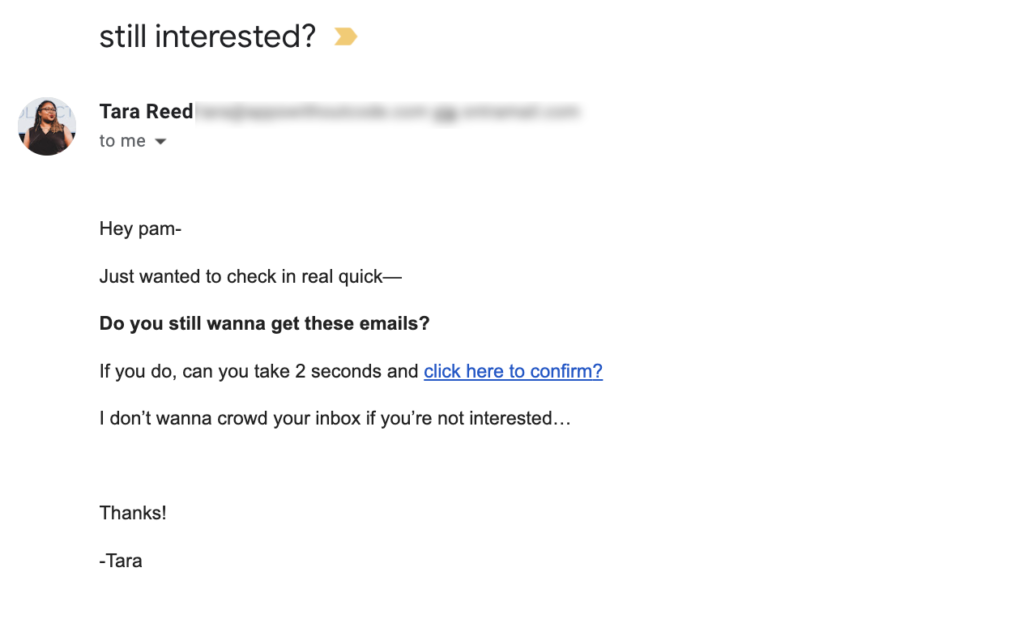
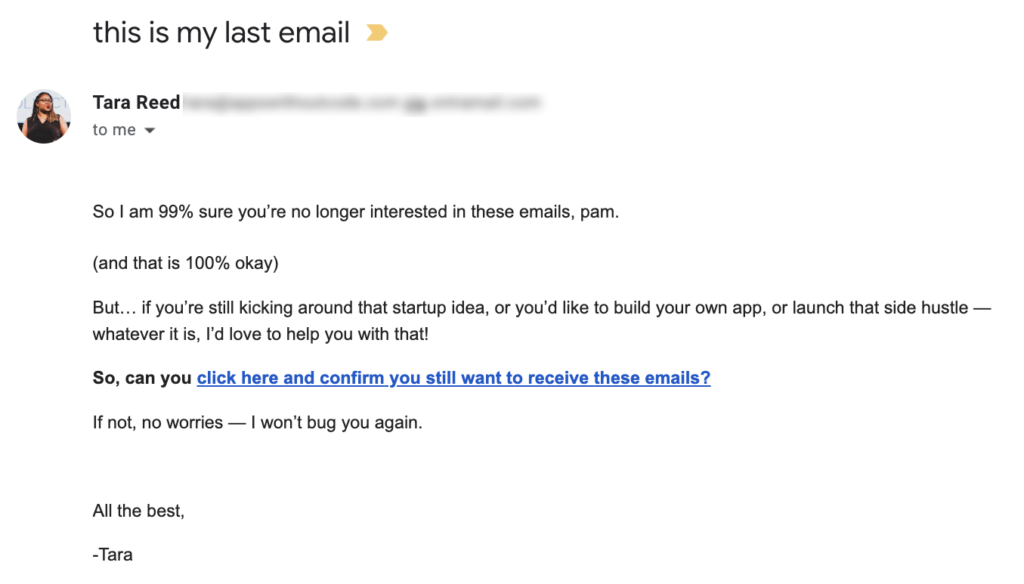
Here are two re-engagement email examples that were sent a few days apart.
This is the first one. Notice how short it is?
And here’s the next one, sent two days later:
The sequence of emails above is concise, and also respectful. Ultimately, even if subscribers opt not to re-engage, it’s important to consider what they want.
This way, if they develop interest in your products or services at a later date, you haven’t burned any bridges.
Start winning back subscribers with a re-engagement email campaign
If you take the time to craft a re-engagement email campaign, there’s a good chance you can win back some subscribers.
However, if some recipients haven’t responded, it may be time to say goodbye. And that’s perfectly ok!
You’ve done what you can to win them back, but if they don’t want to receive your emails, it’s better to let them go. Not only will they appreciate a cleaner inbox, but it’ll also help boost your email deliverability.
Ultimately, this will improve your email marketing in the long run.
How do you plan on running a re-engagement campaign of your own? Leave a comment below to share your ideas.
Or, if you already have an AWeber account, watch this video to see exactly how to create and send your own re-engagement emails!
{
“@context”: “https://schema.org”,
“@type”: “VideoObject”,
“name”: “Re-engage with your inactive email subscribers”,
“description”: “Staying engaged with your subscribers is key to being successful with your email list. In this video, we go over how to re-engage with your inactive email subscribers.”,
“thumbnailUrl”: “https://img.youtube.com/vi/6elc5eG4Tqs/maxresdefault.jpg”,
“uploadDate”: “2022-04-18”,
“publisher”: {
“@type”: “Organization”,
“name”: “AWeber”,
“logo”: {
“@type”: “ImageObject”,
“url”: “https://www.aweber.com/assets/img/aw-logo.png”,
“width”: 270,
“height”: 58
}
},
“contentUrl”: “https://www.youtube.com/watch?6elc5eG4Tqs”,
“embedUrl”: “https://www.youtube.com/embed/6elc5eG4Tqs”
}
Re-engagement email FAQs
When should you send a re-engagement email?
Many marketing experts recommend that you wait at least three to six months after a subscriber becomes inactive to send a re-engagement email.
However, the proper amount of time can depend on your specific audience.
For example, if your content is time-sensitive or encourages frequent interaction, one to two months may be a better timeline.
You may even consider starting a win-back email campaign during other times.
For example, if you’re planning a major list cleanup, updating your product or service offerings, or notice declining engagement rates, you might want to consider sending re-engagement emails.
Ultimately, it’s key to think about the behavior and preferences of your unique subscribers, and align them with your business goals.
How many emails should you send in a re-engagement campaign?
As we mentioned earlier, there’s no perfect number of messages to send in a re-engagement email campaign.
What works best for your business depends on the preferences of your specific audience.
While sending just one email may be best for some brands, other brands may want to design a sequence of two, three, or even four emails.
So, be sure to test out some different strategies with different segments of your audience. This will help you understand how you can best win back your subscribers.
{
“@context”: “https://schema.org”,
“@type”: “FAQPage”,
“mainEntity”: [{
“@type”: “Question”,
“name”: “What is a re-engagement email?”,
“acceptedAnswer”: {
“@type”: “Answer”,
“text”: “A re-engagement email, also called a “win-back email”, is a message you send to subscribers who have become inactive.
These emails aim to rekindle the interest of people who have not made a purchase or interacted with your brand for a while.
Re-engagement email campaigns are a great strategy for sparking the interest of inactive subscribers before removing them from your mailing list. After all, emailing unresponsive subscribers with messages isn’t helping them or your business.
Before saying goodbye, however, a win-back email offers one final opportunity to reconnect and rebuild your customer relationship.
Ultimately, your goal is to re-establish a connection with those who seem to have lost interest in your products, services, or content.”
}
},{
“@type”: “Question”,
“name”: “When should you send a re-engagement email?”,
“acceptedAnswer”: {
“@type”: “Answer”,
“text”: “Many marketing experts recommend that you wait at least three to six months after a subscriber becomes inactive to send a re-engagement email.
However, the proper amount of time can depend on your specific audience.
For example, if your content is time-sensitive or encourages frequent interaction, one to two months may be a better timeline.
You may even consider starting a win-back email campaign during other times.
For example, if you’re planning a major list cleanup, updating your product or service offerings, or notice declining engagement rates, you might want to consider sending re-engagement emails.”
}
},{
“@type”: “Question”,
“name”: “How many emails should you send in a re-engagement campaign?”,
“acceptedAnswer”: {
“@type”: “Answer”,
“text”: “As we mentioned earlier, there’s no perfect number of messages to send in a re-engagement email campaign.
What works best for your business depends on the preferences of your specific audience.
While sending just one email may be best for some brands, other brands may want to design a sequence of two, three, or even four emails.
So, be sure to test out some different strategies with different segments of your audience. This will help you understand how you can best win back your subscribers.”
}
}]
}
Advertising legend David Ogilvy once said, “Five times as many people read the headline as the body copy. When you have written your headline, you have spent eighty cents out of your dollar.”
Like a headline for a blog post or news article, the subject line for your email needs to capture people’s attention and convince them to open your message. A subject line can make or break the performance of your email, so it’s important to spend extra time crafting one that’s memorable and effective.
Good subject lines get to the point, create a sense of urgency, and are relevant to the subscriber, but it’s easy to make mistakes when writing them.
Committing these subject line sins can drastically reduce your open rates, but avoiding them is easy if you know what to look for.
Here are 11 of the most common mistakes people make when writing email subject lines and tips to improve them and improve your open rates.
Why are email subject lines so important?
When you send an email, you only get one chance for the intended recipient to open it. And most of that is tied to a great subject line. A well-crafted subject line grabs attention and sets the tone for the rest of the email. It can make the difference between your email being opened or ignored, influencing engagement and conversion rates.
11 Subject line mistakes to avoid
Understanding the common pitfalls can help you avoid mistakes and create compelling subject lines that drive results. Here are 11 subject line mistakes that could hurt your open rates and how to avoid them.
1. Using ALL CAPS
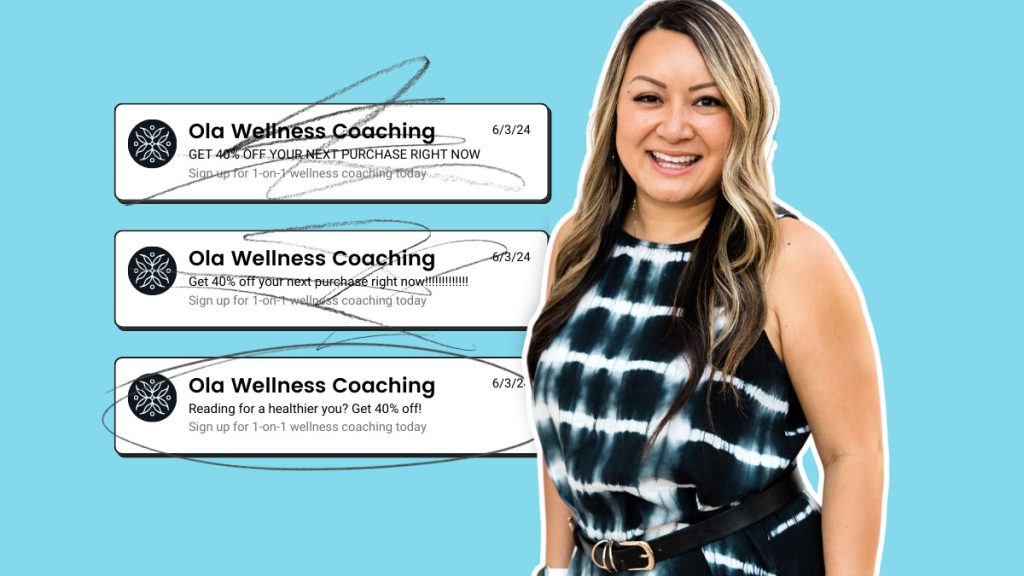
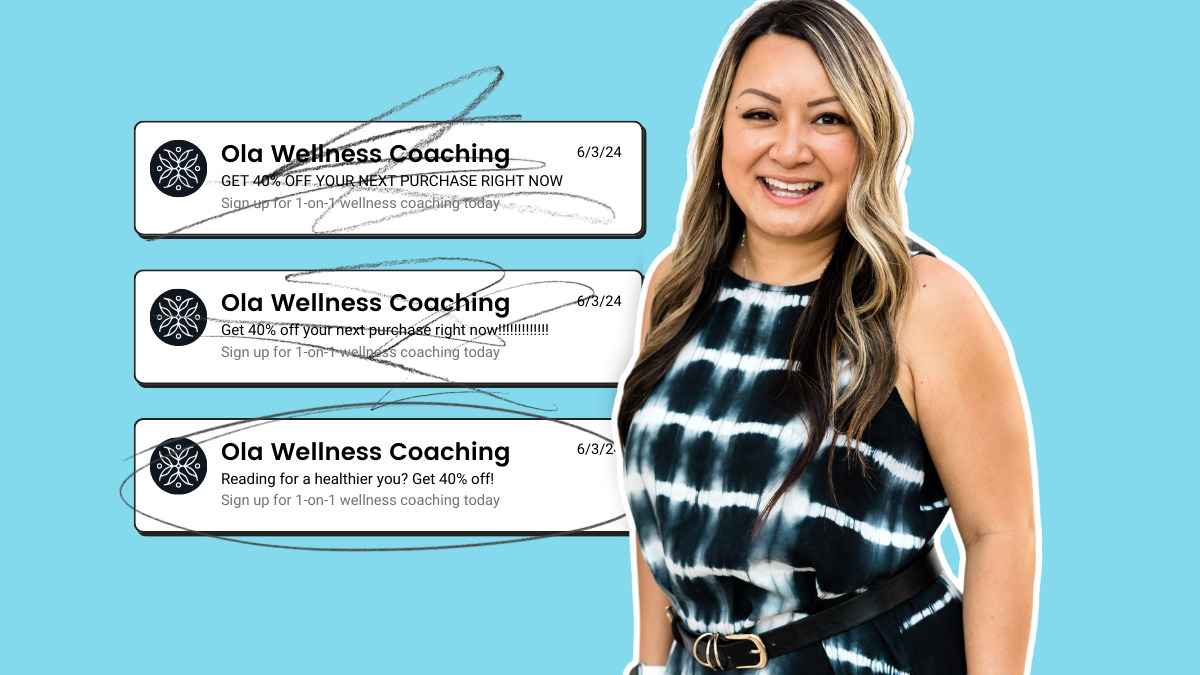
Imagine receiving an email with a subject line in your inbox: GET 40% OFF YOUR NEXT PURCHASE RIGHT NOW.
You would likely take one of three actions: ignore it, delete it, or mark it as spam. And that doesn’t even account for the annoyance you might have felt receiving such an email.
Before pressing send, keep in mind that USING EXCESSIVE CAPITALIZATION CAN SCARE AWAY SUBSCRIBERS AND KILL YOUR OPEN RATES.
Using caps in an email can be effective on a single word in a subject line. But it also needs to be the right word.
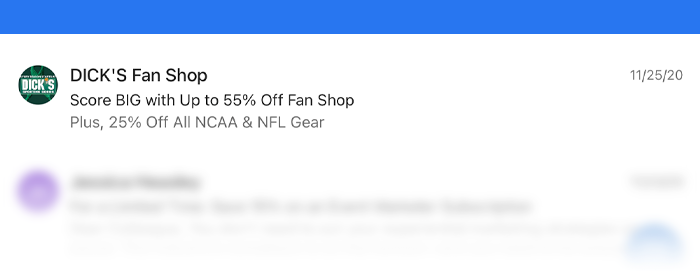
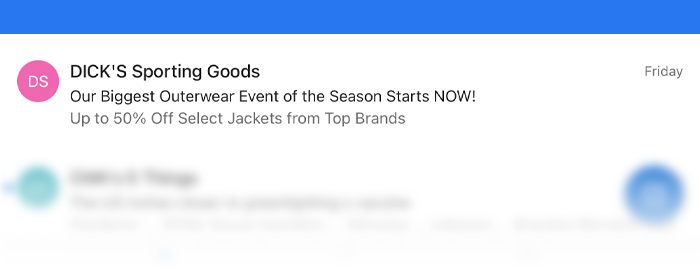
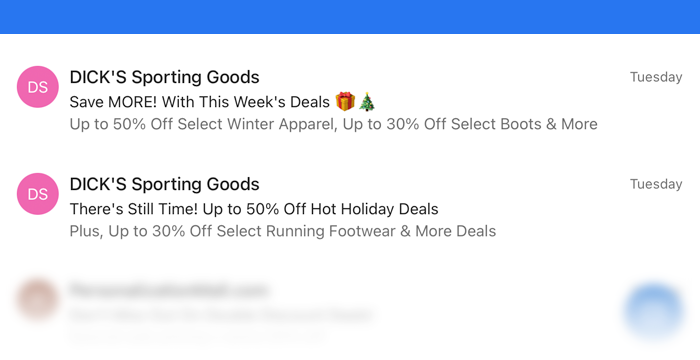
Dick’s Sporting Goods does a good job subtly calling out “MORE”, “BIG” and “NOW” in the subject line examples below.
2. Using too much punctuation!!!!
Taking the example we used earlier, imagine we added punctuation—a lot of it: GET 40% OFF YOUR NEXT PURCHASE RIGHT NOW!!!!!!!!!!!!!!!!!!!
You have limited real estate for your subject line, and multiple exclamation marks can come across as spammy. Special characters, such as * % & # and ^, have been known to trigger spam filters, so be sure to use them sparingly.
Do this instead:
Now that we’ve discussed the punctuation mistakes to avoid in your subject line, you may be wondering which characters lead to higher open rates.
The answer? Question marks, exclamation points, and periods. We recommend no more than three punctuation marks per email subject line. When you use too much punctuation, your email looks spammy.
Of course, while this can vary depending on your industry, your audience, and the content of your messages, test multiple subject lines (more on this later) to see which punctuation your subscribers respond to.
Here’s an example of a subject line from Enchanting Marketing:
Using simple language, asking a question, and proper punctuation in her subject line, founder Henneke Duistermaat piques the reader’s interest and entices them to read the message.
Exclamation points, periods, and question marks are all part of a healthy email marketing strategy, so don’t be afraid to mix up the punctuation you use in your subject lines.
3. Using emojis
Okay, we know you might not agree with this one—but we implore you to use emojis sparingly in your subject lines. Yes, emojis can indeed increase open rates. But not always.
The key is to protect your brand image and avoid coming across as cartoony or unprofessional. Emojis work well for some businesses, but they may not be suitable for everyone.
For example, law firms, financial services, and healthcare providers might want to avoid using emojis altogether to maintain a serious and trustworthy image.
Do this instead:
Match the emoji to your business and use them thoughtfully. If you decide to use emojis, ensure they align with your brand and message.
It’s also a good idea to test different subject lines with and without emojis to see what resonates best with your audience. For instance, try “🌟 Special Offer Inside!” versus “Special Offer Inside!” and compare the results to find what works for you.
4. Using Spammy Words
Adding certain trigger words to your subject line can activate a recipient’s spam filter, even if your message is legitimate.
To prevent this from happening, avoid certain words, phrases, and symbols like “$$$,” “100% free,” “cash off,” “cheap,” “weight loss,” and “serious cash.” Even if your email makes it into the inbox, it can come across as spammy to your subscribers.
Do this instead:
To ensure your readers take your emails seriously, carefully choose the language in your subject line by avoiding some of the trigger words and symbols listed above.
Finding the right verbiage for your subject line can be tough, especially with the sophisticated spam filters out today. What works for one industry may not work for another. Be sure to try different variations of words to see what resonates best.
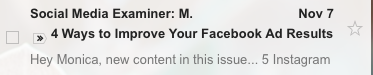
I also recommend focusing on specific words that tie back to the content in your email. Check out this example from our friends at Social Media Examiner:
The subject line tells you exactly what you’ll get by opening up the email. And by focusing on that, it eliminates the risk of including words that might appear spammy.
Bonus Tips: Occasionally adding phrases like “Free” or “Act Now” have been shown to improve open rates, but I recommend using them sparingly to avoid diluting their impact.
5. Making It Too Long
Have you ever read an email communication with run-on sentences after run-on sentences? It’s annoying, right? And it might even turn you off so much that you stop reading altogether. It’s not all that different with subject lines.
People receive many emails daily and don’t have time to read a novel when skimming their inbox. The average person receives 121 emails per day, so yours needs to stand out in a good way. Long, rambling subject lines can get lost in the clutter, causing your message to be overlooked or ignored.
Do this instead:
Aim to get your message across as quickly as possible and cut any unnecessary terms or phrases. Our AWeber team of email experts analyzed the top marketers’ emails and found their email subject lines averaged slightly under 44 characters.
As important as it is to get your message across quickly and clearly, make sure it expresses a complete thought and offers value to the reader – you don’t want to write a subject line that’s too short, either. Avoid one-word subject lines and strive to be helpful and relevant to your subscribers.
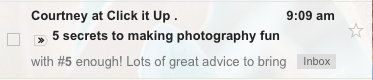
Professional photography blogger Courtney Slazinik conveys her message concisely with the following subject line:
By building a message around a numbered list and including the word “secrets,” Courtney offers value and creates a sense of mystery around her content. As a result, this subject line is easily skimmable and irresistibly clickable.
6. Being too generic
Being too generic with your subject lines can be a big mistake. Think about it like this: if you were offering vanilla ice cream, it might not catch anyone’s attention. But if you mentioned a unique flavor like “Salted Caramel Swirl with Chocolate Chips,” people would be more likely to notice and get excited.
Generic subject lines often get overlooked because they don’t stand out in a crowded inbox. They fail to give readers a reason to open your email, resulting in lower open rates and engagement.
Do this instead:
Add some flavor to your subject lines. Make them specific and enticing. For example, instead of “Weekly Newsletter,” try “Discover 5 Secret Tips to Boost Your Productivity This Week.” This captures attention and gives readers a clear idea of what they will gain by opening your email.
7. Writing misleading content
Let’s say you send an email with the following subject: Get an exclusive 50% discount on our entire inventory! But when the reader opens the email, it’s a pitch to sign up for a webinar or free online class.
Not only is this tactic dishonest, but it also tends to backfire. No one likes to be deceived, especially when they receive an email that promises one thing and delivers another.
You might get people to open your email initially, but this alienates subscribers and can hurt your open and spam rates in the long run. If your subscribers lose trust in your emails, they will ignore future emails and mark you as spam.
Align the content of your email and your subject line to build and maintain trust between you and your subscribers. This is especially important considering Google’s EEAT (Experience, Expertise, Authoritativeness, Trustworthiness) philosophy. Even though email is email and Google is Google, misleading subject lines undermine your credibility and can negatively impact your reputation and deliverability.
8. Avoid using RE or FW in Your Subject Lines
Avoid using RE: or FW in your headers. These tend to trick the reader into thinking the email was part of another conversation, which doesn’t leave a positive impression with subscribers. In fact, it can cause confusion, leaving consumers to wonder if the email was sent by mistake.
Not including this text also gives you more room to work within your subject line, which can be used to convey helpful and relevant information instead. Adhering to EEAT principles and being transparent with your subject lines can foster a trustworthy relationship with your audience and improve your email performance.
9. Lacking urgency
Do you want your readers to open your email now? Or, do you want them to wait for weeks, or months, possibly forgetting they received your email altogether? Subject lines that lack urgency often fall flat because they don’t give your readers a reason to act immediately. Without a sense of urgency, your email can get lost in the shuffle of a busy inbox, reducing your open rates and overall engagement.
Do this instead:
Create a sense of urgency in your subject lines to prompt immediate action. Use phrases like “Limited Time Offer,” “Act Now,” or “Only a Few Spots Left.”
For example, instead of “New Product Available,” try “Exclusive Offer: 20% Off New Product – Today Only!” This encourages readers to open your email immediately, improving your chances of growing engagement.
10. Including spelling or grammar errors
Subject lines (or any other content in your email) with typos, misspelled words, and misplaced punctuation look unprofessional and can hurt your open rates.
Emails are an opportunity to establish your brand as a helpful source of information. Subject lines with spelling or syntax errors make a bad first impression, and undermine your ability to establish trust with your subscribers.
Do this instead:
To optimize your email open rates, be sure to review your emails for grammar and spelling prior to hitting send. No one will take the time to read your email if the subject line is loaded with grammar mistakes, but basic copy editing can prevent these errors from slipping through the cracks.
You’ve probably noticed that we have mentioned subject line testing a time or two—or five—throughout this post. And there is a good reason for that—because subject line testing is EASY and COSTS YOU NOTHING. Sorry for the all-caps there, but we want to make sure we hit home on this point.
By skipping out on A/B testing, you miss the opportunity to discover what resonates with your audience. Every email list is different, and what works for one might not work for another. A/B testing allows you to compare different subject lines and determine which one performs better, helping you refine your strategy and improve open rates.
Do this instead:
Make A/B testing a regular part of your email marketing routine. Test variations of your subject lines to see which ones get the most opens and clicks.
For example, you might test “Don’t Miss Our Exclusive Sale!” against “Exclusive Sale – Today Only!” Over time, these insights will help you craft subject lines that are more effective and tailored to your audience’s preferences.
Crafting subject lines that sweep subscribers off their feet
The subject line is one of email’s most important components, so getting it right before you send your emails is a must. And by avoiding the mistakes above, you’ll be well on your way toward improving your email engagement.
Ready to use these tips to write better subject lines? Sign up for AWeber Free today to start writing amazing subject lines.
Looking to boost your email open, click, and conversion rates? How about giving your ROI a killer boost?
Behavioral segmentation lets you personalize email content according to consumers’ interests and behavior.
It’s the most effective type of content personalization and has a dramatic effect on your bottom line — sales.
👉 76% of consumers are more likely to purchase from brands that personalize their communications.
In this guide, we demystify the term “behavioral segmentation” and show you how it works.
Find out exactly what the term means and how you can (easily) use it to personalize your email messages.
Discover everything you need to know about behavior-based marketing, including:
What is behavioral segmentation?
Why behavioral segmentation matters to marketers
Types of marketing segmentation
Types of behavioral segmentation in email marketing
How behavioral segmentation is used in email marketing
How to get started with behavioral segmentation for email marketing
Behavioral segmentation examples
What is behavioral segmentation?
Behavioral segmentation is an automated, data-based marketing strategy.
It tracks reader interactions in your emails, landing page, and website. Then it uses that data to group your audience into smaller segments based on their interests and actions.
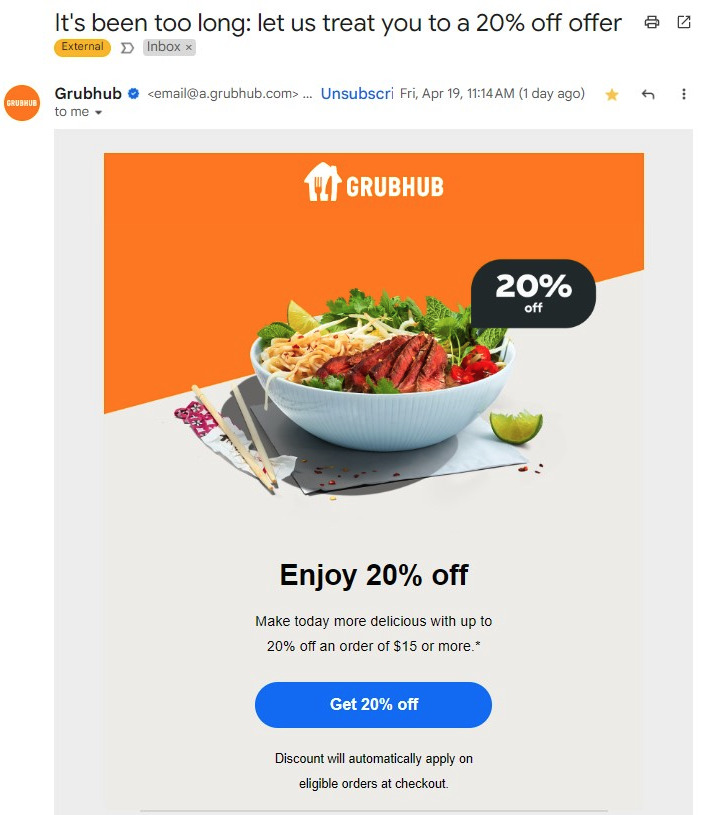
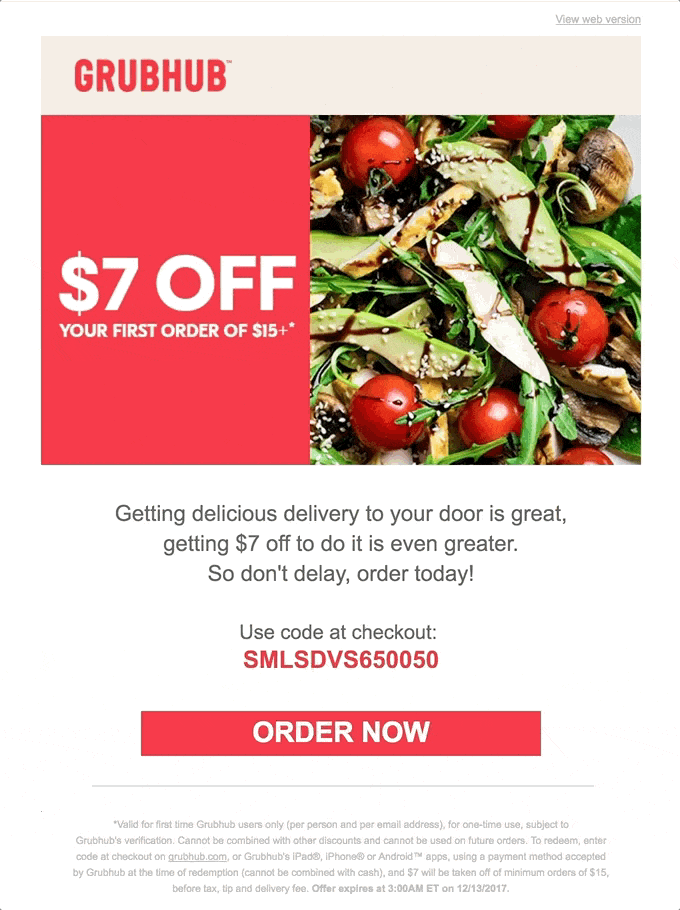
For example, food delivery service GrubHub noticed I hadn’t used its service lately. So it sent me an email with the header “It’s been too long: let us treat you to a 20% off offer.”
After ignoring Grubhub emails for weeks, it only took one personalized message to reel me right back in. Smart move, Grubhub!
As you’ll see in the next section, I’m not the only consumer who’s a fan of personalized content. 🤭
Why behavioral segmentation matters in marketing
Behavioral segmentation is the best and most advanced method of providing personalized content to your audience.
For example, to increase engagement and fundraising, The Fisher Center needed a way to personalize communication based on donors’ history and interests.
The non-profit turned to email marketing tools to tag and segment their audience based on behavior such as donation dates.
This personalized approach led to a 500% increase in its email subscriber list.
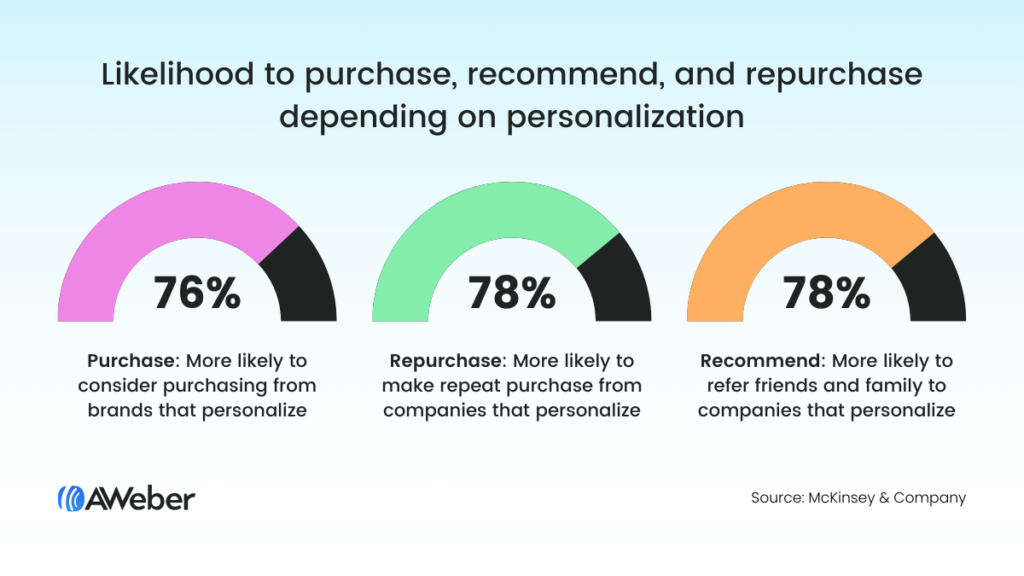
According to a McKinsey report on personalization, most consumers (72%) expect businesses to cater to their individual needs and interests.
In its report, McKinsey shows that most consumers prefer personalized content.
Here’s what the average consumer thinks about personalized marketing:
76% are more likely to consider purchasing from brands that personalize their marketing.
78% are more likely to recommend brands that personalize.
78% are more likely to repurchase from companies that personalize.
TIP: Increase your ROI even more by pairing segmentation with other highly effective marketing strategies such as appreciative email sign offs and brand awareness campaigns.
Types of marketing segmentation
There are many ways to segment your audience for personalization, but none is as effective as behavioral segmentation.
At the heart of behavioral segmentation lies email marketing.
A good email marketing platform allows you to automate the entire process — from collecting behavioral data to sending personalized email campaigns based on that data.
Websites also use behavioral segmentation to fuel their email marketing message and to build dynamic website content.
4 Core types of marketing segmentation
#1 – Behavioral segmentation
Behavioral segmentation groups people according to their interactions with your email messages, landing pages, and website.
It is used to send personalized email content and provide dynamic website content that aligns with consumers’ interests, habits, and place in the buyer’s journey.
#2 – Demographic segmentation
Demographic segmentation groups people by variables such as gender, income, level of education, age, and ethnicity.
It can be helpful when developing original buyer personas. However, it relies on assumptions that can lead to poorly-matched content.
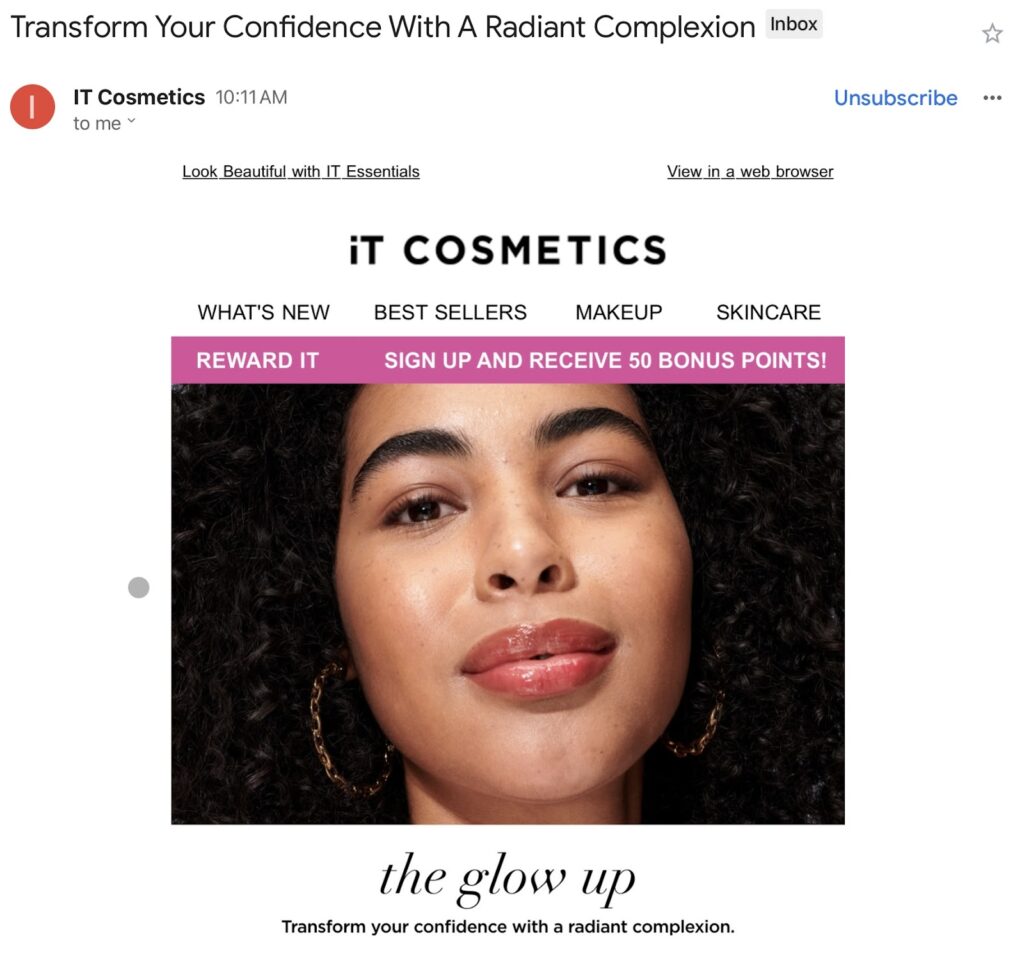
For example, IT Cosmetics sent an email with the header “Transform your confidence with a radiant complexion.” The message assumes that all women seek confidence.
While this may be true for many of its female customers, it’s not true for all women — and could turn some people away.
Demographic assumptions are not always a reliable way to personalize marketing content.
#3 – Geographic segmentation
Geographic segmentation groups people by location and sub-categories like culture, language, and timezone.
Geographic segmentation can be helpful in determining basics such as what language to use, what time to send emails, and what holiday schedules to lean into.
However, geographic data points are vague and don’t provide enough information to create a truly personalized email or website experience.
For example, a meal service using geographic segmentation might promote fried foods to people living in the Midwest and healthy foods to people on the West Coast.
This approach would be based on geographic cliches that cause some readers to quickly lose interest.
#4 – Firmographic segmentation
Firmographic segmentation is used by business-to-business (B2B) companies. It segments people by the characteristics of their company, such as industry, company size, growth rate, and technology used.
If you only sell to other businesses, firmographic data can be very helpful. However, firmographic segmentation doesn’t help companies that sell directly to consumers.
Types of behavioral segmentation in email marketing
Behavioral segmentation in email marketing involves grouping subscribers based on their actions and behaviors.
5 Core types of behavioral segmentation for email marketing
1 – Engagement level: Segmenting subscribers based on their interaction with previous emails, such as:
Email opens
Clicks within emails
Polls and surveys completed
2 – Website activity: Segmenting subscribers based on their interactions with your website, such as:
Pages visited
Products viewed
Actions taken
Forms filled out
Abandoned carts
3 – Landing pages: Segmenting subscribers based on the landing pages they respond to, such as:
Joining your email list
Scheduling a free consultation
Downloading lead generation content
Signing up for a webinar
4 – Purchase behavior: Segmenting subscribers based on their purchasing history, which provides information such as:
New versus repeat customers
Purchase frequency
Average order spend
Favorite product categories
5 – Buyer’s journey: Segmenting subscribers based on their stage in the buyer’s journey, such as:
Awareness
Consideration
Decision
Advocacy
How to use behavioral segmentation in email marketing
Behavioral segmentation in email marketing is an automated process.
Once it’s set up, your email marketing program segments your list into smaller groups based on their interactions with your emails, website, and landing pages.
Then it sends personalized email messages and campaigns to various segments of your list.
For example, imagine you run an online pet supply store. Here’s an example of how email segmentation might help you.
Data:
You notice that a group of subscribers consistently opens and clicks on emails about dog training products.
Another group frequently engages with emails about cat-related products.
Segmentation:
Create a segment called “Dog Training Enthusiasts” for the first group.
Create a segment called “Cat Lovers” for the second group.
Application:
Send targeted emails about dog training tips, classes, and discounts to the Dog Training Enthusiasts segment.
Send targeted emails about toys, treats, and food to the Cat Lovers segment.
Results:
By segmenting your email list, you increase the relevance of your messages. This leads to increased engagement, conversions, and sales.
Behavioral segmentation works because the emails you send become more interesting to your readers. So they’re more likely to open and read your messages instead of ignoring them.
While this all might sound like a lot of work, it’s a fairly simple and quick process that can be fully automated.
Once you create campaigns and set triggers, automation does the rest of the work for you.
Behavioral segmentation in action
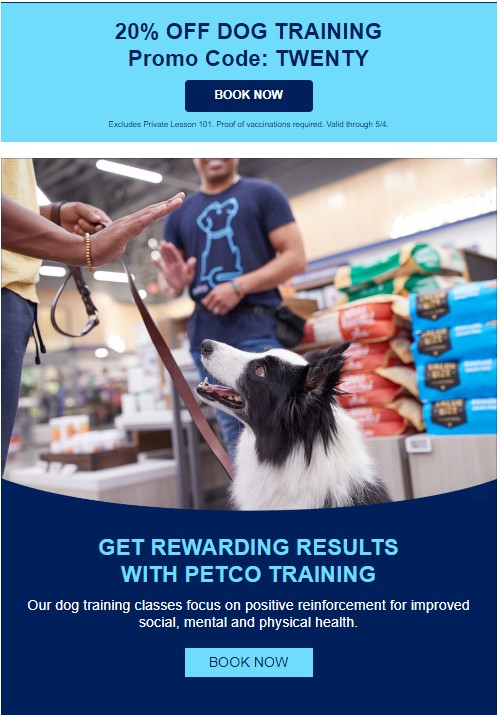
In the email below, Petco shares a 20% discount with dog owners who have purchased training classes in the past.
This is a great example of purchase-based behavioral segmentation.
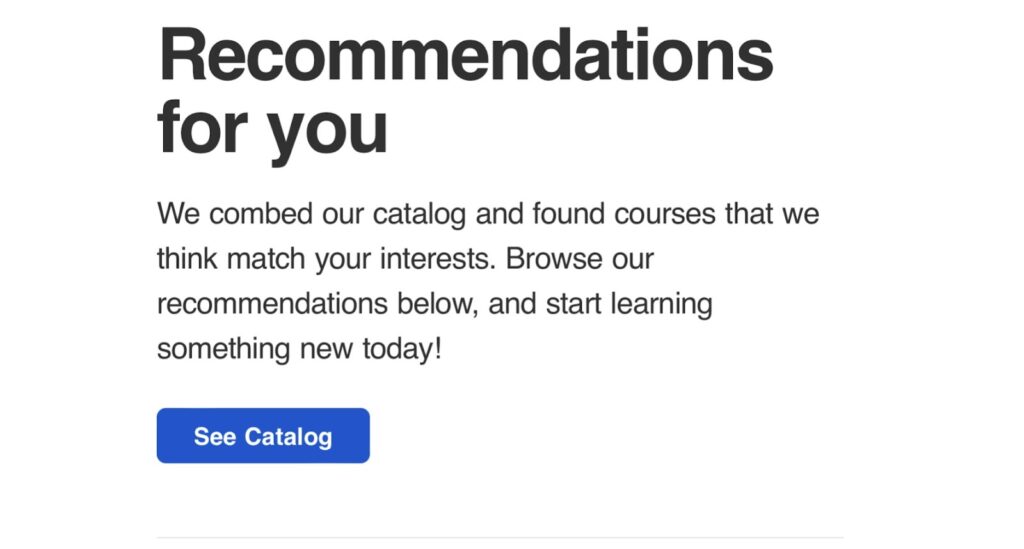
Coursera sends personalized recommendations on courses related to classes I’ve taken in the past.
It’s an excellent example of interest-based behavioral segmentation.
Behavioral segmentation is also used on websites, separate from your email marketing platform.
Sites collect behavioral data and use it to build dynamic website content. This gives visitors a personalized experience.
For example, when I visit AWeber.com, I’m not greeted with a sales page because the site “knows” I’m already a customer.
Instead, I’m welcomed with a login page and special event invitation.
How to get started with behavioral segmentation for email marketing
To get started with segmented campaigns, ensure that your email marketing platform provides the following key features:
Automated trigger campaigns that allow you to send automated email series based on behavioral triggers.
{
“@context”: “https://schema.org”,
“@type”: “VideoObject”,
“name”: “How to Use Pre-Built Automated Email Campaigns”,
“description”: “Isn’t it great when someone else does most of the work? In this video, you’ll learn how to quickly and easily create an automated drip sequence using AWeber’s Pre-Built Automated Campaigns.”,
“thumbnailUrl”: “https://img.youtube.com/vi/kWT-90lrOUo/maxresdefault.jpg”,
“uploadDate”: “2020-11-11”,
“duration”: “PT5M12S”,
“contentUrl”: “https://www.youtube.com/watch?v=kWT-90lrOUo”,
“embedUrl”: “https://www.youtube.com/embed/kWT-90lrOUo”
}
Landing page integration that lets you send automated email series in response to interaction with landing pages.
Website integration capabilities that allow you to send automated email campaigns based on website activity.
If you don’t have these features or if you haven’t chosen an email marketing platform yet, check out AWeber’s Plus Plan. We provide all the tools and features you need to get started with behavioral segmentation.
Depending on which email marketing platform you use, the process of getting started with segmentation may vary.
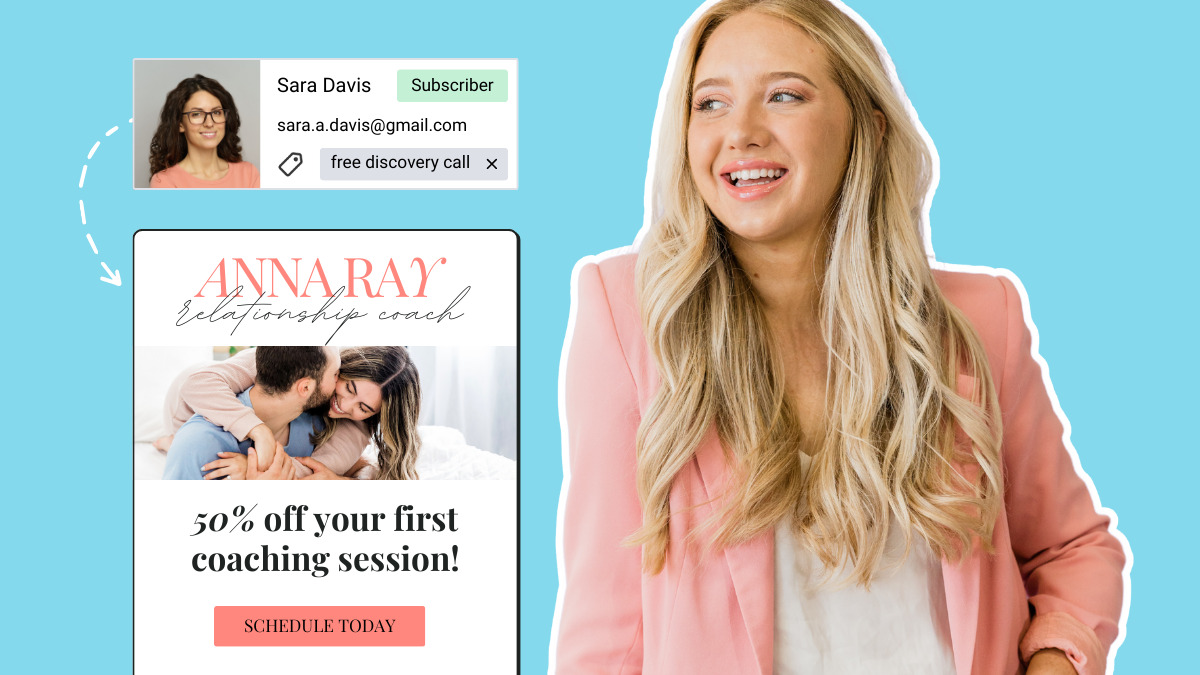
For example, AWeber’s simple system of creating tags and triggers lets you quickly create segmented campaigns based on user behavior.
In the YouTube video below, Kim Mathiot steps you through using tags to unlock the power of segmentation.
Behavioral segmentation examples
Below are examples of personalized email marketing messages using behavioral segmentation.
Abandoned cart email example
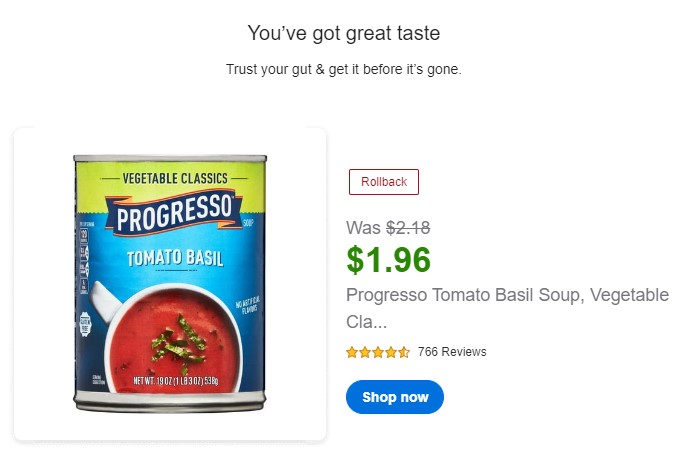
Abandoned cart emails integrate data from your website into personalized emails.
Behavioral trigger: Dropping items into an online shopping cart but leaving the site without making the purchase.
For example, have you ever received an email related to items you dropped into an online shopping cart (but never purchased)?
Purchase follow-up email example
Purchase follow-up emails confirm recent purchases and often prompt readers to buy additional items.
Behavioral trigger: Making a purchase.
Response: Follow-up email to encourage add-on sales.
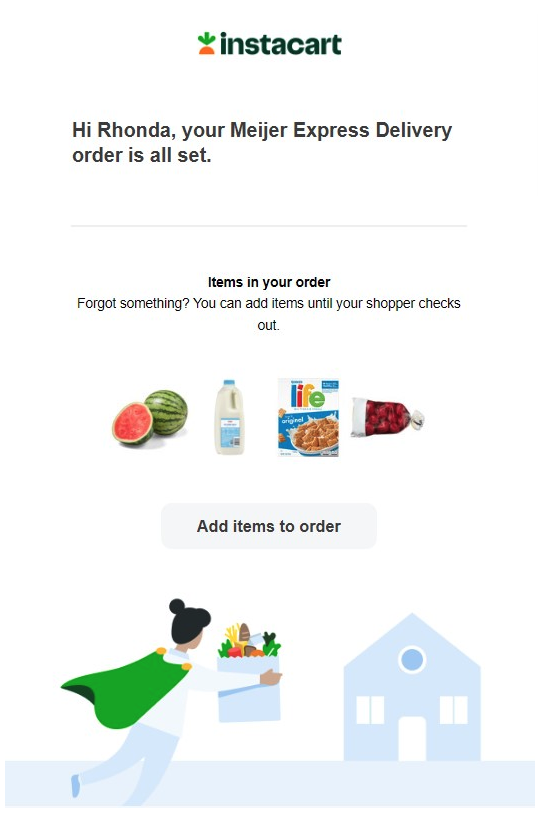
For example, Instacart grocery delivery service sends a confirmation email shortly after you tap “Place your order.”
The follow-up email shows an image of the items you purchased, then encourages add-on sales with a “Add Items To Order” CTA.
Welcome email example
Welcome email messages (or series) are sent when someone subscribes to your email list.
Behavioral trigger: Joins email list.
Response: Welcome email.
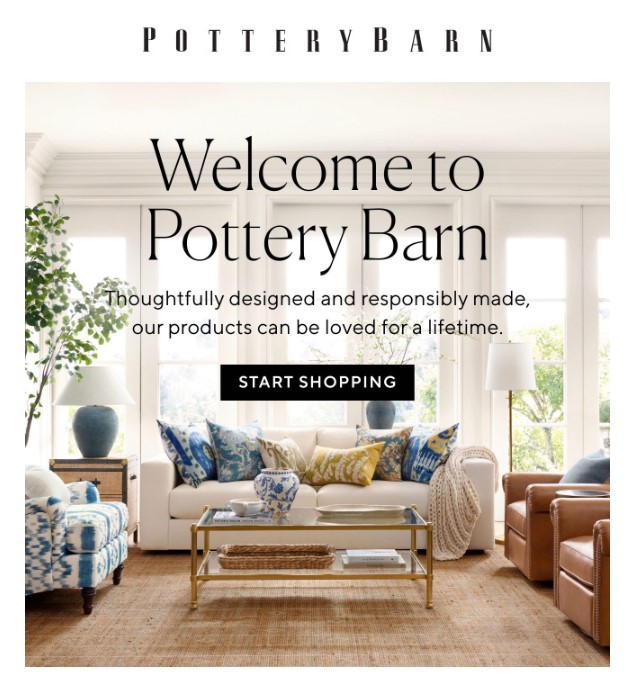
In the email below, Pottery Barn welcomes me as an email subscriber by encouraging me to “Start Shopping.”
Reminder email example
Reminder emails help people avoid falling through the cracks by encouraging them to take a specific action.
Behavioral trigger: Subscriber inaction related to a specific event.
Response: Reminder email.
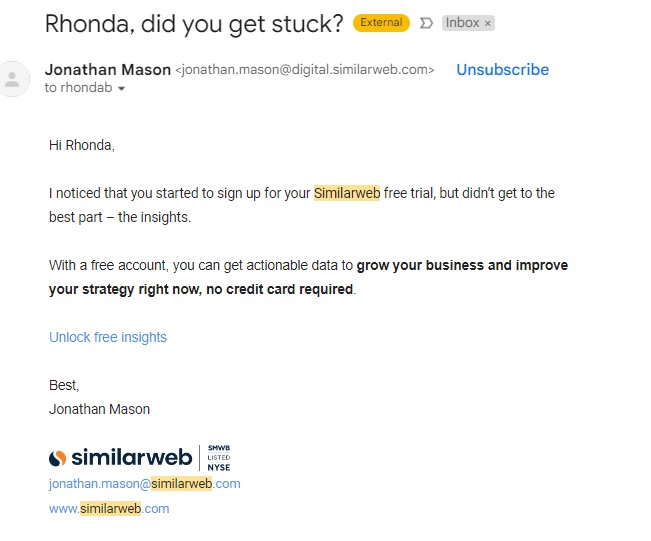
For example, I began to sign up for a SimilarWeb free trial because it offered a free report I wanted to view.
But when the signup requested my phone number, I decided the report wasn’t worth the follow-up calls I’d probably receive. So I left the site without completing the form.
In response, I received a personalized email encouraging me to return.
Application confirmation example
When someone submits a form or application on your website or in an email, a receipt confirmation is usually sent.
Behavioral trigger: Submitting an application.
Response: Thanks for your application.
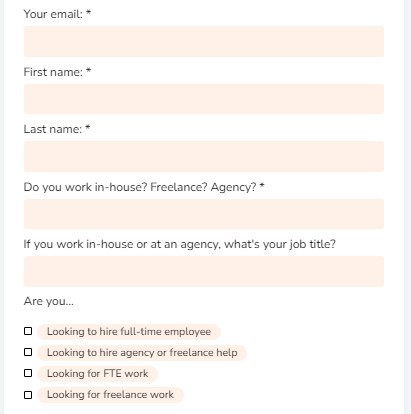
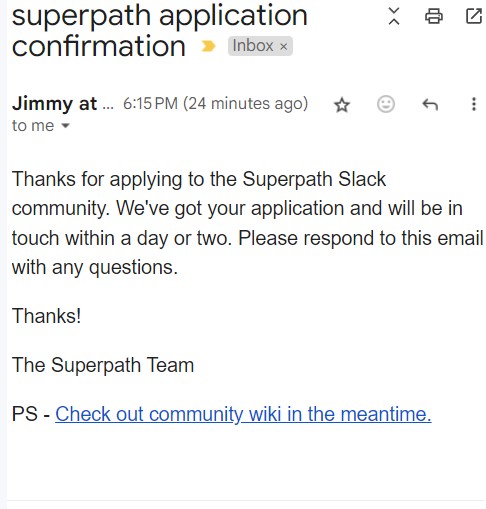
For example, content marketing community SuperPath requires users to fill out an application when joining its community.
After the user submits their application, the brand responds with a “Thanks for your application” email.
Below is a sample from Superpath’s application and its automated email response.
Personalizing marketing content with behavioral segmentation
Behavioral segmentation is the key to unlocking truly personalized marketing experiences for consumers and clients.
By segmenting your list based on personal information such as purchase history, interests, and engagement, you can deliver tailored content that improves relationships with your customers and increases your ROI.
AWeber’s Plus Plan provides simple but powerful tools that make it easy to use behavior-based marketing automation. Segment subscribers according to their behavior and send multiple personalized email campaigns — on autopilot. Ready to enjoy the benefits of behavioral segmentation and personalized marketing? Sign up for AWeber today!
Are you looking to accomplish more with your marketing budget? It may be time to throw an email marketing campaign into the mix. Email marketing has many benefits and offers an impressive return on investment (ROI) while being quick and easy to deploy—even if you don’t have much experience.
Still not convinced? Explore some key benefits of email marketing and consider how these could take your next marketing campaign up a notch—or twenty!
The foundation of a successful email marketing strategy
We know you’re asking the age-old question—is email marketing dead? And we’re here to tell you that not only is it not dead, but it is quite alive and well. It’s estimated that email generates an impressive $42 for every $1 spent, and 59% of people make decisions based on marketing emails that they have received—those aren’t numbers to bat an eye at.
So, if email isn’t part of your business’s marketing strategy, you could be missing out. And thankfully, building the foundation for a successful email marketing strategy isn’t that difficult.
Quite simply, all you need is a great landing page to attract and retain visitors, clear goals to guide your campaigns, and compelling content to engage your audience.
A well-designed landing page is the hub for email sign-ups and provides valuable content that interests your audience. Setting clear goals helps you measure the success of your campaigns and stay focused on what matters most.
Meanwhile, great content ensures that your emails are open and lead to meaningful interactions and conversions.
And with that, let’s get into our list of the 15 benefits you can expect from your email marketing efforts—when you do it right, of course.
1 – Build relationships with customers
Your existing email list presents a fantastic opportunity to build relationships with people already interested in your business. After all, these subscribers signed up for your email list because they are either customers or clients. Or, they may be prospective customers intrigued by the products and services you have to offer.
A great email marketing campaign allows you to take full advantage of that by communicating with members of your email list and building relationships with them.
And the more your audience sees that you are making an effort to reach out, provide you value
and deliver on your promises, the more likely they will be to stay loyal.
2 – Grow loyalty
We know what you’re thinking—isn’t building relationships with your customers the same as growing loyalty? Not exactly. The truth is that you can build a relationship with anybody. And you need to build relationships with your customers. Doing so helps keep you top of mind when they need the product or service you sell.
But loyalty goes far deeper. Loyalty occurs when those customers that you have worked so hard to build relationships would actually put their neck on the line for you—offering reviews, testimonials, and recommending you to a family member or friend.
3 – Boost customer engagement
Sticking with our theme here of customer relationships, another benefit of your email strategy is that it will grow engagement.
Customers may share your emails with others, something we’ll talk about a bit later, and they may even talk about you on social channels—and that’s some of the best advertising you can get. After all, 93% of customers trust recommendations from people that they know.
4 – Improve customer retention
And here is yet another benefit of your email marketing campaigns. You grow customer retention, too! And yes, this is different than loyalty and building relationships. A loyal customer will refer you to others, and that is something you totally want to grow your business. But you also want those customers to stick around for the long haul.
The longer a customer stays with you, the more they’ll spend and the more they’ll tell others about you. It’s totally a win-win!
5 – Stretch your marketing dollars
From a cost standpoint, email marketing is one of the most affordable means of digital marketing—making it an excellent option for smaller and growing businesses that may not have large marketing budgets. Email marketing offers excellent value for your dollar compared to print marketing (with its own design, printing, and postage costs).
And unlike other digital marketing forms (such as paid ads), very few costs are involved.
6 – Increase sales and profits
Another key benefit of email marketing is the return on investment your business can see. And like we said earlier, it is not uncommon for businesses of all sizes to see a return of about $42 for every dollar spent on a marketing campaign.
Whether you use an email marketing campaign to introduce a new product or service or to alert your audience to a special promotion, like the email below, your emails can drive sales and improve your company’s revenue.
If you’re looking for a marketing strategy that allows you to really hone in on a specific audience, email marketing has you covered. Specifically, email list segmentation allows you to “filter” your email list based on several factors and then send out custom-tailored messages to each segment of your list.
Segmentation can be used, for example, to reach potential customers in a specific geographical area or to market to people who have shown interest in a specific product or service via email.
The possibilities here are endless—and when your audience receives messages that are tailored to them, they’ll be more likely to make a purchase.
8 – Own your list
Many business owners fail to realize an important benefit of email marketing: you own your company’s email list.
It’s something you’ve grown organically over time and does not rely on computer algorithms. The same cannot be said with other forms of marketing—such as social media marketing and paid ads, where people will only see your message based on the platform’s algorithm (which is out of your control).
With an email marketing list, you ultimately control what your subscribers see. And because there are 4.48 billion email users across the globe, email marketing lets you reach a global audience; perhaps no other form of marketing has a greater reach than email. That’s an important distinction that sets email marketing apart.
9 – Gather valuable insights
An email list is also valuable for gathering insights and feedback from your audience. You can use your email list to send out surveys—like the one below—about your products and services.
You can also use your email service provider to generate reports and analyses on the success of each marketing campaign. Check out what kind of click-through and conversion rates each campaign has reached—as well as your return on investment for each campaign.
Many marketers even use split testing, which involves sending two different emails and evaluating how each email performs. This lets you gather valuable insights on which message is most effective for a particular audience, which can then inform future marketing decisions.
10 – Drive website traffic
Another one of the top benefits of email marketing is driving more traffic to your website.
Include a strong call to action at the end of each email and a direct link to your website. Linking to blog posts or other relevant content can also effectively bring people to your website.
Driving traffic directly to your site from an email can increase your sales and conversions. An added bonus? You may get some more love from your search engine rankings. It’s a win-win.
11 – Automate tasks and save time
You’ve likely got enough on your plate as it is. Writing and sending one-off emails can be time-consuming.
That’s why automation is one of the top benefits of email marketing. And it’s where an email service provider can be worth the investment.
Specifically, an email marketing platform can automate some of your marketing tasks. Write your emails beforehand and then schedule the best day and time to send them—this can vary from business to business but is typically Thursday, followed by Tuesday, Wednesday, and around 10 a.m.
You can also use automation to set up a welcome email (or welcome email campaign) that people receive when they sign up to receive more communications from you.
For instance, this is the automated email I received seconds after signing up to win a month of free cereal from Magic Spoon:
The testimonials in the welcome email served as social proof that people love this cereal. They calmed my worries about spending a bit more on healthier cereal.
So, yeah, I bought the cereal.
12 – Encourage spreading the word
Email marketing is also unique in that your message can be easily shared with others, quickly and effortlessly expanding your brand’s potential reach.
Consider, for example, sending an email highlighting a special promotion or limited time sale. Several members of your email list forward the email to friends or family to take advantage of the sale. From there, you gain a few new customers (and possibly new email subscribers, too!).
There’s no harm in asking people to share the email with others who could benefit from it. We encourage sharing in every single blog newsletter we send out.
This is just one more example of the importance of email marketing in spreading the word and growing awareness of your brand.
13 – Grow brand awareness
Brand awareness refers to the extent to which customers are able to recognize and recall your brand. It’s about making your brand a familiar name in your target market.
Email marketing plays a big role in increasing brand awareness by regularly putting your brand in front of your audience—remember what we said earlier about customer retention and loyalty? It’s all coming together now, right?
While this might seem similar to driving customer engagement and loyalty, awareness focuses more on the long-term recognition and recall of your brand. Each time a subscriber sees your brand name in their inbox, it reinforces your brand image, making it more likely that your brand will come to mind when they need your products or services. This consistent exposure helps solidify your brand’s presence in a crowded market—and there is a lot of competition out there!
14 – Gain a competitive edge
Speaking of competition, your marketing campaigns can help you stay competitive. While you might think you are unique, there’s a good chance that someone else out there is selling something similar to or identical to what you have to offer. That’s just the way it is these days. So, you need to differentiate yourself and stand out from the crowd.
Your email marketing campaigns provide you with a great way to keep customers and prospective customers interested, educated, and even entertained. So stay in front of them.
15 – See instant results
Is there anything better than getting instant gratification?
Email marketing is one of the few channels where you can see results immediately.
As soon as you send out a marketing email, you can have subscribers making purchases. The same cannot always be said with other forms of marketing (such as print marketing), where you may have to wait days or even weeks to gauge the campaign’s success.
Why email marketing? The bottom line
These are just some of the countless benefits of email marketing for businesses of all sizes. Plus, you can take advantage of all these benefits without having extensive marketing knowledge or experience.
The key is finding the right email marketing platform to make your life easier and automate many tasks. From there, you can spend more time growing and managing your business while knowing your email marketing is handled.
In the example below, The Intrepid Guide landing page (created with AWeber’s landing page builder) features a compelling headline, clear description of its newsletter, and effective call to action.
Sergey Taver of Precision Watches says his company directs traffic from multiple channels to its lead-generation landing pages for increased signups.
“By directing traffic from ads and social media to focused landing pages, we’ve seen a significant improvement in lead generation and increased email sign-ups.
These pages provide relevant content and clear calls to action, resulting in higher conversion rates.”
Outrageously effective landing pages often feature an offer visitors can’t resist — called a lead magnet.
#2 – Create a ridiculously valuable lead magnet
Lead magnets are freebies you give out in exchange for people signing up for your email list.
Service-based businesses, such as coaching, training, and software companies, typically offer resources such as ebooks, reports, planners, guides, or templates that appeal to people in their niche.
Product-based businesses often use discount codes or other purchase incentives as lead magnets.
To grow your list quicker, create a lead magnet that’s 10X more valuable than any of the others in your industry.
Then, share the link to your free offer across all your digital marketing channels, including your website, social media pages, and ads.
# 3 – Partner with influencers
In digital marketing, influencers can immediately expose your brand (and its newsletter) to entirely new audiences and many potential email subscribers.
If you want to grow your list super-fast, partner with a popular influencer to promote new signups. Then let them guide you in deciding the best type of promotions for your brand.
You don’t need to break the bank for influencer partnerships.
Partnering with nano-influencers who have smaller but highly-engaged audiences can deliver impressive results. You can often partner with nano-influencers for a small fee, or even work out a trade for your products or services.
#4 – Run a UGC contest
How do you quickly find a massive amount of strangers who are also a good fit for your product or service?
Inspire your current and past customers to tell their friends about you!
User-generated content (UGC) is content that other people create about your brand. Creators are typically loyal customers who share the UGC with friends and family (their “audience”), usually on social media.
Popular kinds of UGC include testimonials, images with your product in them, or mentions of your company or product.
UGC contests offer prizes, awards, or raffle-type drawing entries to people who participate.
The contests often take place on social media but are promoted across all your channels, including your website, blog, and newsletter.
Tie contest entries to your email list enrollment process. Or, simply feature your email lead gen landing pages in all your social bios while the contest is running.
For example, camera company GoPro runs continual UGC challenges that require users to share their email address at the time of entry.
If you use this approach, add an opt-in checkbox to your submission form.
#5 – Guest post for other publications
What are the most popular blogs and publications read by people in your target audience?
Writing blog posts for other (non-competitive) publications in your niche is a great way to gain exposure to an entirely new audience.
When you guest post, you typically get a byline with one link — use it to drive people to your lead-generation landing page or email signup form.
For example, if you’re a food blogger focused on healthy eating, your target audience probably also enjoys publications like Well + Good, and Eating Well.
#6 Make guest appearances on podcasts
Making guest appearances on podcasts in your niche can be an excellent way to get the word out about your email list. You’ll have a chance to share your expertise and encourage people to subscribe to your list for more free ideas, tips, etc.
Use an app like Podmatch to help you book appearances.
Hire a podcast booking agency to schedule guest appearances for you.
#7 – Form partnerships for cross-promotions
Partner with other people in your industry (non-competitors) for cross-promotions.
For example, if you’re a life coach who focuses on organic living, you might partner with an organic nutrition specialist. The two of you could run cross-promotions that appeal to both your audiences.
In the case above, you might create an email video series on organic living tips. You can take snippets from those videos and turn them into short-form social media videos, which you share across several channels to promote your lead magnet.
Pair it with a UGC contest that encourages people to share their own tips — and watch your email list grow even faster!
#8 – Online events
Use online events to drive new people to your email list.
Some popular types of online events include:
Webinars
Workshops
Roundtables
AMA (Ask Me Anything) sessions
Video streaming
Talk up your latest lead magnet during your event, and share a link to your landing page several times during the event.
{
“@context”: “https://schema.org”,
“@type”: “VideoObject”,
“name”: “Engage your webinar viewers with follow-up emails”,
“description”: “Join Kelsey and Kayla for this on-demand webinar to learn how to capture and nurture leads from your own webinars.”,
“thumbnailUrl”: “https://img.youtube.com/vi/aIyj_Q8Pmmo/maxresdefault.jpg”,
“uploadDate”: “2022-02-25”,
“duration”: “PT43M56S”,
“contentUrl”: “https://www.youtube.com/watch?v=aIyj_Q8Pmmo”,
“embedUrl”: “https://www.youtube.com/embed/aIyj_Q8Pmmo”
}
13 Social Media strategies to rapidly grow your email list
Here are 13 strategies to help you make the most of your social media presence.
#9 – Share your subscribe link on social media profiles
It’s pretty common to feature a link to your website or products in social media profiles.
But sending people directly to your website will only get you so far.
If your business provides a service or product that people research before committing to, they’re likely to bounce away from your website after a couple of minutes — even if they like what they see.
Instead of dropping a link to your website in social media profiles, add a link to your subscribe form or landing page.
You can even use your profile text to feature a call-to-action or invitation to download your lead magnet.
In the example below, the TLDR Instagram page promotes its newsletter with a CTA and landing page link.
#10 – Include CTAs in your social media videos
Next time you’re creating a social media video, ask your viewers to subscribe to your email list – and include a link to your landing page on the screen!
#11 – Add a CTA in all your video descriptions.
Feature a link to your lead generation landing page or signup form in all of your video descriptions.
Pair your link with a CTA like one of the examples below.
Download your free 30-day fitness plan here (links to your lead gen landing page).
Or
Want to learn more? Subscribe to my free newsletter for daily inspiration!
#12 – Share newsletter previews on social media
Pull one great idea or tip from your newsletter and use it as a teaser on social media.
With this strategy, make sure the tip stands alone — so people get value from your post. Your goal is to tempt them into subscribing, not to force them.
On LinkedIn, for example, its short but informative style is perfect for this strategy. Write a post that includes one great tip from your latest newsletter — and expand on it just a bit, so it’s unique. Then add a line at the bottom of your post such as “For more work-balance tips, sign up for my free newsletter — link in comments.”
On other channels, like Facebook and Instagram, you can simply post the tip in text or visual format and encourage people to subscribe for more great ideas.
#13 – Swipe up in Stories
Combine your best newsletter clips and reader feedback with your most engaging images and videos to create a Story for Instagram or Facebook.
Add a swipe-up link that leads to your email signup form.
On Instagram, be sure to pin the Story to your profile so it gets more visibility!
#14 – Utilize YouTube end screens
YouTube end screens are the last thing you see in a YouTube video.
If you have a presence on YouTube and are part of the YouTube Partner Program, you can create an end screen that links to an external website.
Add a call-to-action and link to your subscribe form to boost your email signups!
End screens are the last thing people see on your videos. By using them to promote your email list, you can continually remind viewers to sign up — without seeming overly promotional.
#15 – Add an action button on your Facebook business page
Facebook business pages allow you to add a prominent action button to your page.
You can link your action button to an onsite version of your lead-generation landing page, as AWeber does in the example below.
This lets visitors subscribe to your list without having to leave the platform.
#16 – Share subscriber testimonials on social media
Why do people enjoy reading your newsletter?
Instead of guessing, ask them directly!
Then turn their responses into individual social media posts.
You can share simple one-sentence answers as quote-style posts.
You can also create engaging image posts from longer responses, such as when someone shares a story about how your newsletter has helped them.
Simply include the person’s picture as the image, then feature their story in the post caption or content area, depending on the platform’s format.
Note: Be sure to ask permission before sharing people’s testimonials and images.
Don’t forget to include an email subscribe CTA with every testimonial you post!
#17 – Add a link in comments with your LinkedIn posts
Do you post on LinkedIn? Add a link to your signup form in the comments beneath your posts.
In the example below, Aleksa Filipovic uses this technique to share an article that relates to his post.
Or, if you use a LinkedIn profile button to drive traffic to your signup form, you can encourage people to subscribe with a line like “Hit the ‘subscribe’ button beneath my bio to signup for my newsletter,” the way that Tim Stoddart does with his CTA in the example below.
On LinkedIn, sharing a link in your post can lead to lower visibility due to the way its algorithms work.
Instead of adding subscribe links to your LinkedIn posts (which could lower your view count), consider adding them in the comments below or directing readers to a subscribe link on your profile.
#18 – Ask brand supporters to recommend your newsletter
Ask your happy customers if they’d be willing to review your newsletter and share their opinions on it.
With their permission, you can turn their positive comments into social media posts that you share on all your social media channels.
#19 – Create viral content
Viral content can get your brand and newsletter in front of thousands of people overnight.
For example, coffee barista Dina Kalanta has more than 6 million followers on TikTok. Her videos, like the one below, frequently receive between 5 – 10 million views and tons of engagement.
What makes your audience react to and share content
What type of content goes viral for your competitors
What type of content your industry influencers post that makes them so… influential?
If you or someone on your team has a knack for engaging people on social media, ask them for ideas on how you might create viral content.
Viral content may not be within everyone’s reach, however, if you continue building relationships through email and social media, you will eventually learn what makes your audience tick.
#20 – Utilize social media paid advertising
Advertising on social media can help you build a target audience and email list quickly.
Socials’ ad targeting capabilities and comprehensive insights can help you develop ads that target exactly the type of people who would love to sign up for your list.
Share brainteasers, puzzles, and riddles on social media.
To get the answer, viewers must subscribe to your email list. Tie their signup forms to a welcome series that includes the answer in their first welcome email.
Interactive content can be a great way to enroll new subscribers.
However, take care to share it only on platforms where you have a highly-targeted audience so you don’t encourage subscriptions from people who are not a good match for your email content.
4 Website strategies to quickly grow your email list
Below are 4 strategies to help you boost email signups from your website.
#22 – Add popup forms and banners
Add popup forms and banners on your website that encourage people to subscribe to your list. When used tactfully (in ways that do not annoy people), this can be a highly effective strategy for gaining new email subscribers.
#23 – Share newsletter previews in your blog posts
Featuring a snippet from your latest email in a blog post, in a way that’s relevant and valuable to your readers. Then encourage them to sign up.
#24 – Include an email signup form in your website sidebar
Sidebar signup forms are a great way to let readers subscribe to your list without being too pushy about promoting it.
To boost signups from your sidebar, use the form’s headline to promote your best piece of lead magnet content.
#25 – Create interactive lead generation content for your blog
Calculators, polls, and quizzes make great interactive content for blog articles.
But did you know you can attach them to an email signup form?
Tools like LeadQuizzes and Interact allow you to create calculators, quizzes, and polls (like the one below) that collect contact information when used.
Both of these tools integrate with a wide selection of email marketing platforms, including AWeber.
11 Email marketing strategies for growing your list
These 11 email-related strategies can help you quickly add new subscribers.
#26 – Offer exclusive subscriber-only content
You probably spend a lot of time writing helpful content to share on your blog, social media posts, and downloadable resources.
Next time you’re creating in-depth content, reserve one unique bonus tip or idea for your email subscribers.
Then add a blog CTA link that reads something like: ”Want one more tip? Sign up for our free newsletter!”
#27 – Offer exclusive subscriber-only perks
Nudge potential signups along by offering perks that are only available to subscribers, such as:
A valuable discount code or freebie to new subscribers.
Exclusive discounts, shared regularly, with your current subscribers.
An automatic entry into a monthly drawing with a great prize or reward.
For example, Million Dollar Sellers includes several perks in its emails, including freebies from other companies within its niche.
“We send emails with snippets, quotations, podcasts, and free materials from successful entrepreneurs within our niche. This not only nurtures leads but also slowly pushes them deeper into the funnel.“
Ian Sells, CEO, Million Dollar Sellers
Providing valuable perks in your email content can also go a long way toward boosting your email open and engagement rates.
#28 – Form email partnerships
Form email partnerships with businesses that are a good match for you and your audience.
Email partners can support each other in several ways:
Personally recommend each other’s businesses in your email messages.
Trade ad space and your newsletters.
Support each other’s efforts by telling your readers about something valuable you read in their newsletter.
#29 – Offer incentivized referral programs
Inspire your current subscribers to share your emails with their friends by offering a gift or rewards system for referrals.
In the example below, Marketing Brew allows readers to earn points for Swag when they refer a friend.
#30 – Optimize your signup forms
Are you asking for too much from potential new subscribers?
If your signup form asks for more than a first name and email address, you may be driving potential people away.
To boost your conversion rates, try simplifying your form to make it easier for people to join your list.
#31 – Create an email win-back (re-engagement) campaign
If you have subscribers who no longer open your emails, consider sending them an email win-back campaign.
Think of a win-back campaign (also called a “re-engagement campaign”) as an email nurture series for people who have stopped opening your emails.
Here’s an example of an email from one of our re-engagement campaigns.
Technically, re-engaging existing subscribers doesn’t “grow” your email list.
However, if you can win back even 10% of your disengaged subscribers, it serves the same purpose as signing up the same number of new ones.
#32 – Clean your email list
After running re-engagement campaigns to win back disengaged subscribers, clean your email list to remove the ones who still don’t open your emails.
How does deleting a bunch of people from your list help you add more subscribers?
Removing inactive subscribers:
Helps ensure that new subscribers receive your verification and welcome emails.
Improves the chances that your email referral campaigns get seen.
#33 – Add a “Join my list” CTA link to your professional emails
Add an email signup CTA link to all of your professional email signatures.
You might be surprised at how many of your colleagues would love to join your email!
#34 Add a “Join my list” CTA link to employee signatures
Do your employees send emails from your business’ domain(i.e., bobbie@yourcompanyname.com)?
If so, ask them to add a CTA link in their signature line that reads something like “Subscribe to our newsletter for exclusive perks!”
#35 – Add social share icons to your newsletters
Add icons that allow people to share your newsletter (or updates and promotions) to platforms like X (Twitter), Instagram, and Facebook.
This will give your list exposure to new audiences who may be a good fit for your content.
#36 – Add social sharing buttons to your landing pages
Incorporate social sharing buttons on your lead magnet landing pages.
Social icons on landing pages make it easy for visitors to share your signup form on social media. And when people see lead magnet content they’re excited to download, they often want to share it with friends, too!
{
“@context”: “https://schema.org”,
“@type”: “VideoObject”,
“name”: “Add social sharing buttons to your landing page and emails”,
“description”: “With a drag and a few clicks, you can add social sharing buttons to your landing pages and emails, helping your subscribers easily share your content and grow your audience even further!”,
“thumbnailUrl”: “https://img.youtube.com/bFNIUnyg0S0/maxresdefault.jpg”,
“uploadDate”: “2021-08-18”,
“duration”: “PT2M8S”,
“contentUrl”: “https://www.youtube.com/watch?v=bFNIUnyg0S0”,
“embedUrl”: “https://www.youtube.com/embed/bFNIUnyg0S0”
}
4 Offline ways to grow your email list
Does your business have an offline presence? Don’t miss out on these 4 fantastic opportunities to add new subscribers.
#37 – Use QR codes for offline promotions
You can add QR codes to your packaging, merchandise, and in-store displays. Use them to drive customers to your lead-generation landing page!
There’s no better target audience than the people who walk into your store or business. Don’t miss the opportunity to gain loyal subscribers using QR codes!
#38 – Encourage in-store signups
If your business has a brick-and-mortar location, make a point to personally ask visitors if they’d like to be added to your email list.
And if you have employees, ask them to do the same.
You can sign people up directly using an app on your phone. Or have them write down their name and email address on a signup sheet.
When you use this strategy, be sure to send a verification email along with a brief note reminding them how you met.
#39 – Sign people up at in-person events
Attending in-person events such as trade shows, conferences, and seminars is a fantastic way to meet new people.
It’s also a great opportunity to add more subscribers to your email list.
You can sign people up to your list through a mobile app on your phone or even with a handwritten list. Or, hand them a business card that contains a QR code linked to your landing page.
Be sure to follow up with a verification email and a brief reminder of how you met.
#40 – Take on speaking engagements
Speaking engagements put you in front of groups of people who are very interested in what you have to say.
Give them a great presentation, and they’ll naturally want to sign up for your email list.
Mention your newsletter in your speech and come prepared with an easy way for them to subscribe, such as on your mobile device, a sign-up sheet, or by sharing a QR code to your landing page.
3 More ways to grow your email list fast
Here are three final strategies to help you drive quality email signups.
#41 – Participate in industry forums
Join your peers in niche forums and engage in conversation regularly.
Use your forum profile as a way to promote your email list by including a CTA and link to your landing page.
Networking with your peers helps boost your visibility and can help you find supporters who will tell people about your business (without you ever having to ask).
By featuring your landing page link in forum profiles, you can drive more signups and recommendations from people who are eager to support you.
#42 – Participate in Q & A forums such as Reddit and Quora
Jump into Reddit forums and help people who are looking for answers on topics related to your type of product or service.
You might be surprised at how many people turn to public forums, such as Reddit and Quora, instead of Google, to get their most pressing questions answered.
To boost subscriptions from forums like this, use your profile page to encourage people to join your email list with a CTA and link.
Then, help out by answering questions related to your area of expertise.
For example, Joy Hawkins, a local SEO expert, answers SEO-related questions on Reddit. With every helpful answer she provides, she proves her value without ever needing to promote herself.
#43 – A/B test your landing pages for higher conversion rates
Test different versions of your lead-generation landing page to find out what techniques are most effective at converting visitors to email subscribers.
You can test different versions of elements such as the call to action, content, images, and text. This helps you create a highly effective landing page that adds more subscribers to your list.
Build a reputation for providing unique, high-quality email content
Providing valuable and creative email content to your current subscribers will help grow your email list in some of the most rewarding ways.
A good reputation drives higher open and engagement rates and a steady stream of referrals. It also builds a loyal readership of people that sing your praises and encourage their friends, co-workers, and audiences to subscribe to your emails.
When readers know they can count on you to consistently deliver high-quality content, they are very likely to mention or share your newsletters with friends and colleagues.
Developing a good reputation takes time. We didn’t include it as a tip above because it’s not a quick solution.
However, building a good reputation for delivering valuable content is the #1 most powerful long-term strategy for building your list. Keep this in mind as you implement quick growth solutions like the ones above.
Rapidly grow your email list with high-quality marketing software
We’ve covered 43 different strategies for rapidly growing your email list in ways that attract your target audience.
As you move forward, keep the golden rule of email marketing at the forefront of your efforts: Quality over quantity.
It can be easy to get caught up in the numbers and become convinced that the quantity of new signups is more important than the quality.
It’s not.
Successful campaigns enroll people who open your emails, read them, and engage with your content.
It helps to have people on your team whose priority is to help you serve a target audience.
At AWeber, we care about your success and work hard to maintain our reputation as a high-quality email service provider.
We can help you grow your list with a landing page builder and email marketing software that’s user-friendly and designed to get you up and running (very) quickly.
In further recognition of the dynamic Australian creative startup industry and its contribution to the global stage, Shutterstock announce they’ve entered into an agreement to acquire Envato.
February 24, 2024 You only need a name, a website type, and a short description to get a website with Hostinger’s AI-powered website builder. The most recent update ensures that every website AI generates is unique and that the design and content fit the nature of the site. The website creation process remains the same
[ad_1] Upskilling is imperative if you want to stay ahead in your field and expand your abilities. There are a plethora of ways to do this in the digital age, and excitingly, some of these are entirely free. By broadening your network, committing to learning, investing in freelance management software, and focusing on personal growth,