Mattia Di Stasi is a crowdfunding strategist who’s helped raise over $4.2 million across 50+ Kickstarter and Indiegogo campaigns. He’s coached more than 500 creators worldwide, guiding them through the often confusing world of crowdfunding with expert strategy, education, and support.
😫 The Problem: No Clear System to Nurture and Educate Leads
Before using AWeber, Mattia struggled to build an automation funnel that could consistently educate and qualify leads. Many of his potential clients held misconceptions about crowdfunding, and he needed a way to guide them toward the right approach before jumping into sales conversations.
He also needed a better system to identify high-quality leads so his team could follow up more effectively.
✅ Why AWeber Was the Right Fit
Mattia needed an email platform that could deliver advanced automation without the complexity or cost of an enterprise tool. AWeber stood out because of:
Flexibility – Easily build and customize workflows tailored to each subscriber’s journey
The best deliverability – Ensure emails consistently reach the inbox
Great value – Offers premium features without the premium price tag
Ongoing improvements – Recent updates have elevated AWeber to match top-tier alternatives
Client-ready – So effective, he now recommends it to every student and client
“The most recent improvements from the AWeber team have drastically boosted its quality and effectiveness—it’s now right up there with the top alternatives in the market.”
With AWeber, Mattia found a platform that scaled with his strategy—without slowing him down.
🧩 How He Uses AWeber to Build Better Funnels
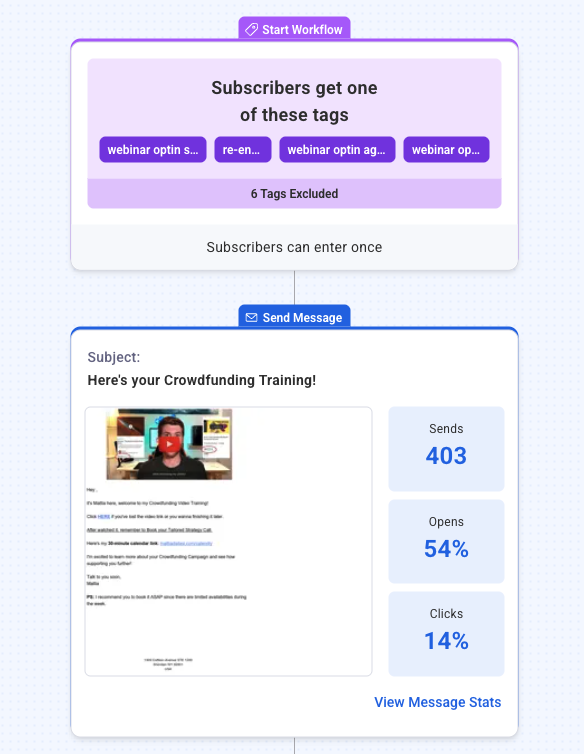
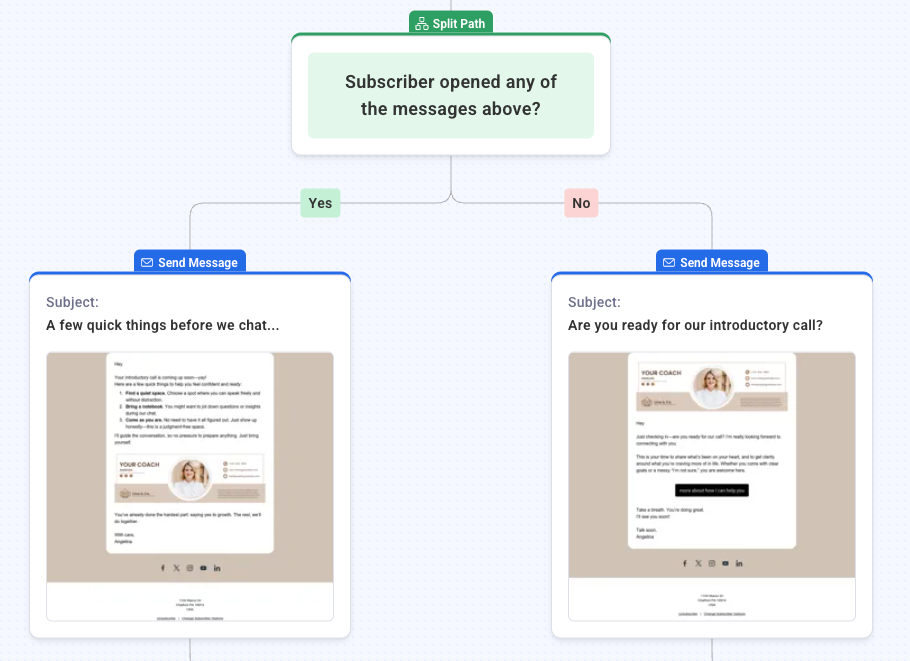
Mattia started by connecting automated email sequences to his free resources which he shared across his website, social media, and other channels. From there, he built out segmented automations based on how a subscriber found him and whether they had already scheduled a call with his team.
This personalized path allowed him to:
Share educational content tailored to each lead’s awareness level
Track which subscribers were most engaged
Prioritize warm leads for follow-up calls
📈 The Results: More Engagement, Better Leads, More Sales
Since using AWeber, Mattia has seen a noticeable increase in client conversions thanks to more consistent nurturing and smarter segmentation.
“My clients use AWeber to keep thousands of leads warm before their crowdfunding campaign even launches. It’s an essential part of the conversion process.”
AWeber also gives him the visibility to spot high-potential leads based on engagement so his team can prioritize leads more likely to purchase.
🚀 Want to Nurture and Convert More Leads?
AWeber’s Workflow automations help you educate, segment, and follow up without the hassle of manual emails. Whether you’re a coach, consultant, or course creator, you can:
Send behavior-based follow-ups using branching logic
Guide each subscriber through a tailored learning journey
Track engagement and prioritize hot leads
Save hours every week with pre-built automation templates
If you’re serious about growing your business, building an engaged email list is one of the smartest investments you can make. Unlike social media or paid ads that come and go, email gives you a direct line to your audience letting you build relationships, drive sales, and stay top-of-mind with potential customers.
But before you can tap into those benefits, you need people to send emails to. That’s why collecting the right email addresses is the first step in turning casual visitors into loyal fans.
In this guide, we dive into 22 of the best list-building tactics..
The thought of building a brand-new email subscriber base may seem daunting, but the worst thing you can do is buy an email list. Here are the top reason why this is not a good idea:
It’s illegal to sell email lists in many jurisdictions
It hurts deliverability – purchased contacts didn’t consent and will mark emails as spam
It damages sender reputation – ISPs track spam complaints and may block your emails
It violates regulations – GDPR, CAN-SPAM, and other laws require explicit consent
Instead, focus on organic list building strategies that attract genuinely interested subscribers.
The good news is that we’ve got 22 proven ideas for building an email list from scratch.
All of the tips below will help you reach a targeted audience so you can build a list of subscribers who are genuinely interested in opening and reading your emails!
Collect email addresses from your current network
Your existing connections are the easiest place to start building your email list. Here’s how to leverage them effectively:
1. Ask friends, family, and colleagues
One of the easiest list-building strategies to execute is to ask current connections to subscribe to your updates or newsletter. Leveraging your network is a great way to steadily increase your subscriber base, and is often the best place to gain traction in the beginning.
Best practices for reaching out:
Message people you have genuine relationships with
Use WIIFM (“What’s in it for me?”) – explain the value they’ll receive
Be authentic and share your story
Ask for referrals even if they’re not interested
Explain what your email list is about and why people should join
Even if your connections aren’t interested, they may know someone who is. Tell them you’re starting an email list or newsletter. Explain the benefits and ask them if they know someone who would be interested in your content.
2. Ask customers and prospects
When existing and prospective customers interact with you:
Set expectations about email frequency and content
Ask them to join your email list during phone calls
Explain the value they’ll receive
Offer incentives like free ebooks or discounts
Pro tip: Making “the big ask” five times daily during work weeks can generate 25 new email addresses weekly – that’s 100 addresses per month.
3. Ask for referrals and shares
Reach out to your current email subscribers and encourage them to share your newsletter, updates, or promotions with people they know.
Including social sharing buttons in emails
Adding forward-to-a-friend sections in newsletters
Including clear CTAs that link to your signup page
Leveraging word-of-mouth marketing (one of the most powerful forms of advertising)
People who are already on your list and getting value from your messages probably know others who would benefit from your content.
Optimize your website for collecting email addresses
Your website is often the first touchpoint with potential subscribers. Here’s how to maximize its list-building potential:
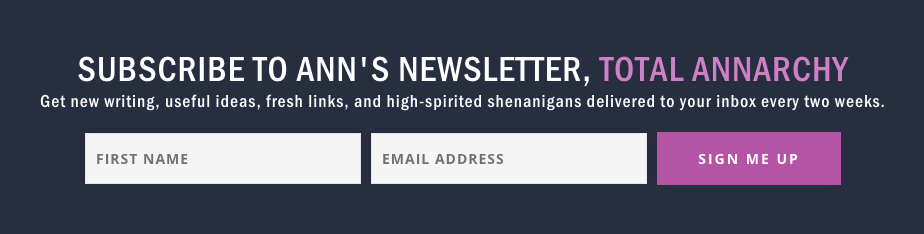
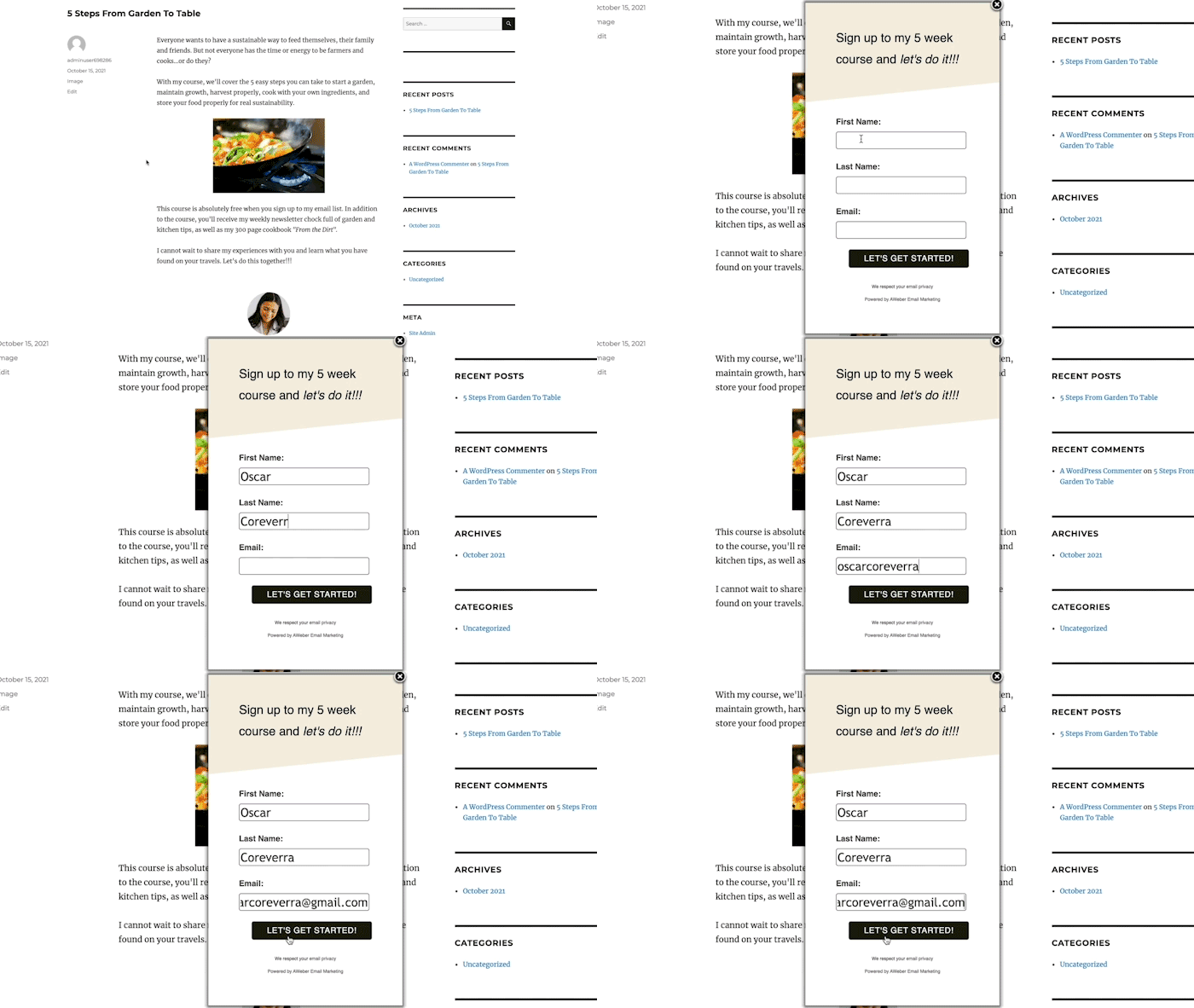
4. Add signup forms to every page
It’s best to have a signup form on just about every page of your website and blog so visitors can quickly and painlessly sign up for your emails.
Why this works: Traffic from Google, social media, and other sources rarely lands on your homepage. Visitors typically arrive at specific articles or pages, so having email signup forms everywhere increases conversion opportunities.
Implementation tips:
Include forms on blog posts, product pages, and service pages
Place forms above the fold when possible
Use consistent placement across all pages
5. Test email signup form placement
Test the effectiveness of signup forms on your website to find out which locations produce the best results.
Optimal locations for signup forms:
Bottom of blog posts
Website sidebars
Halfway through long-form content
Top or bottom navigation menu
Header or footer sections
Put your form in an easy-to-find, consistent spot on every page of your site. In most cases, the signup form or link should be above the fold (the section of your site that is visible without scrolling).
Asking for too much detail from new subscribers can prevent them from subscribing to your email list. You can probably boost signups by simplifying the form. Collect more detailed data later on through email polls and gated content downloads.
Best practices:
Ask only for essential information (first name and email)
Include a brief list of subscriber benefits
Avoid requesting phone numbers or detailed personal information
Collect additional data later through email polls and gated content
7. Use strategic pop-up forms
Pop-up forms are a simple yet effective way to collect more emails for marketing.
However, before you incorporate popups on your site, it’s important to consider how they might affect your visitors. Annoying popups will quickly increase your bounce rates and decrease the time visitors spend on your site.
5 ways to avoid annoying visitors with pop-up forms
Use a “sticky” popup that unobtrusively remains on the bottom of the page as a user scrolls
Implement slide-in forms on the side of the screen
Set timing delays (appear after user spends time on page)
Trigger on specific actions (reaching bottom of page)
Use exit-intent technology to display only when users are leaving
8. Add post-purchase email opt-in incentives
Add an automatic incentive or CTA on your thank you page to encourage people to subscribe to your email list. Not every customer will become a repeat customer. But you can work towards building customer loyalty by publishing valuable email content.
Show people the benefits of sharing their email addresses by offering an immediate incentive to subscribe.
By leveraging the point of purchase to collect email addresses, you can bring customers closer to making repeat purchases.
9. Get more email addresses with web push notifications
Be clear and upfront with visitors about what they will receive by subscribing to your web push notifications, including the frequency and type of notifications they can expect.
Use social media to collect email addresses
As a business owner, you probably already invest time in developing an engaged social media audience. Make the most of your social media marketing efforts by using platforms like YouTube, Instagram, X, and Facebook to grow your email marketing list.
By encouraging your social media followers to sign up for your email list, you tap into an audience that is already interested in what you have to say.
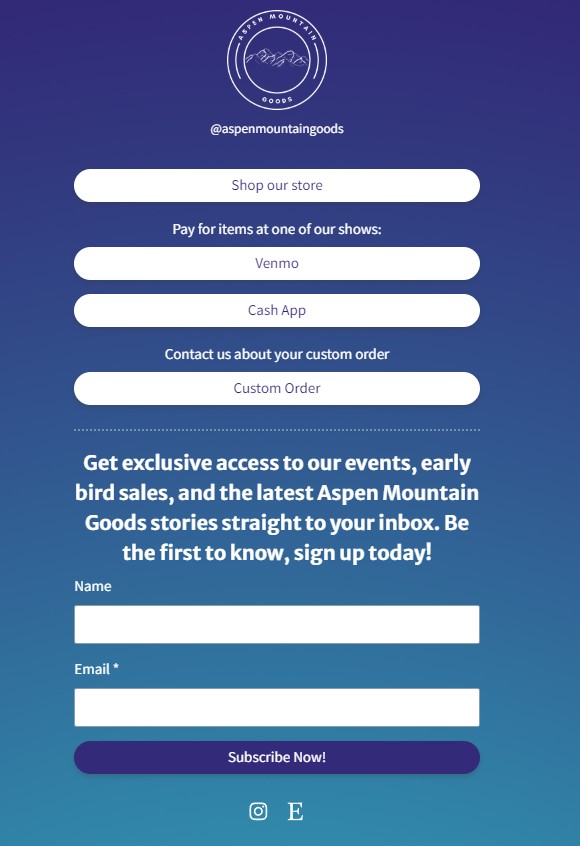
10. Collect email addresses on social media using link-in-bio page
Many social platforms only allow one clickable link in your bio or profile. That’s where link-in-bio landing pages come in handy.
Link-in-bio tools let you create mini-landing pages designed specifically for social media profiles and bios. Take advantage of these menu-style landing pages to boost your email conversions!
11. Add signup links on YouTube
Turn your YouTube viewers into email subscribers by sharing a link to your signup form or landing page. You can include a link to your form in your videos and across your channel in places such as:
Video descriptions
In your videos
On your YouTube channel page
During your video by personally encouraging viewers to subscribe
12. Encourage Facebook followers
Did you know that you can capture email addresses directly from Facebook?
Integrate your email software with Facebook so that anyone visiting your page on the social networking site can easily share their email address to receive your updates, newsletter, or promotions.
{
“@context”: “https://schema.org”,
“@type”: “VideoObject”,
“name”: “Growing your email list on Facebook with AWeber”,
“description”: “Facebook is a great way to get your emails in front of a brand new audience. Check out this video for 5 steps to take to ensure you get results when using Facebook to grow your email list.”,
“thumbnailUrl”: “https://img.youtube.com/vi/n6X2V1CH8ig/maxresdefault.jpg”,
“uploadDate”: “2021-09-16”,
“duration”: “PT4M45S”,
“contentUrl”: “https://www.youtube.com/watch?v=n6X2V1CH8ig”,
“embedUrl”: “https://www.youtube.com/embed/n6X2V1CH8ig”
}
13. Use strategic pinned Tweets
Pinning a tweet to the top of your “X” profile feed that says “sign up for our newsletter” might have a small effect on boosting subscribers.
{
“@context”: “https://schema.org”,
“@type”: “VideoObject”,
“name”: “How to Pin a Tweet on X (formerly Twitter)”,
“description”: “How to Pin a Tweet on X (formerly Twitter) | Pin Your Best Tweets to the Top: Master X in 2024 (Easy Guide) | Tired of your amazing tweets getting buried in the X feed? Want to showcase your most brilliant thoughts, hilarious jokes, or stunning visual creations at the top of your profile? Look no further than pinning! This quick and easy guide will equip you with the power to pin any tweet and keep it front and center for all your followers to see.
Say goodbye to buried brilliance and hello to a profile that showcases your best! Watch now and unlock the potential of pinning on X, ready to elevate your online presence and keep your audience captivated.”,
“thumbnailUrl”: “https://img.youtube.com/vi/zWCc–E_nTgmaxresdefault.jpg”,
“uploadDate”: “2023-12-31”,
“duration”: “PT0M47S”,
“contentUrl”: “https://www.youtube.com/watch?v=zWCc–E_nTg”,
“embedUrl”: “https://www.youtube.com/embed/zWCc–E_nTg”
}
14. Invest in social media advertising
Social media ads can rapidly grow your email list through:
Retargeting website visitors
Precise audience targeting
A/B testing different ad formats
Lead generation campaigns
Don’t be afraid to experiment with ads copy and formats to find what approach works best. You can even A/B test ads with different images, videos, GIFs, and copy.
Additional email collection methods
Beyond your website and social media, there are even more ways to attract potential subscribers.
These strategies range from in-person interactions to leveraging the power of live events and encouraging referrals in your business correspondence.
15. Include signup links in email signature
How many people do you personally email every day? Your personal and business contacts might not be on your email marketing list yet, but that doesn’t mean you can’t encourage them to sign up!
Include a brief call-to-action and link to your signup form or landing page in your email sign offs or signatures. This is a simple way to get your newsletter noticed, even if it doesn’t lead to a ton of new subscribers right away.
Don’t forget to update other email signatures, such as your customer service emails — and have your team members add a link to their signatures, too!
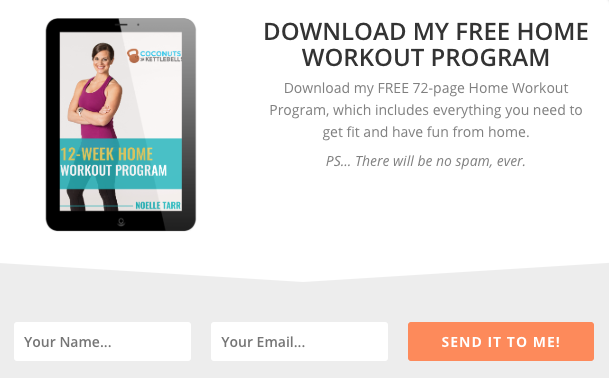
16. Create lead generation content to collect more emails
You can significantly boost your email subscriber list by offering exclusive free content, such as an ebook or ultimate guide, as an incentive for people to sign up for your list.
This type of lead generation content, also called a “lead magnet,” is an excellent way to add more emails to your subscriber list.
No matter what your newsletter is about, you are an expert in your field.
Use your expertise to create valuable lead generation content that’s relevant to the content of your newsletter, product, or services, such as:
Ultimate guides and ebooks
Free templates and checklists
Exclusive podcast downloads
Industry reports and whitepapers
Free courses or video series
Lead magnets like the ones mentioned above are a perfect incentive for prospects who might be on the fence about joining your list.
17. Create a landing page (“squeeze page”) to boost email subscriptions
A landing page dedicated to enlisting new subscribers (sometimes called a “squeeze page”) helps promote your lists so you can collect more email addresses.
On the landing page, offer something valuable (like lead gen content, a discount, or a free trial) in exchange for their email address, and watch your list grow.
Share your landing page link on social media and in your paid advertising to drive more subscriber signups.
18. Offer special discounts to new subscribers
Entice new signups with a welcome discount on your products or services.
Everyone loves a good deal!
19. Run a contest
Contests are a perfect marketing strategy for drumming up excitement and attracting new subscribers.
There are a number of tools available that can help you easily host a contest, such as Gleam.io or ViralSweep.
Promote your contest on your website and social media.
20. Guest post on relevant blogs
Guest posting is a great way to reach potential subscribers that you otherwise might miss.
By contributing to other sites, you not only reach new people but also often have the opportunity to share a link to your signup form or landing page. Some of your new readers might even become some of your best customers!
Benefits of guest posting:
Reach new audiences
Build authority and credibility
Include links to signup forms
Generate high-quality subscribers
21. Collect email addresses at in-person events
Trade shows, conferences, or even local meetups offer a prime opportunity to collect email addresses.
Event strategies:
Participate in local meetups
Bring signup sheets or tablets
Offer raffles or incentives
Network at trade shows and conferences
22. Host a webinar or livestream subscriptions
Sharing your expertise through a live event not only provides value to your audience but also gives you a chance to promote your email list.
Offer an exclusive resource or discount to people who sign up during the event.
Live event benefits:
Demonstrate expertise
Provide immediate value
Promote email list during presentation
Why GDPR & CAN-SPAM compliance matter when collecting email addresses
Collecting email addresses isn’t just about finding new subscribers; it’s also about doing it the right way.
Following these rules not only protects you and your subscribers but also builds trust to help you collect more email addresses for your email marketing campaigns.
Key takeaways
Building an email list requires a multi-channel approach combining:
Website optimization with strategic form placement
Social media leverage to convert followers
Content marketing through valuable lead magnets
Networking both online and offline
Legal compliance to build trust and protect your business
Remember: The goal isn’t just to collect email addresses—it’s to build a list of engaged subscribers who genuinely want to hear from you.
Start building your email list today
Ready to implement these strategies? Focus on 2-3 methods that align with your current marketing efforts and gradually expand your approach. Consistency and value delivery are key to long-term email marketing success.
Start growing your email list today! Get all the tools and resources you need to build your email list with AWeber.
Email marketing remains one of the most effective digital marketing channels, with an average ROI of $42 for every $1 spent. You’ve heard the advice — send personalized, targeted emails, welcome subscribers to your list, recognize customer milestones and celebrations, and so on.
But did you know there are different types of emails to help you do each of those things?
Email marketing encompasses 15 distinct email types, each serving specific purposes in the customer journey from awareness to retention. You don’t have to use all of them, but let this comprehensive guide help you find the best way to reach your audience.
Definition: Transactional emails are automated messages triggered by specific customer actions, providing receipts or confirmations rather than promotional content.
Key characteristics:
99% higher open rates than promotional emails
Triggered by user behavior (purchases, sign-ups, password resets)
Required for customer service and legal compliance
Common examples include:
Order confirmations and receipts
Shipping and delivery notifications
Account creation confirmations
Password reset emails
Subscription confirmations
Payment notifications
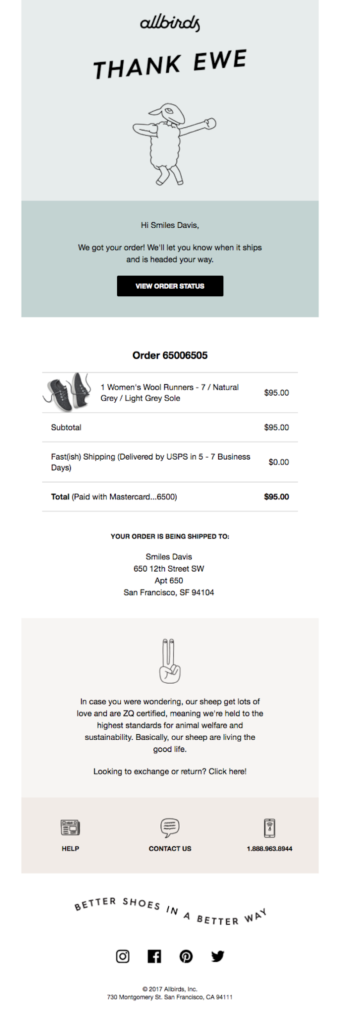
Best practice: Even transactional emails can reflect brand personality. Companies like Allbirds infuse sustainability messaging into order confirmations, turning functional emails into brand touchpoints.
Definition: Specialized announcement emails that introduce new products, services, or features to your subscriber base.
Pre-launch sequence strategy:
Teaser emails – Build anticipation 2-3 weeks before launch
Early access – Reward loyal subscribers with exclusive previews
Launch day – Official announcement with full details
Last chance – Final call-to-action before launch period ends
Launch email best practices:
Use compelling subject lines that create curiosity
Include clear value propositions and benefits
Provide social proof through early reviews or testimonials
Offer limited-time launch incentives
Direct traffic to dedicated landing pages
Timing consideration: Send launch emails when your audience is most active, typically Tuesday-Thursday between 10 AM-2 PM in their local time zone.
6. Nurture Emails
Definition: Nurture emails are automated sequences that guide prospects through the sales funnel using targeted content based on their interests and behaviors.
Key benefits:
Companies using email nurturing generate 50% more sales-ready leads
Cost 33% less than traditional lead generation methods
Increase purchase amounts by 47% on average
Effective nurture email strategies:
Drip campaigns tied to lead magnets
Educational content addressing pain points
Gradual introduction of products/services
Social proof and customer testimonials
Exclusive offers for engaged prospects
Timing: Most effective nurture sequences span 4-7 emails over 2-4 weeks, allowing sufficient time for relationship building without overwhelming subscribers.
7. Storytelling Emails
Definition: Storytelling emails use narrative techniques to build emotional connections and communicate brand values beyond direct sales pitches.
Psychological benefits:
Stories are 22 times more memorable than facts alone
Create emotional connections that drive brand loyalty
Humanize brands and build trust with audiences
Encourage social sharing and word-of-mouth marketing
Effective storytelling email formats:
Founder origin stories
Customer success stories and case studies
Behind-the-scenes company narratives
Personal anecdotes related to business lessons
Employee spotlights and team stories
Example: Entrepreneur Ramit Sethi regularly shares personal stories and customer transformations in daily emails, creating strong subscriber engagement and brand affinity.
8. Milestone Emails
Definition: Celebration emails that recognize subscriber anniversaries, achievements, or important dates to strengthen customer relationships.
Types of milestone celebrations:
Subscription anniversaries – Annual thank you messages
Purchase milestones – Multiple order celebrations
Birthday emails – Personal occasion recognition
Achievement badges – Progress acknowledgments
Company anniversaries – Brand milestone sharing
Personalization impact:
Milestone emails have 70% higher open rates than standard campaigns
Generate 2.5x more clicks per email
Significantly improve customer lifetime value
Increase brand loyalty and retention rates
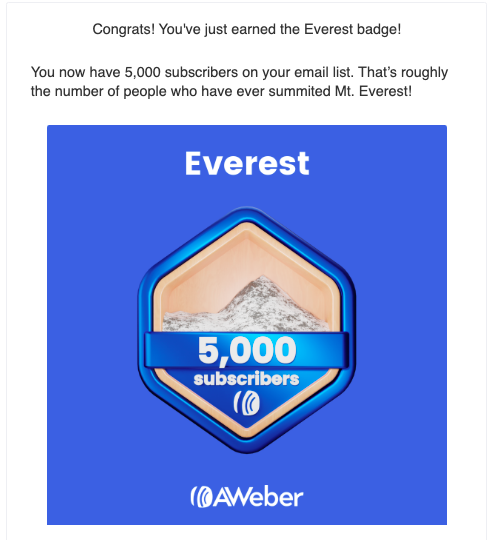
AWeber example: The company sends milestone badges to customers when they reach subscriber growth goals, creating shareable social media content and celebrating customer success.
9. Inspiration/Educational Emails
Definition: Value-driven emails that provide tips, tutorials, and educational content without direct sales pitches.
Educational email formats:
How-to guides – Step-by-step instructions
Industry tips – Expert advice and best practices
Trend analysis – Market insights and predictions
Case studies – Real-world success examples
Resource roundups – Curated tool and content lists
Content marketing benefits:
Educational emails have 27% higher click-through rates
Build authority and thought leadership
Improve search engine optimization through content sharing
Generate organic social media engagement
Create opportunities for media mentions and backlinks
Example applications:
Jewelry retailers sharing seasonal styling guides
Software companies providing productivity tips
Fitness brands offering workout routines
Financial services explaining investment concepts
10. Digest Emails and Newsletters
Definition: Newsletters are regularly scheduled emails containing curated content, company updates, and valuable information for subscribers.
Content categories:
Company news and updates
Industry insights and trends
Educational articles and tutorials
Curated third-party content
Behind-the-scenes content
Product tips and best practices
Success metrics:
Average open rate: 21.33% for newsletter campaigns
Click-through rate: 2.62% across industries
Higher engagement when sent consistently (weekly or bi-weekly)
RSS integration: Tools like AWeber allow automatic newsletter creation from blog RSS feeds, streamlining content distribution without duplicating efforts.
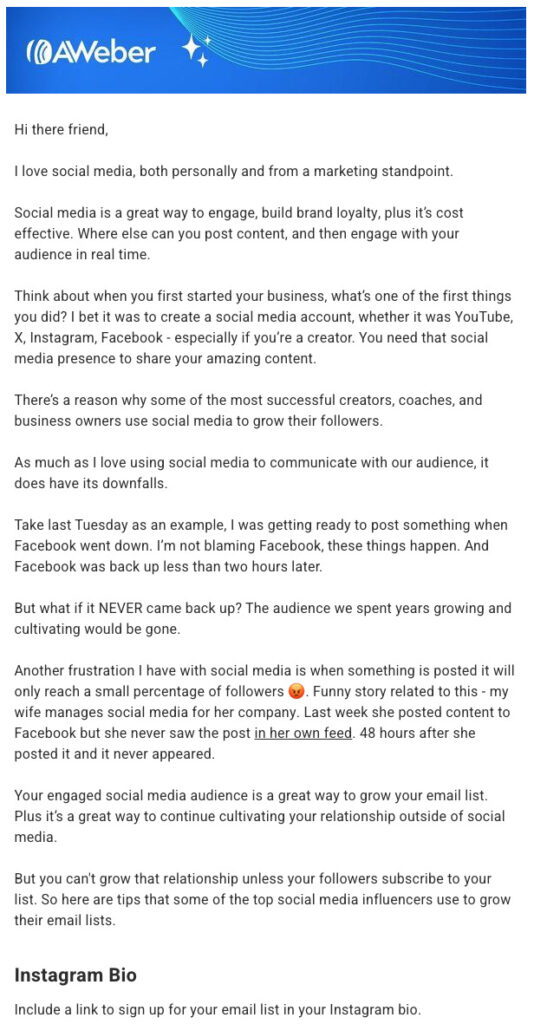
Here’s an example of AWeber’s customer newsletter. Each week we send high-value content, our most recent three blog articles, bonus tips, and more.
11. Re-engagement Emails
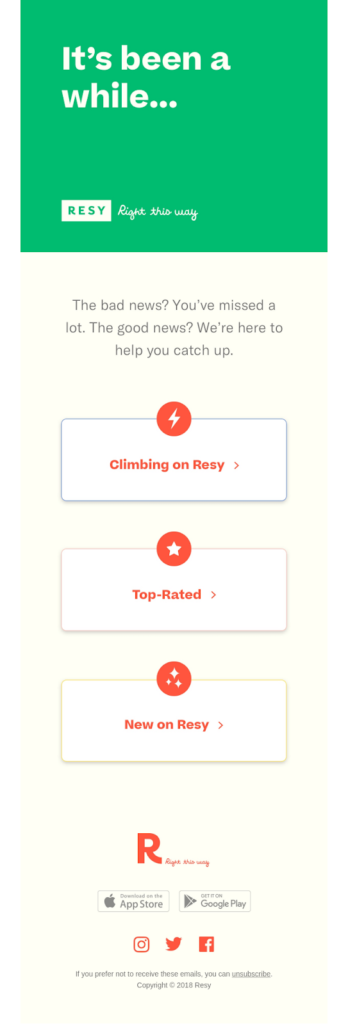
Definition:Re-engagement emails target inactive subscribers to revive their interest and prevent list churn.
When to send re-engagement campaigns:
Subscribers haven’t opened emails in 3-6 months
Click-through rates have significantly declined
Before removing inactive contacts from your list
Effective re-engagement strategies:
“We miss you” messaging with emotional appeal
Special offers or exclusive content
Preference center updates
Direct questions about continued interest
Clear unsubscribe options
Important note: Remove persistently inactive subscribers after re-engagement attempts fail. This improves overall deliverability and engagement metrics by focusing on genuinely interested recipients.
Lifecycle segmentation – New subscribers, active customers, lapsed buyers
Performance improvements:
Segmented campaigns have 14.31% higher open rates
Generate 100.95% higher click-through rates than non-segmented campaigns
Produce 760% increase in email revenue
Advanced targeting: Use dynamic content blocks to personalize emails at scale, showing different products or messages to different segments within the same campaign.
13. Challenge or Course Emails
Definition: Educational email sequences that deliver structured learning content over multiple days or weeks, often used as lead magnets or paid digital products.
Common formats:
7-day challenges – Daily actionable tasks
Email courses – Weekly lessons with assignments
Skill-building series – Progressive tutorials
Masterclasses – In-depth topic exploration
Engagement benefits:
Higher open rates due to anticipated content
Stronger subscriber relationships through value delivery
Natural segmentation of highly engaged users
Opportunities for upselling paid courses or coaching
Delivery schedule: Most successful email courses send content every 2-3 days, allowing subscribers time to implement lessons without overwhelming their inboxes.
14. Survey Emails
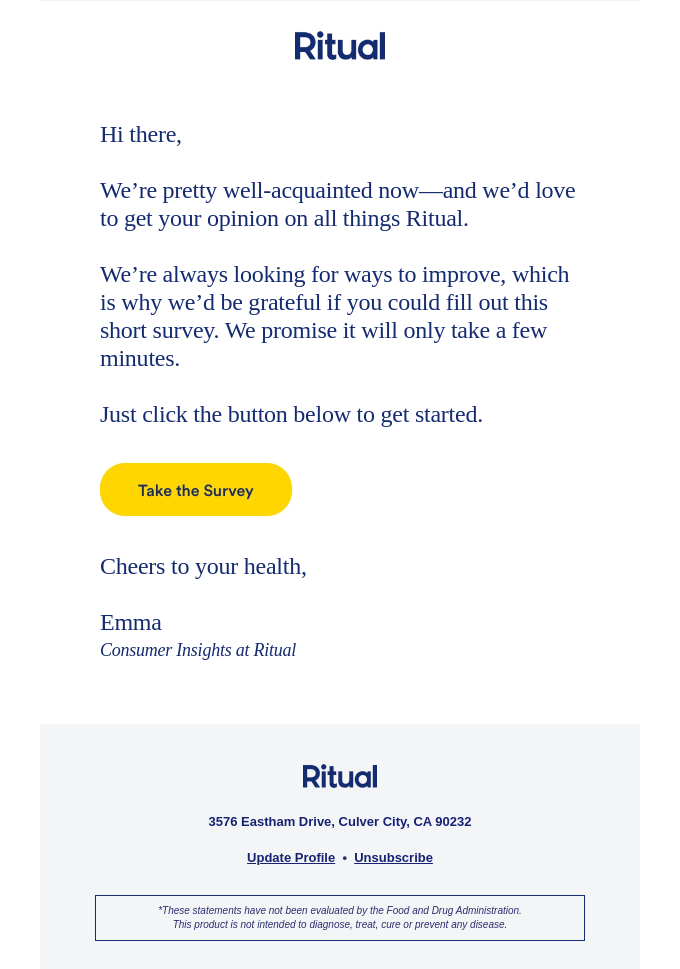
Definition: Feedback collection emails designed to gather customer insights, testimonials, and market research data.
Definition: Compliance-focused emails that inform subscribers about changes to data collection, storage, and usage policies.
Legal requirements:
GDPR compliance requires explicit consent and policy notifications
CCPA regulations mandate privacy right disclosures
CAN-SPAM Act requires clear unsubscribe options
CASL (Canada) has specific consent and identification requirements
Privacy email best practices:
Use clear, non-technical language
Explain changes and their impact on subscribers
Provide easy access to full policy documents
Include contact information for privacy questions
Maintain professional, trustworthy tone
Trust building: Transparent privacy communications increase subscriber confidence and reduce unsubscribe rates, even when not legally required.
Frequently Asked Questions About Email Marketing Types
How many types of marketing emails should I use?
Most successful email marketers use 5-8 different email types depending on their business model and customer lifecycle. Start with welcome, promotional, and newsletter emails, then add other types based on your audience’s needs and engagement patterns.
What’s the difference between transactional and promotional emails?
Transactional emails are triggered by user actions and provide service-related information, while promotional emails are marketing-focused broadcasts designed to drive sales or engagement. Transactional emails have higher open rates but stricter content regulations.
How often should I send different types of marketing emails?
Email frequency varies by type:
Transactional: As needed (triggered by actions)
Welcome series: 3-5 emails over first week
Newsletters: Weekly or bi-weekly
Promotional: 1-2 times per week maximum
Nurture sequences: Every 2-3 days
Which email types have the highest ROI?
Welcome emails, cart abandonment emails, and segmented campaigns typically generate the highest ROI. Welcome emails average 320% more revenue per email, while abandoned cart emails recover 15% of lost sales.
Can I combine multiple email types in one campaign?
Yes, hybrid approaches often work well. For example, newsletters can include promotional sections, or welcome emails can incorporate educational content. The key is maintaining clear primary objectives for each message.
Implementing Your Email Marketing Strategy
Email marketing success depends on using the right email types at appropriate times in your customer journey. Start by mapping your customer lifecycle and identifying which email types best serve each stage.
Getting Started Checklist:
Audit your current email campaigns and categorize by type
Identify gaps in your customer communication journey
Prioritize 3-5 email types that align with your business goals
Create templates and automation workflows for chosen email types
Test and optimize performance metrics over time
Ready to start sending with AWeber? Get AWeber for free for 14 days today.
{
“@context”: “https://schema.org”,
“@graph”: [
{
“@type”: “ItemList”,
“name”: “15 Essential Marketing Email Types”,
“itemListOrder”: “ItemListOrderAscending”,
“itemListElement”: [
{ “@type”: “ListItem”, “position”: 1, “name”: “Transactional Emails” },
{ “@type”: “ListItem”, “position”: 2, “name”: “Welcome Emails” },
{ “@type”: “ListItem”, “position”: 3, “name”: “Promotional Emails” },
{ “@type”: “ListItem”, “position”: 4, “name”: “Cart Abandonment Emails” },
{ “@type”: “ListItem”, “position”: 5, “name”: “Launch Emails” },
{ “@type”: “ListItem”, “position”: 6, “name”: “Nurture Emails” },
{ “@type”: “ListItem”, “position”: 7, “name”: “Storytelling Emails” },
{ “@type”: “ListItem”, “position”: 8, “name”: “Milestone Emails” },
{ “@type”: “ListItem”, “position”: 9, “name”: “Inspiration/Educational Emails” },
{ “@type”: “ListItem”, “position”: 10, “name”: “Digest Emails and Newsletters” },
{ “@type”: “ListItem”, “position”: 11, “name”: “Re-engagement Emails” },
{ “@type”: “ListItem”, “position”: 12, “name”: “Targeted Emails” },
{ “@type”: “ListItem”, “position”: 13, “name”: “Challenge or Course Emails” },
{ “@type”: “ListItem”, “position”: 14, “name”: “Survey Emails” },
{ “@type”: “ListItem”, “position”: 15, “name”: “Privacy Policy Updates” }
]
},
{
“@type”: “FAQPage”,
“mainEntity”: [
{
“@type”: “Question”,
“name”: “How many types of marketing emails should I use?”,
“acceptedAnswer”: {
“@type”: “Answer”,
“text”: “Most successful email marketers use 5-8 different email types depending on their business model and customer lifecycle. Start with welcome, promotional, and newsletter emails, then add others based on your audience’s engagement.”
}
},
{
“@type”: “Question”,
“name”: “What’s the difference between transactional and promotional emails?”,
“acceptedAnswer”: {
“@type”: “Answer”,
“text”: “Transactional emails are triggered by user actions and contain service-related information like receipts or password resets. Promotional emails are designed to drive sales or engagement and are subject to stricter deliverability guidelines.”
}
},
{
“@type”: “Question”,
“name”: “How often should I send different types of marketing emails?”,
“acceptedAnswer”: {
“@type”: “Answer”,
“text”: “It depends on the email type. Transactional emails are sent as triggered, welcome emails as a 3-5 message series, newsletters weekly or bi-weekly, promotional emails 1–2 times per week, and nurture sequences every 2–3 days.”
}
},
{
“@type”: “Question”,
“name”: “Which email types have the highest ROI?”,
“acceptedAnswer”: {
“@type”: “Answer”,
“text”: “Welcome emails, cart abandonment emails, and segmented campaigns tend to have the highest ROI. For example, welcome emails can generate 320% more revenue per message, and cart abandonment emails recover about 15% of lost sales.”
}
},
{
“@type”: “Question”,
“name”: “Can I combine multiple email types in one campaign?”,
“acceptedAnswer”: {
“@type”: “Answer”,
“text”: “Yes, combining types can improve performance. For instance, newsletters can include promotional elements, and welcome sequences can also provide educational or brand storytelling content. Just make sure each email has a clear purpose.”
}
}
]
}
]
}
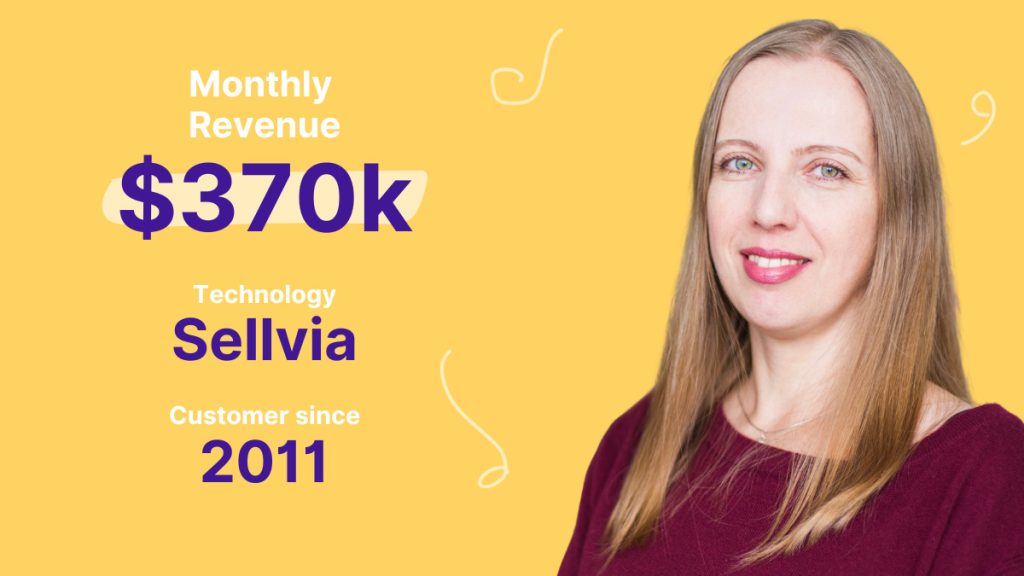
Sellvia is an all-in-one ecommerce platform designed to help entrepreneurs start and grow their online businesses. From building a storefront to handling payments, logistics, and marketing—Sellvia gives users everything they need to succeed. It’s built for sellers at any stage, and even includes educational resources to help them grow smarter and faster.
😫 The Problem: Customer Follow-Up Was Time-Consuming and Inconsistent
As Sellvia grew, so did the challenge of re-engaging their customer base. Most email platforms they tried required too much time to set up and lacked the automation needed to manage campaigns at scale. They were stuck spending hours on manual outreach that often fell flat.
What they needed was a system that could automate follow-ups, personalize engagement, and actually drive results.
✅ Why AWeber Was the Right Fit
Sellvia needed a platform that could grow with them—one that was powerful, intuitive, and didn’t require a team of experts to manage. AWeber checked every box.
What made the biggest difference?
AWeber’s automation, segmentation, and reporting tools gave Sellvia the ability to:
Turn email into a sales engine by sending tailored product recommendations and promotions based on customer behavior
Re-engage cold leads automatically with personalized follow-ups that bring customers back to complete their purchase
Pinpoint what drives revenue using performance reports that reveal which emails convert—and which to improve or replicate
With these tools in place, Sellvia’s marketing became more strategic, scalable, and effective—without adding extra workload.
🧩 Turning Missed Opportunities Into Revenue
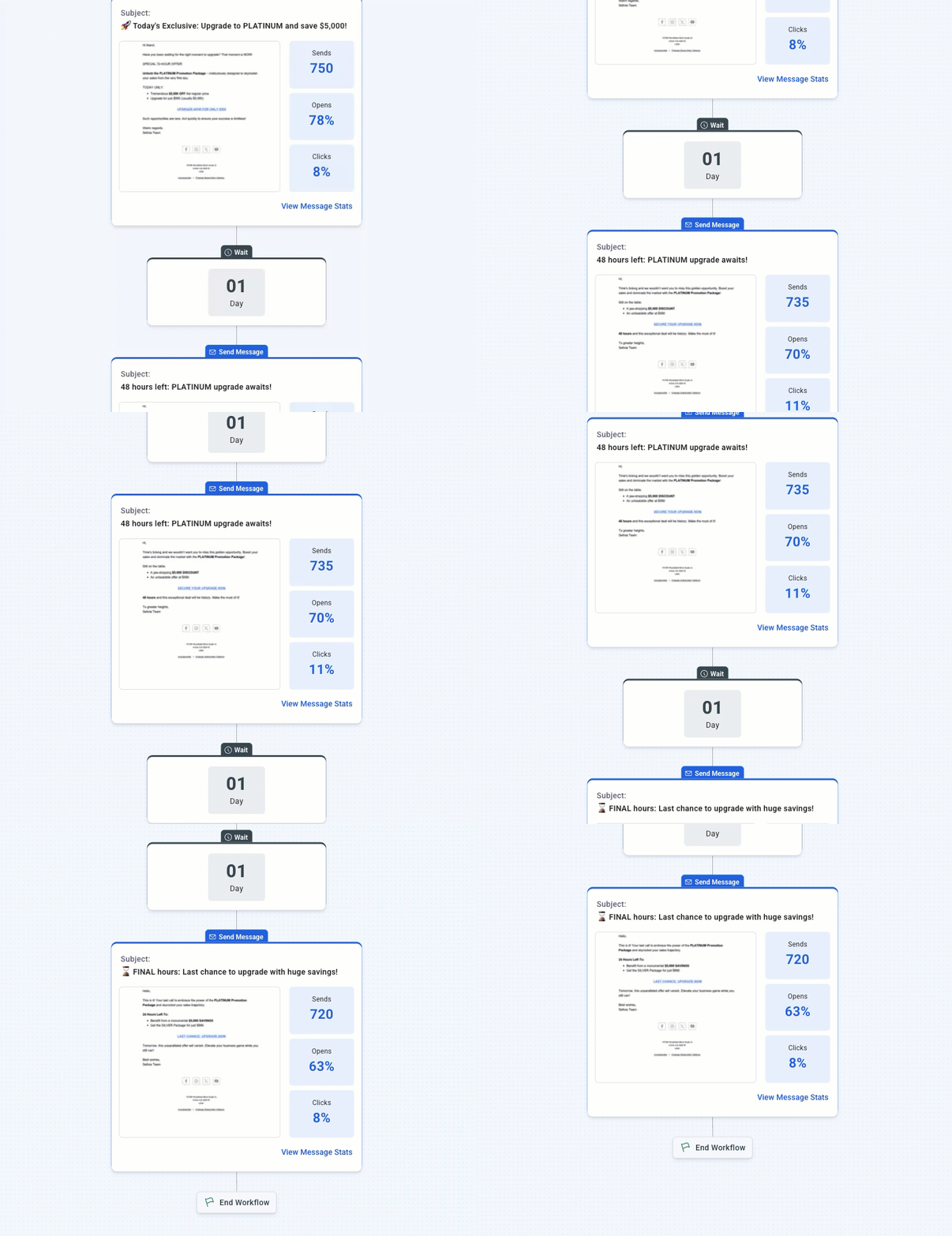
AWeber’s Workflow automations became a game-changer. The team built welcome sequences for new subscribers and re-engagement flows for inactive ones—all running on autopilot.
They no longer had to manually manage follow-ups. Instead, they let AWeber handle it with:
Behavior-based email sequences
Clear, insightful reports
Effortless reactivation flows that brought customers back to buy
📈 The Impact: Increased Revenue and Recovered Transactions
Since implementing AWeber’s automation:
$370K+ in monthly revenue now generated by automated follow-up campaigns
120,000+ inactive customers re-engaged
2.1 million+ lost transactions recovered
Countless hours saved by ditching manual email tasks
“Our automated campaigns don’t just retain buyers, they drive measurable revenue,” says Polina Beletskaya of Sellvia. “It’s like having a 24/7 marketing team that never sleeps.”
🚀 Want Results Like These?
If you’re looking to scale without burnout, AWeber’s Workflow automations are built for you. Whether you’re reactivating cold leads or welcoming new customers, it’s all handled automatically—no complex setup required.
With AWeber, you can:
Send behavior-based follow-ups using branching logic
Create welcome or re-engagement sequences with ease
Deliver content automatically with RSS-to-email
Track what works and optimize fast
Launch in minutes using pre-built automation templates
Every time someone clicks away from your store, chances are high you’ll never see them again—unless you act in seconds. Event-based email automation flips the script, sending tailored messages the instant a subscriber takes action (or inaction), so you recover lost sales and keep engagement soaring.
In today’s inbox-crowded world, timing isn’t just everything—it’s the only thing. By aligning your campaigns with real user behaviors—like browsing products, downloading resources, or leaving items in a cart—you’ll deliver the right message to the right person at precisely the moment they’re most receptive. No more generic blasts. No more missed opportunities.
In this guide, you’ll discover exactly how event-based email automation works, why it outperforms traditional campaigns, and how to set up your first high-impact trigger—so your emails practically sell themselves.
What Is Event-Based Email Automation?
Event-based email automation is a marketing technique where emails are sent based on specific actions (or events) your subscribers take. Instead of broadcasting the same message to everyone at a set time, you create automated emails that respond to individual behavior. For example:
Welcoming new subscribers the moment they join your list
Sending a special discount when someone abandons their shopping cart
Following up after a customer makes a purchase
Reminding users about an upcoming event or webinar they registered for
By utilizing AWeber’s Workflow automations with conditional branching, you can further personalize these responses, creating unique subscriber journeys based on their interactions, demographics, or previous engagement.
How Does Event-Based Email Automation Work?
Successful event-based email automation requires three essential components:
An event trigger: The specific subscriber action you want to respond to (like signing up, purchasing, or clicking a link).
A segmented list: Groups in your email list that help your automation tool identify who qualifies for each event.
Automated workflow: The sequence of emails and rules you set up to deliver the right message after a trigger.
AWeber’s Workflow automations provide an intuitive visual builder layout, making the process straightforward. With auto-save functionality, you can safely tweak workflows anytime, ensuring your updates won’t go live until you’re ready.
Example Automation: Welcome Email Series
How to set it up: Create an automation that triggers when someone subscribes to your list. Your workflow might include:
Immediate: Send a personalized welcome message.
+2 days: Offer helpful resources or your most-read blog post.
+5 days: Invite them to connect on social or reply to the email with a question.
Why it works: New subscribers receive timely, relevant info while your brand is still fresh in their mind. This builds trust and keeps them engaged from day one.
When to apply: Any time you gain subscribers—whether from a website signup, lead magnet, or promo event.
Key Benefits of Event-Based Email Automation
Event-based email automation isn’t just convenient; it’s essential for building long-term relationships with your audience and maximizing marketing results. Here’s why:
Personalization at scale: Tailored emails respond to user actions, making each message relevant to the recipient.
Timely engagement: Automations deliver messages precisely when your subscriber is most interested or ready to act.
Increased conversion rates: Well-timed emails often outperform generic campaigns in terms of opens, clicks, and sales.
Saves time and resources: Once set up, your automation continues working 24/7, nurturing leads and customers without manual effort.
Improved customer experience: Subscribers get helpful, non-intrusive emails that solve their problems or offer value at just the right moment.
For example, if you’re an online retailer you can use an event-based workflow to send a gentle reminder to shoppers who left items in their cart. Studies have show, that an abandoned cart reminder can increase completed purchases by 20%. This type of automated campaign has also been shown to yield 6x higher transaction rates than traditional emails.
Popular Event Triggers to Use
To maximize your results, start by identifying which events matter most in your subscriber journey. Here are some high-impact triggers for event-based email automation:
New subscriber sign-up: Send a warm welcome and provide helpful next steps.
Abandoned cart: Remind shoppers of left-behind items (and possibly offer a small incentive).
Product purchase: Deliver order confirmation, onboarding tips, or upsell offers.
Birthday or anniversary: Reward subscribers with a special treat or exclusive content.
Download completed: Follow up with additional resources or invitations to engage further.
Event registration: Send reminders and share important event details before and after the event.
Conditional branching using AWeber’s Workflow automations ensures your emails match subscriber interactions, significantly enhancing engagement.
How to Set Up Event-Based Email Automation in Practice
Ready to implement event-based email automation? Here’s a step-by-step process to get you started:
Identify key subscriber events: Look for actions that represent a meaningful step in your customer journey. Use analytics to determine which behaviors align with engagement or purchase.
Map your automation workflow: Outline the sequence, timing, and content of each message. Think about what the subscriber needs at each moment.
Create your content: Write concise, value-driven emails for each step. Personalize as much as possible using the subscriber’s name or past actions.
Build and test your automation: Use your email tool’s automation builder to set up triggers and emails. Test each workflow thoroughly to ensure timing, content, and links all function as expected.
Monitor and optimize: Regularly review your analytics. Adjust timing, messaging, or incentives based on open rates, click rates, and conversions.
Here’s a step-by-step process for setting up a reengagement automation in AWeber.
Best Practices for Effective Event-Based Automations
Keep messages focused and relevant: Each email should match the subscriber’s action and provide clear value or next steps.
Don’t overload your audience: Use thoughtful timing and avoid sending too many emails in quick succession.
Provide clear calls-to-action (CTAs): Tell your reader exactly what to do next, whether it’s redeem an offer, read a resource, or reply with a question.
Personalize whenever possible: Even simple details—like using a first name or referencing a specific product—can increase engagement.
Test and iterate: A/B test your messages, subject lines, timing, and automation paths to see what works best for your audience.
See how these principles played out for an independent course creator: By automating onboarding emails after every sign-up, she reduced unsubscribes by 35% and saw greater participation in her online programs. Her secret was fine-tuning each automation to match subscriber interests, not just basic demographics.
Take the Next Step: Make Your Emails Work Smarter
Event-based email automation using AWeber’s Workflow automation transforms your marketing from manual to personalized, dynamic journeys. Meet subscribers exactly when they’re ready to engage—automatically enhancing relationships and boosting your bottom line.
Boost engagement and conversions effortlessly with automated, personalized emails. Sign up for AWeber and create your first Workflow today.
You’ve carefully crafted the perfect lead magnet, and watched as new subscribers roll in… but after that initial welcome email, things get strangely quiet. This is where so many promising leads drop off your radar. The answer? A well-planned email drip campaign — a proven way to build trust, nurture interest, and automate your marketing–without burning yourself out.
If you’ve ever wondered what is a drip campaign, or struggled to decide how many emails in a drip campaign will actually get results (without annoying your subscribers), you’re not alone. In this article, you’ll discover clear, actionable tips to launch or improve your drip series, plus strategies inspired by the latest high-performing campaigns.
What Is a Drip Campaign?
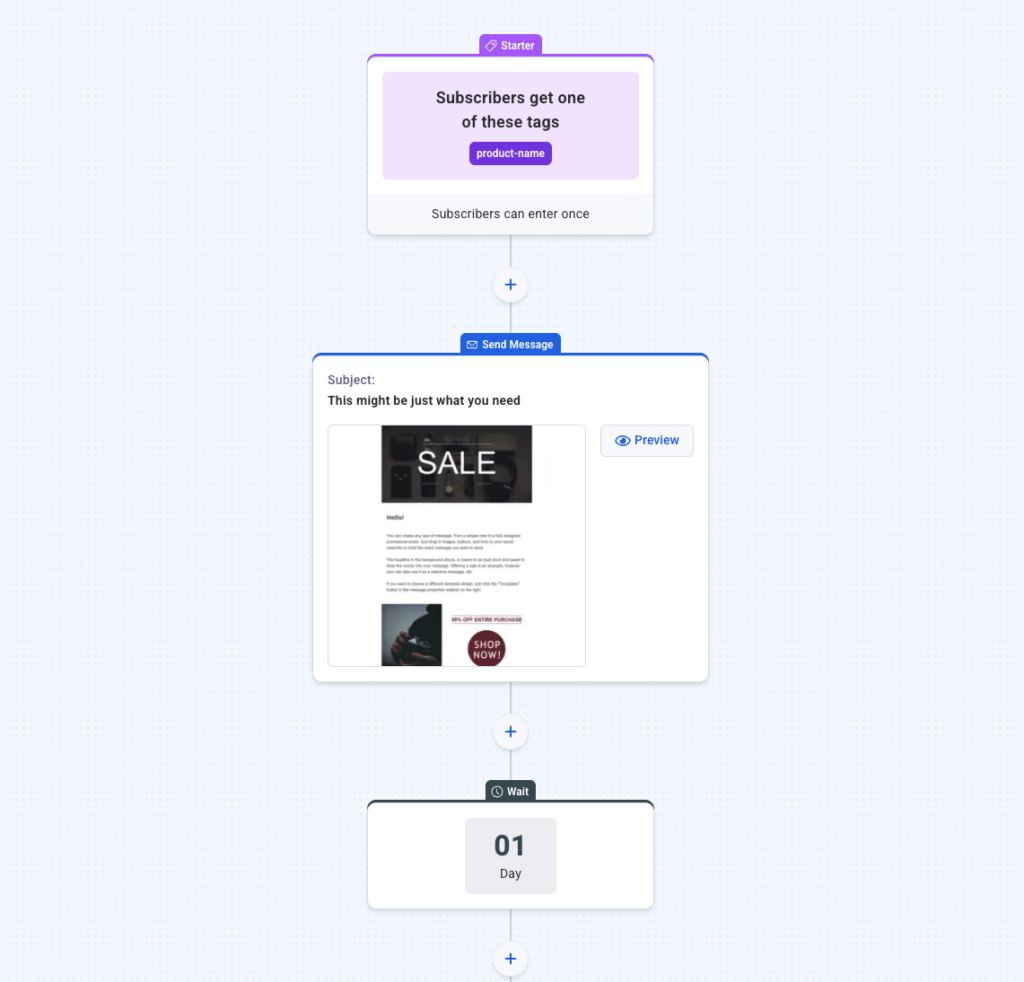
An email drip campaign is a scheduled series of pre-written messages sent automatically to subscribers based on actions or time triggers. Unlike one-off newsletters, drip campaigns guide your audience step-by-step, whether you’re welcoming new leads, educating customers, or reigniting cold contacts.
Think of it as setting up a helpful conversation that runs in the background. For example, after someone downloads your lead magnet, you could set up a welcome drip campaign — Day 1’s email welcomes them, Day 3’s email shares a tip, Day 5 offers a helpful resource, and so on. Each email nurtures engagement without requiring you to hit “send” every time.
With AWeber’s Workflow automations, you can build this entire sequence in one visual workspace. Whether it’s a 3-email welcome flow or a complex campaign with multiple branches, Workflows make it easy to plan, adjust, and personalize every touchpoint—without needing to start from scratch or build separate campaigns.
Why Drip Campaigns Work So Well
Drip campaigns drive results because they’re timely and relevant. Instead of blasting every subscriber with the same message, you deliver the right content just when your reader needs it. According to recent data, automated email workflows have 2-3x higher engagement rates than standard, one-off emails. People are more likely to open, click, and buy when the information feels tailored and spaced appropriately.
On top of saving you time, drip campaigns enable you to:
Build trust by sharing valuable knowledge over time
Recover lost leads with strategic follow-ups
Automate onboarding for new customers
Increase sales with perfectly-timed offers
How Many Emails in a Drip Campaign Is Best?
There’s no one-size-fits-all answer, but most effective drip campaigns include between 4 and 7 emails spaced out over a week or two. The sweet spot depends on your goal, audience, and the journey you want to take them on:
Welcome series: 3-5 emails over 7-10 days works well to nurture new subscribers or customers.
Product education: 4-7 emails spaced 2-3 days apart can introduce features and answer FAQs.
Here’s how to decide how many emails in a drip campaign is right for you:
Map your goal: Do you want a sale, a booking, or simply to build trust?
List essential steps: Identify the key actions or mindset shifts needed to reach your goal.
Create one email per step: Each email should have a specific focus and call to action.
For instance, an online course creator might use a 5-email drip: Welcome → Share results → Address objections → Share testimonial → Invite to enroll.
Email Drip Campaign Best Practices (How to Get It Right)
Successful email drip campaigns share several crucial elements. Below, we’ll break down what makes them tick:
1. Start with a Focused Goal
Define exactly what you want your drip to achieve. Are you onboarding new customers, nurturing leads toward a sale, or reconnecting with lapsed subscribers? Pinpointing your goal clarifies your message and helps you measure what matters.
2. Map Out Your Entire Sequence Before You Launch
Start by mapping your user journey on paper or a whiteboard. What questions, hurdles, and motivations does your audience have at each stage? Build your email topics and order around this flow. This avoids awkward transitions or missing key info halfway through your campaign.
3. Segment Your Audience for Personalization
The best drip campaigns aren’t one-size-fits-all. Use subscriber data or tagging (e.g., interests, purchase history) to send relevant messages to each segment. For example, if someone signed up for your “Beginner’s Guide,” keep content beginner-friendly. Learn more about segmentation best practices.
4. Craft Compelling, Conversational Copy
Write each email as though you’re speaking directly to one person. Focus every message on a single idea, use straightforward language, and end with a clear next step. For example, instead of “Click here to view resources,” try “Grab your free checklist here.”
5. Space Out Your Sends Strategically
Give subscribers time to digest and act on your content. Most drip campaigns space emails 1-3 days apart. You might send the first two emails more quickly, then slow down. Monitor unsubscribe rates and engagement to adjust timing. Consistency matters more than frequency.
6. Include a Clear, Consistent CTA
Each email in your drip should point toward a single, relevant action. Whether it’s reading a resource, booking a call, or trying a product, make your CTA button stand out and repeat it where it feels natural.
7. Optimize for Mobile and Accessibility
Over 60% of emails are opened on phones. Use short paragraphs, large buttons, and concise subject lines. Always include alt text for images and avoid tiny fonts.
8. Use Automation Triggers Thoughtfully
Don’t rely solely on calendar dates. Use engagement triggers — like clicking a link or reaching a milestone — to move people to the next message. For example, if someone downloads your pricing sheet, automatically send a follow-up with a video explaining your unique value.
AWeber’s Workflow automations let you go beyond basic drip scheduling. You can set up behavior-based triggers—like clicking a link, visiting a page, or completing a purchase—to send the next email at the perfect moment. Want to branch your flow based on subscriber interest or engagement? With if/else path splits, you can personalize each journey without building separate campaigns. It’s all code-free and fully visual.
9. Test, Measure, and Refine
No two audiences are identical. A/B test subject lines, timing, and calls to action. Track open rates, click-throughs, and conversions through your email dashboard. If a drop-off occurs at email #3, tweak your approach or CTA. Regular improvements turn a good drip campaign into a great one. Find more about measuring email campaign success.
10. Leverage Social Proof to Build Trust
Incorporate testimonials, user reviews, and success stories within your emails to establish credibility and trust with your audience.Highlighting positive experiences from existing customers can reassure potential clients and encourage them to engage with your offerings.
11. Implement A/B Testing for Continuous Improvement
Regularly test different elements of your emails—such as subject lines, content, and call-to-action buttons—to determine what resonates best with your audience.A/B testing allows you to make data-driven decisions, optimizing your campaigns for higher engagement and conversion rates.
12. Optimize Email Frequency Based on Engagement
Monitor your subscribers’ interactions to adjust the frequency of your emails appropriately.Sending too many emails can lead to unsubscribes, while too few may cause your audience to lose interest.Tailor your sending schedule to maintain optimal engagement levels.
13. Ensure Mobile-Friendly Email Design
With a significant number of users accessing emails via mobile devices, it’s crucial to design emails that are responsive and easy to read on smaller screens.Use concise subject lines, clear layouts, and appropriately sized fonts and buttons to enhance the mobile user experience.
14. Incorporate Behavioral Triggers for Personalization
Set up automated emails that respond to specific user actions, such as browsing behavior or past purchases.This level of personalization can increase relevance and engagement, guiding subscribers more effectively through the customer journey.
15. Utilize Email Verification to Maintain List Quality
Implement email verification processes to ensure the accuracy of your subscriber list.This practice helps reduce bounce rates, protects your sender reputation, and ensures your messages reach real, engaged recipients.
Best Practice Examples: Real-World Drip Campaigns
Let’s look at two common drip campaign types and what makes them effective:
1 – Onboarding Drip: A SaaS company sends 6 emails:
getting started guide
helpful FAQs
how to contact support
advanced tips
invitation to a webinar
feedback request
Result: New users feel confident, adoption increases, and customer support volume drops.
2 – Lead Nurture Drip: A small retailer creates a 5-part series:
welcome & story
top 3 best-sellers
customer testimonial
special coupon
social media invite.
Result: Subscribers become familiar with products, trust increases, and first-time sales rise by 25%.
Take Action: Launch Your Next High-Performing Drip
Remember: the best drip campaigns evolve over time — so keep testing, refining, and listening to your readers. It’s the smart (and scalable) way to build meaningful relationships, one email at a time.
Ready to put your drip campaign into action? Use AWeber’s Workflow automation builder to map out your emails, time your sends, and personalize the experience—all in one place. With tools like visual editing, branching paths, and publish-ready draft mode, Workflows make it easy to launch high-performing campaigns, even if you’re just getting started.
Sign up for AWeber today and create your first Workflow in minutes. Whether you’re onboarding new subscribers, recovering leads, or driving sales, it’s the easiest way to build smart email campaigns that grow your business—without the overwhelm.
Imagine spending hours crafting the perfect marketing message—only to have most of your website visitors leave without joining your list or taking the next step. It’s frustrating, but here’s the truth: even the best content and products fall flat if you don’t actively collect leads. That’s where lead capture pages come in. They help turn a casual browser into an engaged subscriber, and your next paying customer.
If you’ve ever wondered what is a lead capture page, why they work, and how to create one that converts, you’re in the right place. This guide demystifies the process with proven tips, actionable advice, and real-world lead capture page examples—so you can create the best lead capture pages for your business, start to finish.
What is a Lead Capture Page?
A lead capture page (sometimes called an opt-in page or capture page) is a dedicated webpage designed to collect contact information from visitors—usually in exchange for something valuable, like a downloadable guide, a newsletter, or a special offer. Think of it as a digital handshake: you give value up front, and your audience shares their email or other details in return.
Unlike general landing pages, lead capture pages are laser-focused on getting visitors to fill out a simple form—no distractions, no extra navigation. The goal is clear: capture as many qualified leads as possible for future follow-up via email or other channels.
Why Lead Capture Pages Are Essential for Growth
Lead capture pages are the engine behind almost every successful email marketing strategy. Here’s why:
They give you permission to connect with people who are already interested in your offer.
You own your audience—unlike with social media, where platforms control access.
They help segment and qualify leads by allowing you to ask specific questions (like job role or interests) on the form.
With the right approach, even a free lead capture page can turn an anonymous visitor into someone who’s eager to hear from you. That’s the foundation for reliable, long-term business growth.
The Anatomy of the Best Lead Capture Pages
High-converting lead capture pages all share a few core elements. Let’s break down what makes the best lead capture pages work—and how you can model your own for success:
A compelling headline: Clearly state your value proposition (“Get the Complete 2024 Marketing Toolkit Free!”)
Persuasive copy: Briefly explain the benefit, keep it conversational, and address the visitor’s needs.
A short, simple form: Only ask for the information you really need—usually just a name and email.
Visual cues: Images, arrows, or icons can help direct visitors’ attention to your form.
Clear call-to-action (CTA): Make your button irresistible (“Download Now” performs better than “Submit”).
Consider using lead capture page templates as a shortcut. Templates provide a proven structure so you can launch quickly, test different offers, and optimize for conversions over time. Many platforms offer free lead capture page templates to help you get started.
How to Create a High-Converting Lead Capture Page
Ready to build your first (or next) capture page? Here’s a step-by-step approach that works for any business or industry:
1. Define Your Offer
Choose something that solves a specific problem for your audience—like an ebook, checklist, webinar, or discount. The value should be obvious at a glance.
2. Write Your Messaging
Focus on your prospect’s pain points and the result they want. Highlight the benefit above the form, and make your CTA button action-oriented (e.g., “Get My Free Guide”).
3. Use a Lead Capture Page Creator or Template
Building from scratch? Look for a lead capture page creator that offers an intuitive drag-and-drop editor, A/B testing, and integrations with your favorite tools. Platforms like AWeber’s lead capture pages let you launch and optimize pages without coding. Choose a design that fits your brand.
4. Minimize Distractions
A true lead capture page removes navigation, footers, or multiple links. Every element should funnel attention to the form.
5. Test, Measure, and Refine
Monitor your page’s conversion rate (the percentage of visitors who submit the form) and try tweaks to your headline, CTA, or imagery. Even small adjustments can mean big improvements in results.
Let’s look at a few real-world lead capture page examples that illustrate what’s possible:
Blogger giving away a checklist: A simple page with a compelling headline (“The 10-Minute New Blogger SEO Checklist”), one benefit-focused sentence, and a form for first name and email.
Online coach offering a webinar: Short overview of the webinar’s promise, image of the coach, countdown timer for urgency, and signup form.
Ecommerce store sharing an exclusive discount: Attention-grabbing image, benefit statement (“Unlock 15% Off Your First Order”), and a single-field email form.
Free Lead Capture Page Tools and Resources
You don’t need a big budget or technical expertise to try out your first capture page. There are several options for launching free lead capture pages quickly:
Pre-built templates: Use free lead capture page templates to skip the design headache. Swap in your copy and images to make it yours.
Drag-and-drop editors: Many tools let you customize your page with no coding required. Pick a template, change colors and fonts, and publish in minutes.
Integration with email marketing: Choose a capture page creator that sends new leads directly to your email list and automates a welcome sequence. This keeps your process smooth and scalable from the start.
For those just starting out, this approach lets you validate your offer and collect leads efficiently—before investing in advanced tools or design.
Best Practices for Lead Capture Success
To get the highest return on your time and effort, follow these proven strategies:
Keep it focused: Limit each capture page to a single offer. Avoid clutter or extra details that could distract visitors.
Be transparent: Clearly explain what subscribers will receive and how often you’ll contact them.
Add trust signals: Consider testimonials, privacy messages, or security badges—especially if you ask for more than an email.
Mobile-first design: Over half of page visits come from smartphones according to Statista. Test on all devices for smooth user experience.
Test and iterate: A/B test headlines, images, and form fields to find what resonates best with your unique audience.
When to Use a Lead Capture Page (And When Not To)
Lead capture pages are most effective:
For gated content: Ebooks, guides, templates, or courses that offer value in exchange for contact info.
As the destination for ads: When running PPC, social, or affiliate campaigns, direct traffic to a focused capture page.
Building your core audience: Use a free lead capture page to grow your newsletter from scratch.
However, they’re less effective when visitors need more information before making a decision, or when your goal is a purchase (rather than a sign-up). For those cases, consider a traditional sales or landing page instead.
Your Next Lead Capture Page—Ready to Go
Lead capture pages take the guesswork out of building your audience. By focusing each page on a single offer, using proven layouts, and tailoring your message to real needs, you’ll gather more qualified leads and start better conversations with future customers. Whether you choose a ready-made template or a custom design, small tweaks and consistent testing will help you improve your results over time.
If you’re ready to take the next step, try creating a free lead capture page using pre-built templates or a user-friendly capture page creator. For more ideas, explore these lead generation tactics or experiment with different lead capture page templates until you find your top performer.
You open your inbox first thing Monday morning and sigh—a dozen new emails, most of which you’ll ignore until later (if at all). Sound familiar? Timing matters.
If you’ve ever wondered, “when is the best time to send emails?” you’re not alone. Hundreds of studies and email marketers agree: hitting “send” at the right moment can make the difference between being read immediately or buried beneath a flood of messages.
The best time to send emails isn’t a one-size-fits-all answer, but years of data do point to clear trends that can help you reach your audience when they’re most likely to open, read, and act. Below, we’ll break down exactly when to send emails each day of the week—including specific tips for the best time to send emails on Monday, Thursday, Friday, and more. Let’s get your next email read, not ignored.
When is the Best Time to Send Emails? (Short Answer)
Most reliable studies—show that, for most businesses, the overall best time to send emails is between 9:00 AM and 11:00 AM in your recipient’s local time zone. This is when people are typically catching up on their inbox after starting their workday.
Here’s why timing matters:
Open rates typically peak mid-to-late morning, with a secondary bump early afternoon.
Engagement (replies, clicks) is highest when you send while your audience is active and checking their devices.
Day of the week is just as important as time of day—audience habits change between Monday and Sunday.
Best Time to Send Emails by Day of the Week
Now, let’s dig into daily specifics. Factors like industry, audience (B2B or B2C), and your goals matter, but these data-driven recommendations are a great starting point.
Best Time to Send Emails on Monday
Recommended time: 10:00 AM – 12:00 PM local time
People tend to catch up on emails after the weekend, but the very first hours (8–9 AM) can be overwhelming as inboxes fill up. Aim for late morning when things have settled, and your message won’t get lost in the Monday rush.
Example: If you’re launching a new announcement or newsletter, send it around 10:30 AM for better visibility. On platforms like AWeber, you can easily schedule for this precise window.
Best Time to Send Emails on Tuesday
Recommended time: 9:00 AM – 11:00 AM
Tuesday consistently shows the highest open rates of any weekday—people have settled into the workweek, and it’s typically the most productive day. Take advantage by sending important campaigns early in the day.
Pro tip: For B2B audiences, aim for 9:30 AM. For consumer-focused emails, closer to 11:00 AM often works better.
Best Time to Send Emails on Wednesday
Recommended time: 8:00 AM – 11:00 AM
Wednesday is another reliably strong day for email engagement. Many marketers notice consistent open and click rates midweek. The same midmorning window applies.
Best Time to Send Emails on Thursday
Recommended time: 9:00 AM – 12:00 PM
When considering the best time to send emails on Thursday, treat it much like Tuesday—activity is high before the end-of-week slow down. Schedule your most important or conversion-oriented messages for Thursday mornings.
Why it works: Recipients are still focused and haven’t begun the mental shift to weekend mode. A timely, relevant email can stand out and drive action.
Best Time to Send Emails on Friday
Recommended time: 9:00 AM – 10:00 AM or early afternoon (1:00–2:00 PM)
On Fridays, engagement drops off by late afternoon as people begin to wind down for the weekend. The best time to send emails on Friday is early in the day—get your message in before attention shifts elsewhere. If your audience is more consumer-based (think retail or hospitality), a pre-weekend email sent just after lunch can prompt last-minute purchases or bookings.
Best Time to Send Emails on Saturday
Recommended time: 10:00 AM – 12:00 PM
Weekends aren’t always the best for email campaigns, but for some businesses—like entertainment, fitness, or ecommerce—weekend sends work. If you’re considering when to send emails on Saturday, aim for late morning, when people are up and scrolling, but not yet involved in their day.
Best Time to Send Emails on Sunday
Recommended time: 9:00 AM – 12:00 PM, or after 8:00 PM
The best time to send emails on a Sunday depends on your audience. Many people skim emails over a morning coffee, but there’s also a lesser-known “Sunday night effect,” as folks check their inboxes to prepare for the workweek. If you’re experimenting, test late Sunday evenings (8–10 PM) for your list—you may be surprised by the open rates.
What is the Best Time to Send Emails (and Why It Works)
So, what is the best time to send emails—for your business, your goals, or your unique audience?
For B2B: Stick with Tuesday–Thursday, 10:00 AM.
For B2C/ecommerce: Weekdays between 9:00–11:00 AM or Sundays around 8:00 PM can boost engagement (particularly offers).
For personal or creative content: Mid-morning or evenings work, but monitor your audience’s patterns with analytics.
In all cases, test and monitor! Use A/B testing to try different slots. Review your open rates and adjust as needed. Trends across platforms are useful, but your list’s behavior matters most.
How to Find Your Own Best Email Send Time
While big-picture data is helpful, optimizing your results requires personalization. Here’s how to dial in your schedule:
Check your analytics. Use your email platform’s reports to see when people actually open and click.
Segment by time zone. If your list spans multiple zones, schedule emails in local time.
Run A/B tests. Send the same email at two different times to different segments. See which performs better.
Monitor & iterate. Adjust based on real results—your audience may prefer slightly different timing, especially for weekends or holidays.
Your successful timing will reflect your readers’ habits, not just industry benchmarks. If most of your opens happen at 8 PM, don’t be afraid to schedule accordingly—even if traditional wisdom suggests otherwise!
When to Send Emails for Specific Goals
Let’s go beyond basic blog newsletters. What if you want to boost sales, get webinar signups, or drive event attendance?
Sales or promotions: Early in the week and mid-morning. Avoid sending major promotions late Friday or Saturday afternoon unless directed at consumer audiences.
Event reminders: Send 24 hours before the event, then a 1-2 hour “last call” reminder if possible.
Newsletters or educational content: Tuesday or Thursday, late morning, often delivers the highest engagement.
Let’s say you run a wellness coaching business. You notice your clients engage more with content early in the week. You test sending a Monday tip email at 10:30 AM and a Thursday recipe newsletter at 9:00 AM. Over several weeks, your open rates increase by 12%. By aligning your strategy with your specific audience’s routines, you land in their inbox at just the right moment—every time.
Key Takeaways: When is the Best Time to Send Emails?
The best time to send emails boils down to three things: know your audience, start with proven timeframes (like mid-morning during the week), and always test your assumptions. Remember, Tuesday and Thursday mornings are safe bets, but don’t be afraid to experiment with Sunday evenings or Saturday mornings if your analytics show promise.
The real magic happens when you combine reliable data with a willingness to adapt. Use your results to guide you, and your emails are more likely to be opened, read, and acted upon.
Ever wondered how people earn passive income online, even while they sleep? If you’re searching for a flexible way to boost your income, affiliate marketing might be your ticket. The best part: you don’t need a product, an existing audience, or tech skills to get started. Plenty of beginners become successful affiliates every year—by following a clear strategy, not just luck.
So, what exactly is affiliate marketing? In simple terms, it’s a way to earn a commission by promoting another company’s or person’s products. When someone makes a purchase through your unique affiliate link, you get paid—often without ever handling inventory or customer service.
In this guide, you’ll discover how to do affiliate marketing the right way: from picking top affiliate programs, to real-world tactics for growing your affiliate income, to answering, “Where can I do affiliate marketing?” Whether you have a blog, social media presence, or just an interest in remote work, you’ll find actionable steps here.
What is Affiliate Marketing and How Does It Work?
Affiliate marketing is a partnership between you (the affiliate), a company (the merchant), and sometimes a network that connects the two. You share a unique link—via your website, emails, videos, or social media posts—so your audience can buy products or sign up for services. If somebody clicks your link and completes a specific action, like making a purchase, you earn a commission.
For example, if you sign up for the AWeber Affiliate Program and recommend the best email marketing tools, you’ll earn money each time someone subscribes using your link. Transparent and simple—the affiliate marketing model rewards those who can connect the right audience with the right offer.
How to Get Started: Key Steps to Become Affiliate Marketing Expert
1. Choose a Niche That Matches Your Audience
Success starts with picking a niche—an area of focus that reflects your knowledge, passion, or interests. For instance, if you’re into personal finance, you might promote budgeting apps or investment services. A focused niche helps you build trust and authority, making your recommendations more effective when you do affiliate marketing.
2. Research and Join Top Affiliate Programs
Not all affiliate programs are created equal. Look for trusted brands with fair payouts, reliable tracking, and helpful resources. Many SaaS companies, including AWeber, offer top affiliate marketing programs with recurring commissions, which means you continue to earn as long as the customer stays active. Consider comparison criteria like:
Commission rates and payment terms
Support and resources for affiliates
Reputation and reviews
For those asking “where can I do affiliate marketing?”, you can get started almost anywhere: your own website, Instagram, Twitter, YouTube, TikTok, or even via email newsletters. Just make sure your platform aligns with the products you’re promoting.
3. Create Helpful Content That Converts
Your primary job as an affiliate marketer is to educate and solve problems for your audience. Write blog posts, record tutorials, or film honest product reviews. For example, a blogger explaining how to start an email list could naturally mention tools like AWeber using their affiliate link.
Why does this work? People often search for answers—“What’s the best email platform?”—and are willing to purchase based on recommendations from sources they trust.
Proven Affiliate Marketing Strategies
1. Build an Email List for Long-Term Income
Your website or social media can reach lots of people, but email marketing lets you follow up, share deals, and build lasting relationships. Using a reliable email platform lets you segment your audience for more targeted offers—boosting click-throughs and conversions.
Building an email list is essential for scaling your affiliate commissions in the long run.
2. Focus on Authenticity, Not Just Promotions
People trust real experiences over pushy sales tactics. Share how a product personally helped you, offer an honest pros and cons list, or include a mini case study from your audience. One top affiliate for a financial app, for instance, documents his own savings journey and updates his readers regularly—building credibility, which is essential to becoming a top affiliate.
3. SEO-Optimize Everything (Not Just for Google!)
Effective affiliates understand that getting your content seen is half the battle. Use meaningful, topic-related keywords naturally in your content. For example, if reviewing marketing software, sprinkle in phrases like “do affiliate marketing” or “the affiliate marketing tools for coaches” to attract targeted readers.
Don’t forget to optimize your YouTube video descriptions, Instagram bios, and podcast show notes—anywhere you can insert your affiliate link. The more relevant places you show up, the better your potential for commission.
Where Can I Do Affiliate Marketing Successfully?
You have more opportunities than ever before to become affiliate marketing professional. Some popular channels include:
Blogs & Websites: Write reviews, tutorials, or resource roundups.
YouTube: Create how-to videos, unboxings, or comparisons.
Social Media: Use Instagram Stories, Twitter threads, or Facebook Groups to reach niche audiences.
Email Newsletters: Share exclusive deals or tips with subscribers for higher engagement.
As long as you disclose your affiliate relationship (a legal requirement), you can use most digital platforms. Consistency and genuine value lead to the top affiliate results.
How Much Can You Make? (And Setting Realistic Expectations)
Your affiliate income depends on your traffic, offer relevance, and audience trust. Some beginners earn $100/month as a side hustle, while top affiliate marketers make six figures yearly—usually after months or years of refining their strategies. According to recent affiliate marketing trend data, the industry has seen steady growth, with more companies increasing affiliate budgets each year.
The best path is to start small, track everything, and scale what works.
Quick Troubleshooting: Avoiding Common Affiliate Pitfalls
Poor Alignment: Don’t recommend products outside your audience’s interests.
Over-promoting: Readers get turned off by too many “buy now” messages. Prioritize value over volume.
Sporadic Effort: Consistency is key. Regular updates and communication keep audiences engaged and boost conversions.
Track your progress with analytics tools—know which links are getting clicks and which content drives the most sales. This lets you focus your energy on high-performing strategies.
Level Up: Becoming a Top Affiliate Marketer
Ready to take the next step and become affiliate marketing pro? Top earners consistently deliver more than just links—they build communities. Offer bonuses, exclusive discounts, or live webinars for your audience. Stay updated with industry trends and experiment with new channels, like podcasts or live streams.
Affiliate marketing is open to anyone—but the most successful affiliates focus on authenticity, audience-first tactics, and ongoing learning. Whether you’re looking to earn a little extra cash or build an online business, today’s top affiliate opportunities can help you achieve your goals. Take the first step with your chosen niche, pick a reputable program, and start sharing value—your journey to affiliate success starts now.
Ever wonder why your marketing emails don’t always get the traction you hope for? You’re not alone. With inboxes packed and attention spans shorter than ever, even the best-crafted message can be missed if it lands at the wrong time.
Studies show that email timing is one of the most important factors in driving opens, clicks, and action. So, when is the best time to send email marketing that actually gets results?
In this guide, you’ll discover what the best time to send email marketing really is—backed by data, real-world examples, and practical tips you can use today. Whether you’re running a small business or growing an audience, learning when to send email marketing is a proven way to boost engagement and ROI.
What Is the Best Time to Send Email Marketing? (Short Answer)
Most research shows that the best time to send out email marketing is typically Tuesday to Thursday mornings between 9 am and 11 am in your recipient’s local time. During these hours, readers are settled into their workday and more likely to review emails before meetings and tasks take over. Afternoons, especially just after lunch, are also strong contenders for open rates, depending on your audience.
But don’t stop there. The real secret is that your best time may vary, depending on your unique subscribers. Factors like industry, audience habits, time zones, and even the purpose of your marketing email all matter.
Email Marketing Best Time to Send: What the Data Says
Let’s look at industry data to uncover patterns. Multiple studies agree that:
Tuesday mornings often see the highest engagement rates.
Wednesday and Thursday mornings are strong alternatives, especially for business-focused audiences.
Weekends typically see lower open and click rates—but certain audiences, like retail shoppers or hobbyists, may still be active.
Afternoon sends (especially between 1 pm and 3 pm) work well for audiences who check email after lunch breaks.
Remember, averages are helpful starting points, but real optimization happens when you learn your audience’s routines. For example, a B2B software company might see great success with Tuesday at 10 am, while a parenting newsletter may find Sunday evenings deliver high response.
When Is the Best Time to Send Email Marketing by Industry?
Your audience’s habits play a big role in email performance. Here are common patterns by industry, based on insights from current marketing statistics:
B2B & Professional Services: Weekday mornings, especially Tuesday–Thursday, 9–11 am.
Retail & E-commerce: Late mornings and early afternoons (Thursday and Friday, 10 am–2 pm) often work as consumers think about purchases.
Nonprofit & Community: Mid-week afternoons or Saturday mornings can catch readers with more time to engage.
Events & Entertainment: Thursday and Friday afternoons, or even Sunday evenings as people plan ahead for the week.
Always consider your subscribers’ local time zones. Tools like AWeber’s email scheduling can help automate delivery to match recipients’ locations.
How to Send Email Marketing at the Optimal Time
Picking the best send time isn’t just about choosing a day and hour. It’s about understanding your unique subscribers. Here’s how to send email marketing at the right moment:
1. Segment Your Audience
Divide your email list by time zone, behavior, or preferences. For example, if you serve both U.S. and European customers, schedule identical emails to arrive mid-morning in each local time.
2. Test & Analyze
A/B test your send times. Try different days and hours, then measure open and click rates. For example, try sending one campaign at 10 am on Tuesday and another at 1 pm on Wednesday, then compare performance in your analytics dashboard.
3. Automate with Scheduling Tools
Email platforms like AWeber allow you to schedule in advance—so you hit inboxes at precisely the right moment, even if you’re asleep. This is especially handy for international audiences.
4. Consider Email Type and Goal
Promotional offers might work best during late morning, when readers are thinking about shopping. Newsletters, on the other hand, may earn higher engagement Sunday evenings as subscribers settle in for the week ahead.
Best Time to Send Email Marketing Campaigns: Real-World Tips and Strategies
If you’re wondering when to send email marketing for specific results, here are practical strategies you can put to work:
Welcome Emails: Send immediately after signup—don’t wait! These typically have the highest open rates of all email types.
Weekly Newsletters: Try Tuesdays or Wednesdays by mid-morning. If your content is more reflective or story-driven, Sunday evening can also work well.
Limited-Time Offers: Send midweek mornings, or experiment with Friday afternoons for last-minute weekend deals.
Abandoned Cart Emails: Often, results are best 1–2 hours after abandonment, followed by a reminder at the same time the next day.
Case in point: An online clothing retailer used A/B testing to discover that their open rates increased by 15% when they moved their campaign send from Monday mornings (when inboxes were crowded) to Wednesday at 10:30 am.
What the Best Time to Send Email Marketing Really Means for You
Industry benchmarks offer a great starting point, but they’re just that—a start. To genuinely maximize results, build your own data-driven email marketing best time to send standards. Here’s a simple framework to guide you:
Start with industry averages (Tuesday–Thursday, 9–11 am)
Segment and schedule by time zone and audience type
Email Marketing Best Time to Send: Common Myths and Mistakes
Let’s quickly debunk some common misconceptions:
“There’s a single best hour for everyone”: In truth, your audience may have unique routines. Always validate suggestions with your own testing.
“Weekends are dead zones”: For some niches, weekends can outperform weekdays—especially if your audience checks email for inspiration or deals.
“Earlier is always better”: Many people triage morning email in bulk, so late morning or early afternoon can be ideal for visibility.
How to Send Email Marketing That Works at Any Time
Beyond timing, focus on delivering value. Even the best time to send email marketing campaigns won’t help if your subject line isn’t compelling, or your message doesn’t resonate. Some tips that hold true no matter when you send:
Write clear, specific subject lines
Keep emails concise and visually scannable
Personalize where possible—use names, locations, or interests
Key Takeaways: Choosing the Best Time to Send Out Email Marketing
The answer to “what is the best time to send email marketing?” is both simple and strategic: start with weekday mornings, but always tailor your strategy to your audience. Track, test, and personalize. Over time, you’ll zero in on the optimal schedule for your unique list. Combine smart timing with engaging content, and your next campaign could be your best yet.